
Notice:
To avoid damage to equipment, check the resin tank compatibility table in Choosing the right material to confirm you are using a resin tank that is compatible with this material.

Notice:
To avoid damage to equipment, check the resin tank compatibility table in Choosing the right material to confirm you are using a resin tank that is compatible with this material.
Durable Resin is impact resistant and highly wear resistant, capable of extreme deformation before breaking, and has low friction compared to standard resins and Tough 2000 Resin. Use Durable to prototype parts that will eventually be made from polypropylene (PP) or high density polyethylene (HDPE). It is best used when these features are required in a room-temperature application.
Polypropylene is very commonly used in situations where high elongation, deformation, and/or impact resistance are required. Applications of polypropylene include items like toothbrushes, car bumpers, packaging, razors, and more.
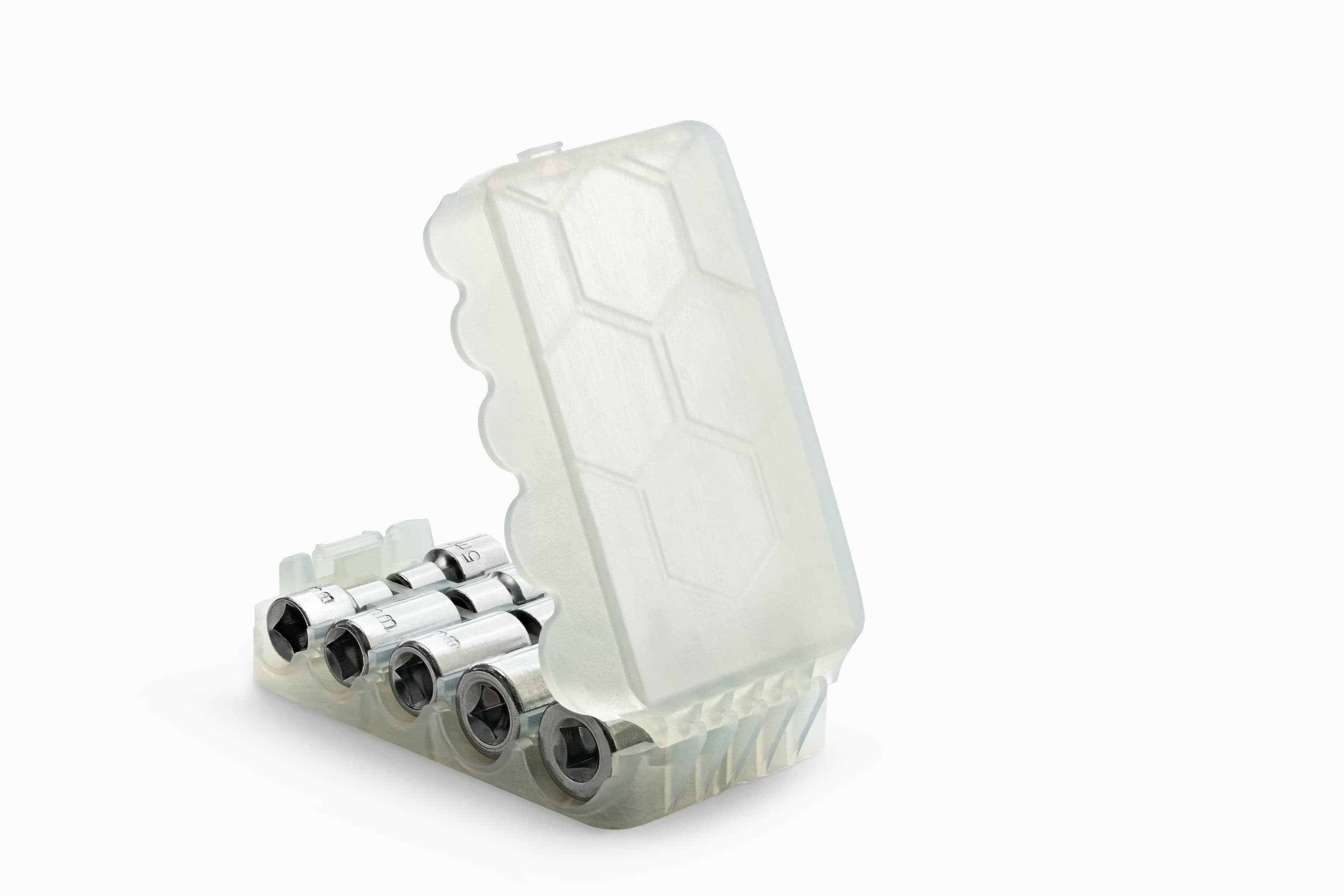
Durable is ideal for engineering prototypes and has been developed to withstand high strain. Consider Durable Resin for applications that require impact resistance for rugged prototyping and for models that feel or look like real polypropylene. Like Flexible Resin, Durable Resin also works for objects that require some flexibility. Unlike Flexible Resin, Durable also maintains good rigidity.
Recommended for:
Not suitable for:
Note:
To learn more about the performance or specific material properties of Durable Resin, please refer to the Safety Data Sheet (SDS) and Technical Data Sheet (TDS). Always consult the SDS as the primary source of information to understand safety and handling of Formlabs materials.
Comparison with other materials
To understand the difference between Durable Resin (similar to PP) and Tough 2000 Resin (similar to ABS), it helps to understand two key values: elongation and impact strength.
Elongation (given as a percentage of the original length) measures the length a material can stretch based on the original size, before it breaks. For applications requiring snap fits, flexures, or compliant mechanisms, a high elongation percentage value means the material can stretch a long way (or stretch repeatedly) before failing.
| Formlabs Durable Resin, Postcured | Polypropylene | |
|---|---|---|
| Tensile Strength (MPa) | 28 | 25–40 |
| Tensile Modulus (GPa) | 1.0 | 1–1.5 |
| Elongation (%) | 55 | 100 - 400 |
| Flexural Modulus (GPa) | 0.66 | 1–1.5 |
| Izod Impact Strength (J/m) | 114 | 100–160 |
| HDT @ 0.45 MPa (°C) | 41 | 70–80 |
To learn more about Durable Resin's properties, download the material data sheet.
Impact strength (given as force over area) means the material can survive more force without breaking. and is tested by hitting a sample piece with a pendulum hammer. Impact strength is critical in applications that require the object to stand up to stress in the field. Polypropylene is used in many high-impact areas, such as car bumpers, which can bounce back after receiving an impact.
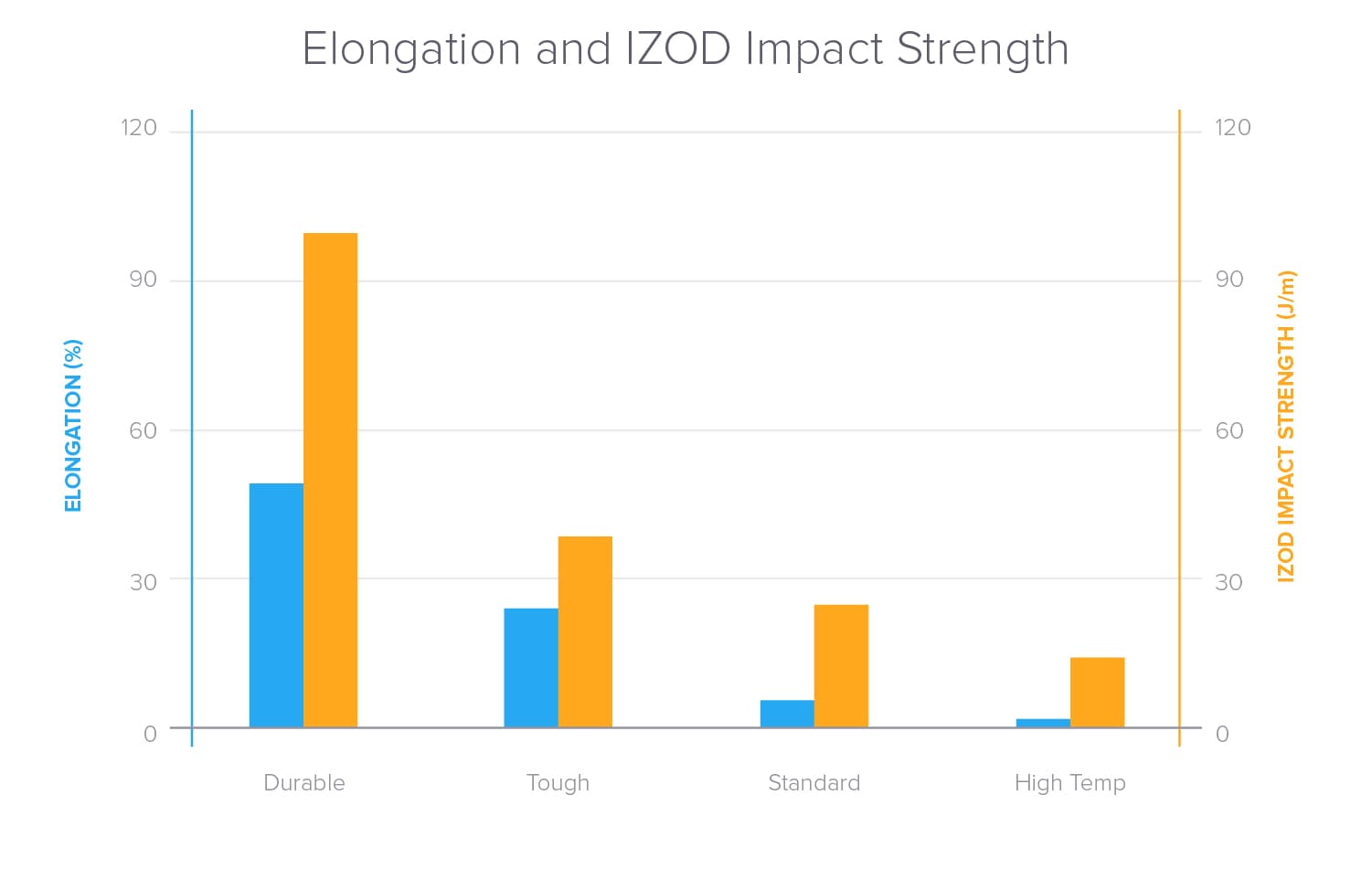
Comparing Elongation and IZOD Impact Strength for Formlabs Durable, Tough, Standard, and High Temp Resins.
To learn more about the performance properties of Formlabs resins, refer to the library of material properties datasheets.
Printing with Durable Resin
When printing models with large cross sectional areas, use the default touchpoint size as a minimum. Touchpoints at the default size tear off easily and properly support most geometries. For small or delicate parts, consider reducing the touchpoint size.
Durable is not ideal for printing with very fine features. Tiny holes and gaps may be filled in and tiny wires and walls may not come out as well as with other resins.
Durable Resin is well-suited for snap fits, press fits, or other features that require deformation of the final part. To aid in assembly, the part can be heated using a hairdryer or heat gun before placement. After cooling, the fit will be strong and tight.
Install or update PreForm, then set up the next print job.
To prepare a model for printing in PreForm:
Finishing
The Form Wash agitates the solvent bath and removes parts from the bath after a set time. Wash parts according to the support article Form Wash time settings. Pay particular attention to information that affects mechanical properties or biocompatibility requirements.
To achieve a smooth finish, sand support blemishes using standard sanding techniques. Sanding parts made with Durable Resin may prove more difficult than other resins, due to the low-friction surface, so allocate more time for finishing than other resins, at least for the first time.
Post-curing requirements
Durable Resin requires post-curing to reach its optimal mechanical properties.
Refer to the Form Cure time and temperature settings for post-curing recommendations.