
Formlabs Stereolithography 3D Printers Tech Specs

Technology
Masked Stereolithography (MSLA)
Printer Engine
Low Force Display™ (LFD)
Key Components of the Print Engine
Backlight Unit
Light Processing Unit Studio 1 (LPU S1)
Release Texture V2
Flexible Film Resin Tank
Five Intelligent Control Systems
High-Speed Automatic Resin Handling
Light Source
Backlight Unit: 28 uniform-wavelength LEDs, a plano-convex lens array, and integrated air cooling
405 nm optical wavelength
6 mW/cm² optical power intensity delivered to the cure plane
35 µm pixel size
Print Speed
Up to 130 mm/hour maximum1
40 mm/hour average for general-purpose resins2
10-20 mm/hour typical range for functional materials2
Typical Dimensional Tolerances (XY)³
1-30 mm features ±0.5% average (lower limit: ±0.08 mm)
31-80 mm features ±0.2% average (lower limit: ±0.08 mm)
81-150 mm ±0.03% average (lower limit: ±0.08 mm)
Surface Accuracy (Restorative Models)⁴
Not validated for Restorative Model workflows
Reliability
Comparable print success rate to Form 4, which third-party testing has measured at 99%. Form Studio 1 reliability testing is still in progress.
Materials
9 industry-leading Formlabs materials or open to use third-party materials. More exciting new materials are currently in development.
Biocompatible Materials
No
Build Volume (W x D x H)
20.0 x 12.5 x 23.5 cm
7.9 x 4.9 x 9.3 in
5.9 liters
Build Area
250 cm²
38.8 in²
Maximum Part Length
29.1 cm
11.5 in
XY Resolution⁷
35 µm with pre-tuned anti-aliasing for subpixel resolution
Layer Thickness⁸
25–250 µm
0.001–0.010 in
Resin Cartridges
1
Resin Cartridge Type
Resin Cartridge V2
5-10x faster filling
63% less waste
30% less shelf space
Resin Heating
High-speed conduction resin heating with contact-type temperature sensing
Internal Temperature
Auto-heats resin to 25–45 °C (77–113 °F), depending on material
Force Sensing
Z-Axis Force Sensor: automatically optimizes print quality and print speed based on part geometry and selected material.
Supports
Auto-generated
Light-touch removal
Design/CAD Specifications
Printer Dimensions (W x D x H)
34.2 x 31.5 x 50.2 cm
13.5 x 12.4 x 19.8 in
Minimum Access Dimensions (W x D x H)
36 x 33 x 79 cm
14.2 x 13 x 31.1 in
Printer Weight
14.3 kg
31.5 lb
Operating Environment
18–28 °C
64–82 °F
Power Requirements
100-240 VAC
3A
50/60Hz
300W
Connectivity
Wi-Fi (2.4 and 5 GHz; IEEE 802.11 b/g/n/ac, WPA/WPA2)
Ethernet (100 Mbit)
USB-C 2.0
Printer Control⁹
7" interactive touchscreen
1024 × 600 resolution
Languages: English, German, French, Spanish, Italian, Japanese, Simplified Chinese
Alerts
Touchscreen alerts
SMS/email via Dashboard
Speaker for audio alerts
Form Mobile App Notifications
Sensors and Control Systems
5 integrated sensors that precisely control resin temperature, resin level, print forces, and print status:
High-speed conduction resin heating with contact temperature sensing
Resin Level Sensor: controls the amount of resin in the tank
Z-Axis Force Sensor: controls and minimizes print forces
Printer Leveling Sensor: Ensures the printer is flat
Camera: remote monitoring
Camera
Integrated camera
1920 x 1080 resolution (2MP)
Remote monitoring, print history, and print timelapses
Can be easily disabled, covered, or removed
Software
PreForm System Requirements
Windows 10 (64-bit only, ARM not supported) and up
macOS 13 or later
OpenGL 2.1
C++ runtime library from Microsoft (Windows only)
4 GB RAM (8 GB recommended)
PreForm File Types
STL, OBJ, 3MF, & other mesh files and native CAD formats
FORM file output
PreForm Print Setup Features
One-Click Print
Adaptive layer thickness for faster printing with fine details
Remote Print
Auto-orient for optimal print position
Auto-mesh repair
Auto-generation of supports
Advanced tools for manually editing supports
Rotate, scale, duplicate, and mirror
Layer slicer for path inspection
Custom print settings
Available in multiple languages
Dashboard Printer Management Features
Track resin and tank usage over time
SMS and email alerts
Create enterprise group accounts with admins to more easily share printers and control access
Resin Tank Estimated Lifetime¹⁰
75,000+ layers with any Formlabs material
For example: approximately 190 prints using average height model (39 mm tall), any resin, and 100 µm layer height

Technology
Masked Stereolithography (MSLA)
Printer Engine
Low Force Display™ (LFD)
Key Components of the Print Engine
Backlight Unit
Light Processing Unit 4 (LPU 4)
Release Texture
Flexible Film Resin Tank
Intelligent Control Systems
High-Speed Automatic Resin Handling
Light Source
Backlight Unit: 60 uniform-wavelength LEDs, a plano-convex lens array, and integrated air cooling
405 nm optical wavelength
16 mW/cm² optical power intensity delivered to the cure plane
50 µm pixel size
Print Speed
Up to 100 mm/hr maximum¹
45 mm/hr average for general-purpose resins2
30-40 mm/hr typical range for functional materials
Typical Dimensional Tolerances (XY)³
1-30 mm features: ±0.15% (lower limit: ±0.02 mm)
31-80 mm features: ±0.2% (lower limit: ±0.06 mm)
81-150 mm features: ±0.3% (lower limit: ±0.15 mm)
Reliability
99%, measured by an independent third-party lab in a series of comprehensive performance tests.
Materials
23 industry-leading Formlabs materials or third-party materials using Open Material Mode. More exciting new materials are currently in development.
Explore Materials
Biocompatible Materials
No (available on Form 4B)
Build Volume (W x D x H)⁵
20.0 × 12.5 × 21.0 cm
7.9 × 4.9 × 8.3 in
5.3 liters
Build Area
250 cm²
38.8 in²
Maximum Part Length⁶
27.3 cm
10.7 in
XY Resolution⁷
50 µm with pre-tuned anti-aliasing for subpixel resolution
Superior fine feature performance and sharp features compared to the Form 3 Series
Layer Thickness⁸
25–200 µm
0.001–0.008 in
Resin Cartridges
1
Resin Cartridge Type
Resin Cartridge V2
5-10x faster filling
63% less waste
30% less shelf space
Resin Heating
High speed conduction resin heating with infrared temperature sensing
Internal Temperature
Auto-heats resin to 25–45 °C (77–113 °F), depending on material
Force Sensing
Z-Axis Force Sensor: automatically optimizes print quality and print speed based on part geometry and selected material.
Supports
Auto-generated
Light-touch removal
Design/CAD Specifications
Printer Dimensions (W x D x H)
39.8 × 36.7 × 55.4 cm
15.7 × 14.5 × 21.9 in
Minimum Access Dimensions (W x D x H)
40.7 × 47.8 × 84.4 cm
16.0 × 18.8 × 33.2 in
Printer Weight
18.3 kg
40.4 lb
Operating Environment
18–28 °C
64–82 °F
Power Requirements
100–240 VAC
4.8 A
50/60 Hz
480 W
Connectivity
Wi-Fi (2.4 and 5 GHz; IEEE 802.11 b/g/n/ac, WPA/WPA2)
Ethernet (1000 Mbit)
USB-C 2.0
Printer Control⁹
7" interactive touchscreen
1280 × 800 resolution
Languages: English, German, French, Spanish, Italian, Japanese, Simplified Chinese
Alerts
Touchscreen alerts
SMS/email via Dashboard
Speaker for audio alerts
Form Mobile App Notifications
Sensors and Control Systems
6 upgraded sensors that precisely control resin temperature, resin level, print forces, and print status:
High-speed conduction resin heating with infrared temperature sensing
Ultrasonic Resin Level Sense: controls resin in the tank
Z-Axis Force Sensor: controls and minimizes print forces
Resin Cartridge Load Cell: measures exact resin level in cartridge
Printer Leveling Sensor
Camera
Camera
Integrated camera
2592 x 1944 resolution (5MP)
Remote monitoring, print history, and print timelapses
Can be easily disabled, covered, or removed
Software
PreForm System Requirements
Windows 10 (64-bit only, ARM not supported) and up
macOS 13 or later
OpenGL 2.1
C++ runtime library from Microsoft (Windows only)
4 GB RAM (8 GB recommended)
PreForm File Types
STL, OBJ, 3MF, & other mesh files and native CAD formats
FORM file output
PreForm Print Setup Features
One-Click Print
Adaptive layer thickness for faster printing with fine details
Remote Print
Auto-orient for optimal print position
Auto-mesh repair
Auto-generation of supports
Advanced tools for manually editing supports
Rotate, scale, duplicate, and mirror
Layer slicer for path inspection
Custom print settings
Available in multiple languages
Dashboard Printer Management Features
Manage prints and printers via the cloud
Track resin and tank usage over time
SMS and email alerts
Create enterprise group accounts with admins to more easily share printers and control access
Resin Tank Estimated Lifetime¹⁰
75,000+ layers with any Formlabs material
For example: approximately 190 prints using average height model (39 mm tall), any resin, and 100 µm layer height
Technology
Masked Stereolithography (MSLA)
Printer Engine
Low Force Display™ (LFD)
Key Components of the Print Engine
Backlight Unit
Light Processing Unit 4 (LPU 4)
Release Texture
Flexible Film Resin Tank
Intelligent Control Systems
High-Speed Automatic Resin Handling
Light Source
Backlight Unit: 60 uniform-wavelength LEDs, a plano-convex lens array, and integrated air cooling
405 nm optical wavelength
16 mW/cm² optical power intensity delivered to the cure plane
50 µm pixel size
Print Speed
Up to 100 mm/hr maximum¹
45 mm/hr average for general-purpose resins2
30-40 mm/hr typical range for functional materials
Typical Dimensional Tolerances (XY)³
1-30 mm features: ±0.15% (lower limit: ±0.02 mm)
31-80 mm features: ±0.2% (lower limit: ±0.06 mm)
81-150 mm features: ±0.3% (lower limit: ±0.15 mm)
Reliability
98.7%, measured by an independent third-party lab in a series of comprehensive performance tests.
Materials
38 industry-leading Formlabs materials, including 15 biocompatible, or third-party materials using Open Material Mode. More exciting new materials are currently in development.
Explore Materials
Biocompatible Materials
Yes
Build Volume (W x D x H)⁵
20.0 × 12.5 × 21.0 cm
7.9 × 4.9 × 8.3 in
5.25 liters
Build Area
250 cm²
38.8 in²
Maximum Part Length⁶
27.3 cm
10.7 in
XY Resolution⁷
50 µm with pre-tuned anti-aliasing for subpixel resolution
Superior fine feature performance and sharp features compared to the Form 3 Series
Layer Thickness⁸
25–200 µm
0.001–0.008 in
Resin Cartridges
1
Resin Cartridge Type
Resin Cartridge V2
5-10x faster filling
63% less waste
30% less shelf space
Resin Heating
High speed conduction resin heating with infrared temperature sensing
Internal Temperature
Auto-heats resin to 25–45 °C (77–113 °F), depending on material
Force Sensing
Z-Axis Force Sensor: automatically optimizes print quality and print speed based on part geometry and selected material.
Supports
Auto-generated
Light-touch removal
Design/CAD Specifications
Printer Dimensions (W x D x H)
39.8 × 36.7 × 55.4 cm
15.7 × 14.5 × 21.9 in
Minimum Access Dimensions (W x D x H)
40.7 × 47.8 × 84.4 cm
16.0 × 18.8 × 33.2 in
Printer Weight
18.3 kg
40.4 lb
Operating Environment
18–28 °C
64–82 °F
Power Requirements
100–240 VAC
4.8 A
50/60 Hz
480 W
Connectivity
Wi-Fi (2.4 and 5 GHz; IEEE 802.11 b/g/n/ac, WPA/WPA2)
Ethernet (1000 Mbit)
USB-C 2.0
Printer Control⁹
7" interactive touchscreen
1280 × 800 resolution
Languages: English, German, French, Spanish, Italian, Japanese, Simplified Chinese
Alerts
Touchscreen alerts
SMS/email via Dashboard
Speaker for audio alerts
Form Mobile App Notifications
Sensors and Control Systems
6 upgraded sensors that precisely control resin temperature, resin level, print forces, and print status:
High-speed conduction resin heating with infrared temperature sensing
Ultrasonic Resin Level Sense: controls resin in the tank
Z-Axis Force Sensor: controls and minimizes print forces
Resin Cartridge Load Cell: measures exact resin level in cartridge
Printer Leveling Sensor
Camera
Camera
Integrated camera
2592 x 1944 resolution (5MP)
Remote monitoring, print history, and print timelapses
Can be easily disabled, covered, or removed
Software
PreForm System Requirements
Windows 10 (64-bit only, ARM not supported) and up
macOS 13 or later
OpenGL 2.1
C++ runtime library from Microsoft (Windows only)
4 GB RAM (8 GB recommended)
PreForm File Types
STL, OBJ, 3MF, & other mesh files and native CAD formats
FORM file output
PreForm Print Setup Features
One-Click Print
Adaptive layer thickness for faster printing with fine details
Remote Print
Auto-orient for optimal print position
Auto-mesh repair
Auto-generation of supports
Advanced tools for manually editing supports
Rotate, scale, duplicate, and mirror
Layer slicer for path inspection
Custom print settings
Available in multiple languages
Dashboard Printer Management Features
Manage prints and printers via the cloud
Track resin and tank usage over time
SMS and email alerts
Create enterprise group accounts with admins to more easily share printers and control access
Resin Tank Estimated Lifetime¹⁰
75,000+ layers with any Formlabs material
For example: approximately 340 prints using clear aligner models (22 mm tall), any resin, and 100µm layer height
¹ Using Alpha Fast Resin and 250 µm layer height on the Form Studio 1. Using Fast Model Resin and 200 µm layer height on the Form 4 Series. Using Draft V2 Resin and 200 µm layer height on the Form 3 Series. Based on actual print times from a collection of test parts covering common engineering, product design, manufacturing, and dental applications. Based on the 75th percentile actual print speed from reported prints in 2026.
² Average across all materials printed at 100 µm layer height, weighted by material popularity. Print speed will vary depending on the material, layer height, and part geometry. The range is based on the materials with the slowest median print speed and highest median print speed.
³ Using Alpha Grey Resin and Grey Resin V5, printed at 100 µm layer height, post-cured for 5 minutes at room temperature. One test model with various feature sizes 3D printed on three different printers.
⁴ Using 50 µm layer height. Tested using a full arch restorative model with dies, four models per print job, printed on three different printers, and post-processed according to the recommended settings.
⁵ Actual achievable part size may be slightly smaller than the build volume, accounting for minor shrinkage during printing and part orientation. If you are printing a job that is taller than 19.0 cm (7.5 in) on Form 4/B, taller than 30.5 cm (12 in) in) on Form 4L/4BL, or taller than 18.5 cm (7.2 in) on Form 3/B/+, you have to remove the resin tank while removing your print. PreForm will warn users when their job is above these limits.
⁶ Assuming a part printed on supports that resembles a rectangular prism with 12.5 cm depth and 1 cm height.
⁷ XY resolution describes how precisely the printer can cure the resin in the XY (horizontal) plane. It corresponds to the pixel size of the Light Processing Unit 4, Light Processing Unit 4L, and Light Processing Unit S1.
⁸ Layer thickness availability varies by material. View our materials compatibility table to confirm availability.
⁹ Languages beyond English will come in future firmware releases on the Form 4 Series and Form Studio Series.
¹⁰ The exact lifetime of an individual resin tank depends on layers printed, physical wear, and accidental damage.
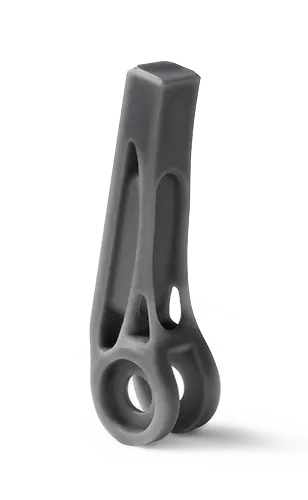
Request a Free Sample 3D Print
See and feel the Formlabs quality firsthand. We’ll ship a free sample part to your office.