WHITEPAPER
Formlabs Logo

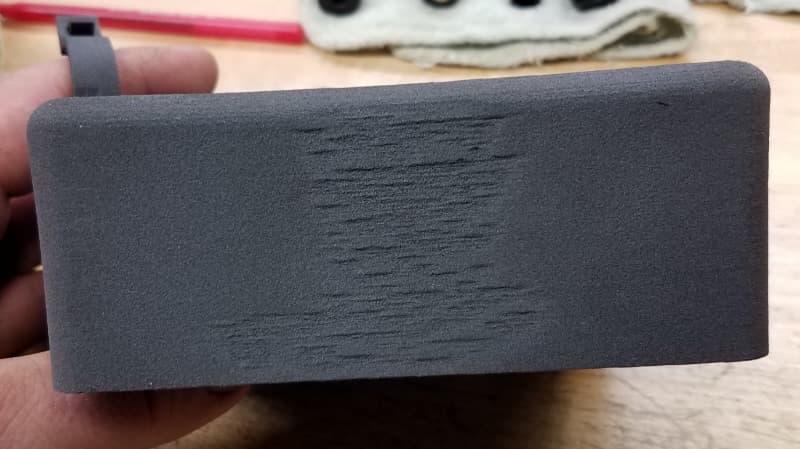
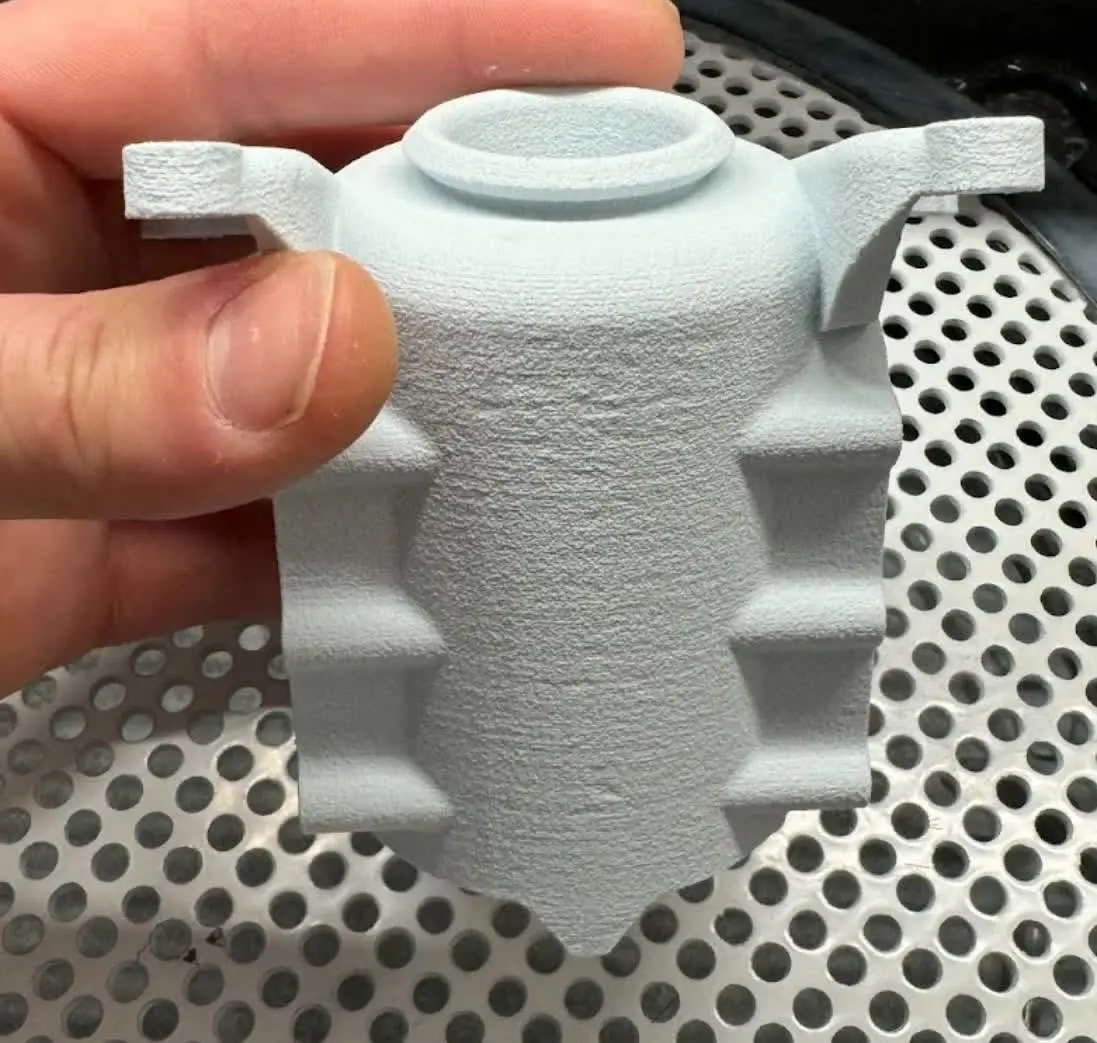
Poor finish (orange peel) on vertical surfaces (SLS)

Poor finish (orange peel) on vertical surfaces (SLS)

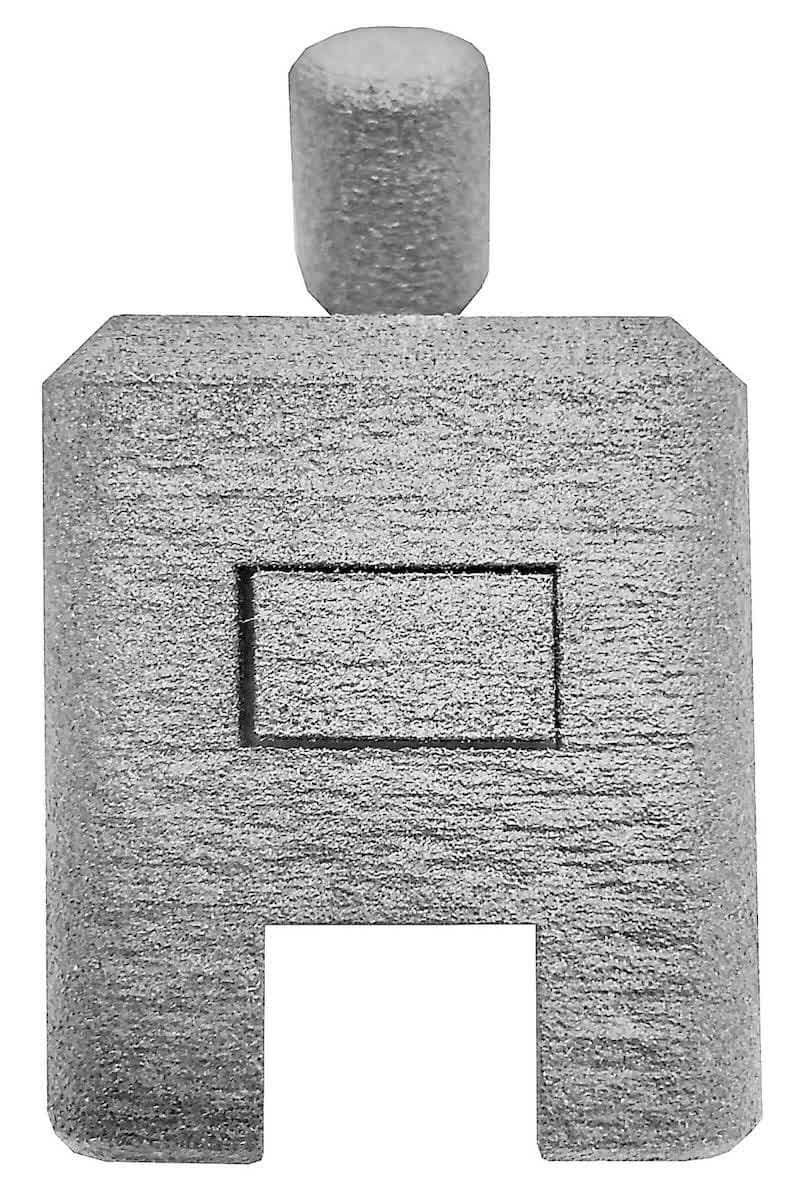
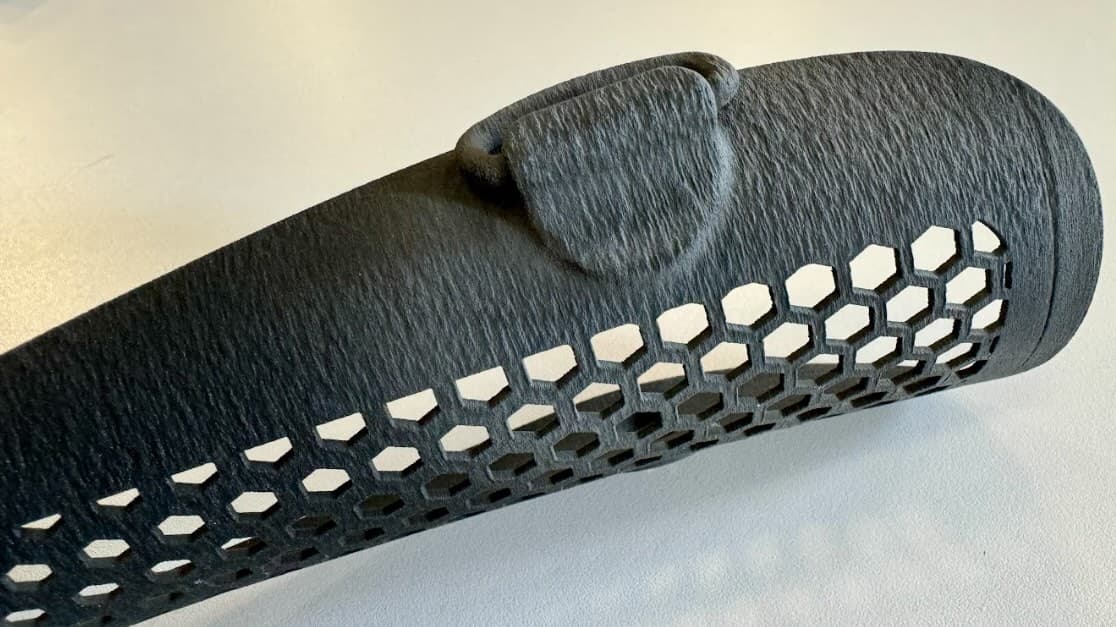
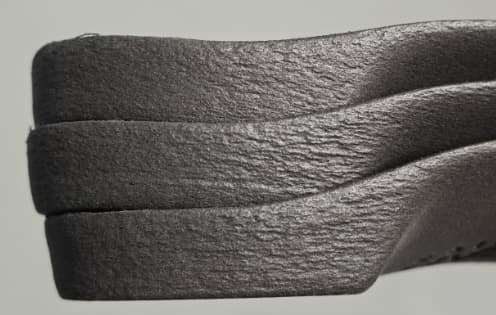
SLS printed parts typically have a grainy matte finish. If material is not heated optimally during printing, the surface finish can worsen, exhibiting a texture similar to birchbark, orange peel, or sandpaper.

Poor surface finish
Poor surface finish
Poor surface finish
Poor surface finish
Poor surface finish

Symptome

  • Shallow ridges running along layer lines

Ursachen

  • Incorrect Bed Temperature Target
  • Laser output reduced by optical contamination
  • Parts printed too close to the build chamber walls
  • Selected print setting was not optimal for surface finish
  • Powder degradation from extended usage

Schritte zur Fehlerbehebung

General troubleshooting steps

  1. Perform all necessary maintenance as outlined in the schedule of maintenance, paying special attention to the laser windows and IR sensor housing.
  2. Confirm that you are using the correct refresh rate for your powder type.
  3. Apply the best print settings for your material to minimize instances of birchbark/orange peel.
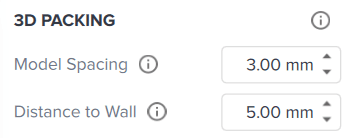
  1. Surface finish issues can be exacerbated by printing parts too close to the build chamber walls. For best results, ensure that the Model Spacing is at least 3 mm and the Distance to Wall is at least 5 mm when packing builds in PreForm.
3D Packing options in PreForm
  1. If these general steps do not improve your parts’ surface finish, see the sections below for material-specific guidance.

If the steps do not resolve the issue or you need assistance with interpreting the results of a diagnostic print, upload diagnostic logs from your printer, then contact Formlabs Support or a certified service provider and upload diagnostic logs.

Nylon 12 Powder troubleshooting

  1. Perform all general troubleshooting steps.
  2. Tune the bed temperature if it has not been done previously. Determine the optimal Bed Temperature Target and apply it to the printer.

Note:

The powder must be at the correct refresh rate for the results to be valid. If you have run out of used powder, age some fresh powder first to create some.

  1. If these steps do not eliminate the issue, increase the refresh rate in increments of 10% and try another print. Formlabs recommends a maximum refresh rate of 50% for this material.

Nylon 12 GF Powder troubleshooting

  1. Perform all general troubleshooting steps.
  2. If these steps do not eliminate the issue, increase the bed temperature target in 0.5 °C increments and increase the refresh rate in increments of 10%, attempting a test print in between. Formlabs recommends a maximum refresh rate of 70% for this material.

Note:

Increasing the bed temperature will make the powder cake harder to break apart and the Surface Armor more difficult to remove.

Nylon 12 White Powder troubleshooting

  1. Perform all general troubleshooting steps.
  2. Tune the bed temperature if it has not been done previously. Determine the optimal Bed Temperature Target and apply it to the printer.

Note:

You must use 100% fresh powder for the results of the tuning print to be valid.

  1. If these steps do not eliminate the issue, increase the refresh rate in increments of 10% and try another print. Formlabs recommends a maximum refresh rate of 50% for this material.

Nylon 12 Tough Powder troubleshooting

  1. Perform all general troubleshooting steps.
  2. Tune the bed temperature if it has not been done previously. Determine the optimal Bed Temperature Target and apply it to the printer.

Note:

The powder must be at the correct refresh rate for the results to be valid. If you have run out of used powder, age some fresh powder first to create some.

  1. If these steps do not eliminate the issue, increase the refresh rate in increments of 10% and try another print. Formlabs recommends a maximum refresh rate of 50% for this material.

Nylon 11 Powder troubleshooting

  1. Perform all general troubleshooting steps.
  2. For optimal mechanical properties and prolonged powder utilization, print with nitrogen on the Fuse 1+ 30W.
  3. If these steps do not eliminate the issue, increase the bed temperature target to +2 °C and try another print.

Note:

Increasing the bed temperature will make the powder cake harder to break apart and the Surface Armor more difficult to remove.

  1. If these steps do not eliminate the issue, increase the refresh rate in increments of 10% and try another print. Formlabs recommends a maximum refresh rate of 70% for this material.

Nylon 11 CF Powder troubleshooting

  1. Perform all general troubleshooting steps.
  2. For optimal mechanical properties and prolonged powder utilization, print with nitrogen on the Fuse 1+ 30W.
  3. If these steps do not eliminate the issue, increase the bed temperature target to +2 °C and try another print.

Note:

Increasing the bed temperature will make the powder cake harder to break apart and the Surface Armor more difficult to remove.

  1. If these steps do not eliminate the issue, increase the refresh rate in increments of 10% and try another print. Formlabs recommends a maximum refresh rate of 70% for this material.