

Troubleshooting the Form Wash V2
Troubleshooting the Form Wash V2
If the Form Wash V2 encounters any abnormalities, the touchscreen displays error messages and displays more details about the error. Follow troubleshooting steps to resolve common error codes on the Form Wash. If you encounter an error code not found in this article, refer to the general troubleshooting steps below.
General troubleshooting steps
The following steps are recommended for most issues seen on the Form Wash:
- Common steps for bugs, software issues, and electrical issues:
- Ensure that your unit’s firmware is up to date.
- Power cycle the unit using the switch on the rear of the machine. Leave the unit powered off for at least 30 seconds before powering back on.
- If an issue persists and the unit’s firmware is already up to date, manually reinstall the latest firmware package.
- If an issue began immediately after updating the unit’s firmware, roll back the firmware package to the previous version.
- Best practices for opening a support case with Formlabs Support:
- Provide photos of the error code and any other symptoms you are seeing, including videos of the following:
- entire unit
- areas near the tower
- down into the Wash Bucket
- Note the context of the issue (e.g., did the issue occur immediately after installation, after a software update, etc.).
- Note the frequency of this issue and whether it is persistent or intermittent.
- Note all troubleshooting steps already attempted.
Error message: Motors Jammed
The Form Wash displays the error message Motors Jammed when the inner lid is not properly seated and the elevator cannot move downwards. To resolve this issue:
- Unplug the unit, and manually lift the elevator to its maximum height.
- Once the elevator is raised, plug the unit back in.
- Remove the wash bucket.
- Reinsert the wash bucket. Ensure the inner lid slides under the tabs near the lid hinge.
- Press down on the edges of the inner lid, so that the lid is flush with the bucket.
- Reinsert the wash bucket. Ensure the inner lid stays flush with the bucket.
If repositioning the wash bucket does not solve the issue, contact Formlabs Support or your authorized reseller.
Impeller makes unusual noises
If the wash bucket is not properly aligned with the Form Wash base, the mixer may resonate or make other unusual noises during a cycle. These noises can often be resolved by gently sliding the wash bucket forward relative to the base.
If repositioning the wash bucket does not resolve the issue, replace the impeller. Form Wash V2 impellers are available for purchase on the Formlabs Store. Follow the guide Replacing the Form Wash V2 impeller to replace the component.
If the issue persists, contact Formlabs Support or your authorized reseller.
Wash basket collides against the inner lid when moving
If the components in the outer and inner lid are misaligned, the wash basket may collide with the inner lid when raising or lowering. If the wash basket repeatedly collides with the inner lid, Formlabs recommends bending the elevator to prevent collisions.
To resolve this issue:
- Tap Raise to lift the elevator to its maximum height.
- With one hand bracing the tower, push the mount and wash basket towards the tower. The metal bends slightly.
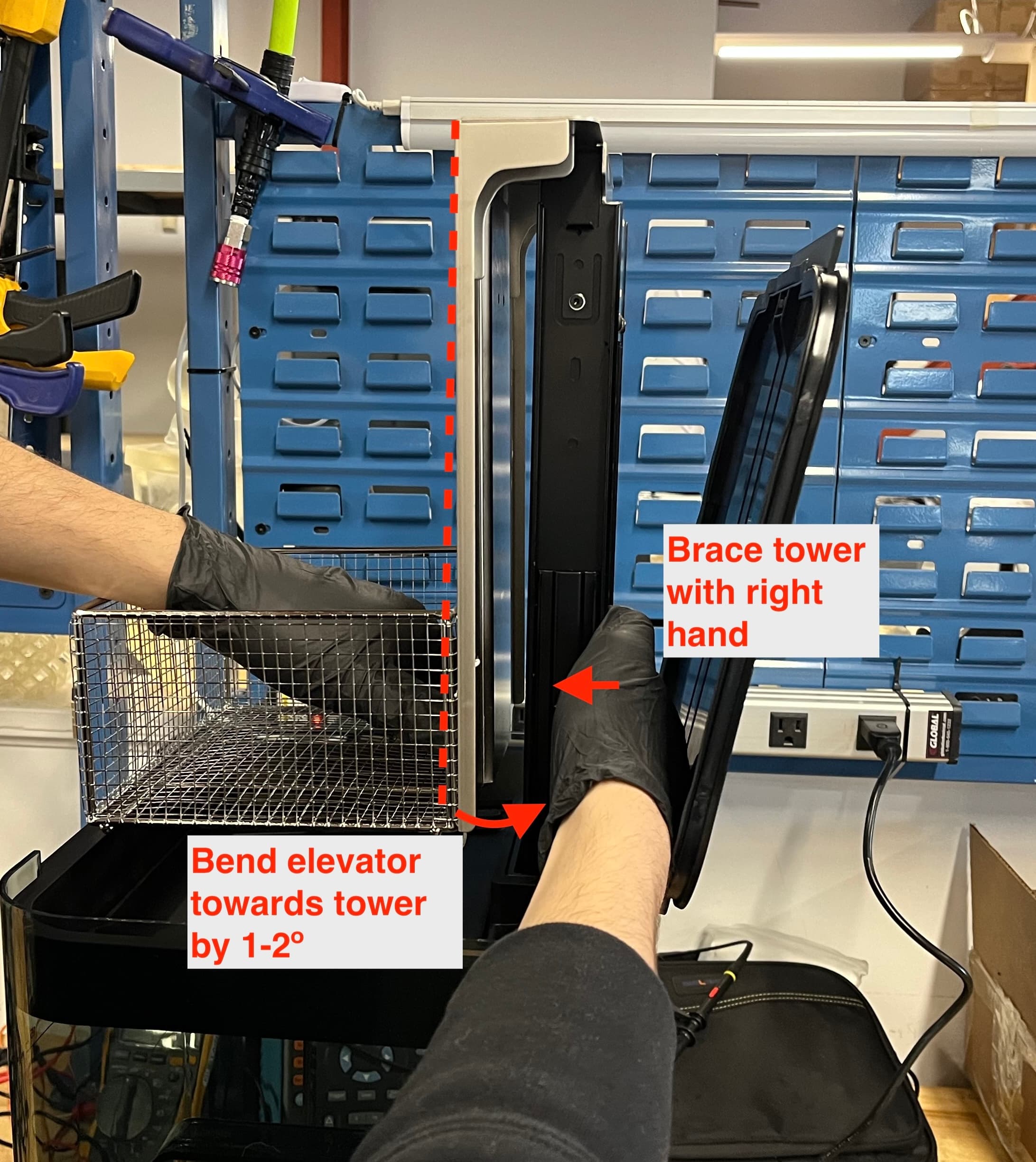
- Tap Lower. Check to ensure the wash basket can move up and down without colliding with the inner lid.
- If the wash basket continues to collide with the inner lid, repeat steps 1–3.
If the issue persists, contact Formlabs Support or your authorized reseller.
Poorly-fitting build platform mount arms
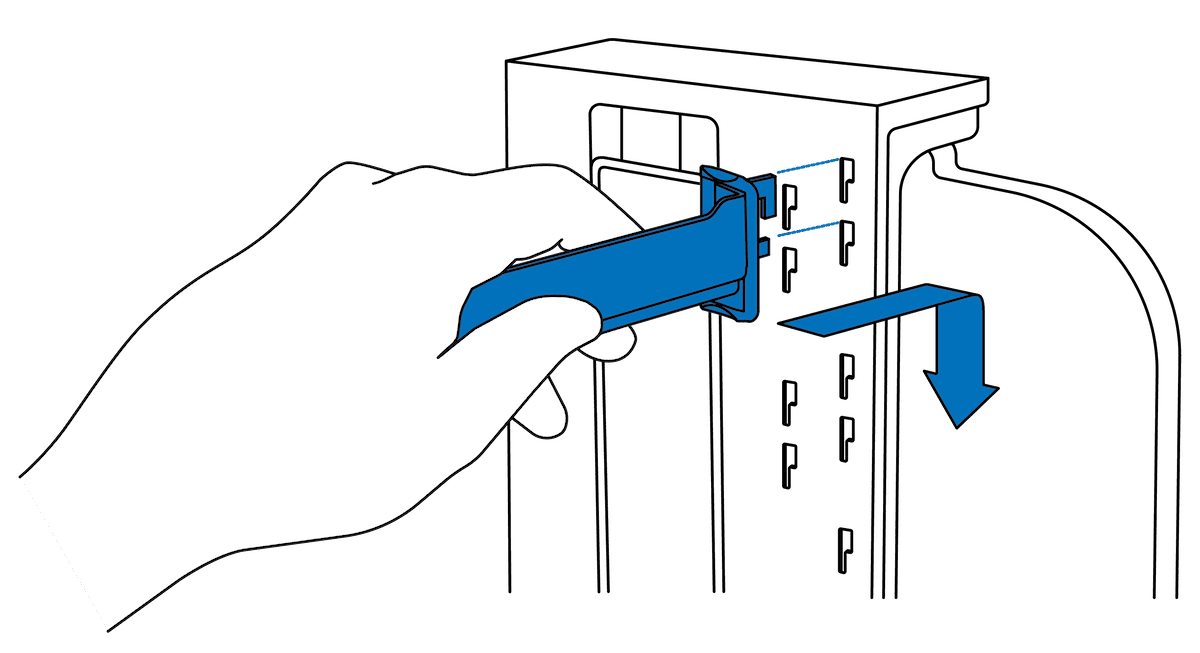
The build platform lift arms should fit easily into their slots. If they do not, the arms may need to be replaced. Replacement build platform mount arms are available for purchase on the Formlabs Store. If the arms do not fit properly on a new Form Wash, contact Formlabs Support or your authorized reseller.
Outer lid gasket prevents Form Wash from closing
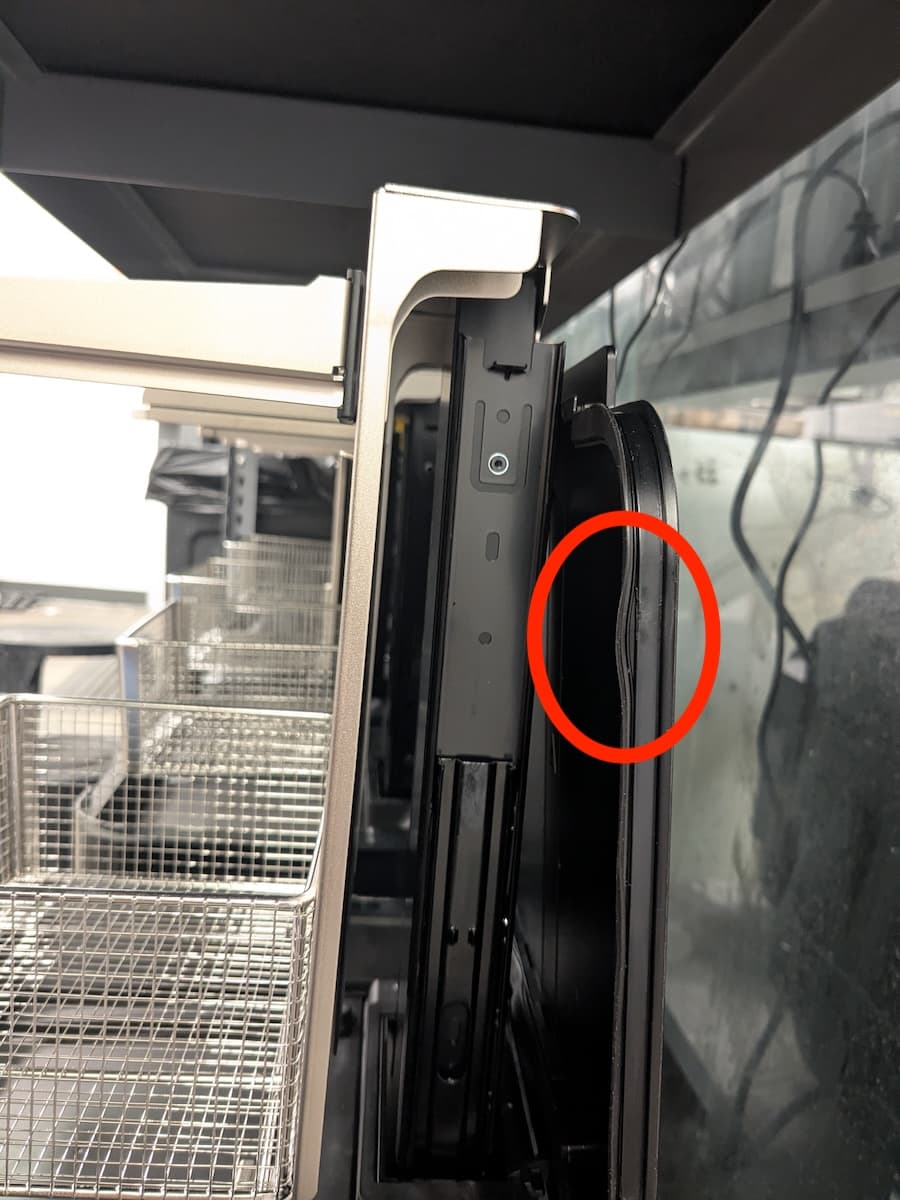
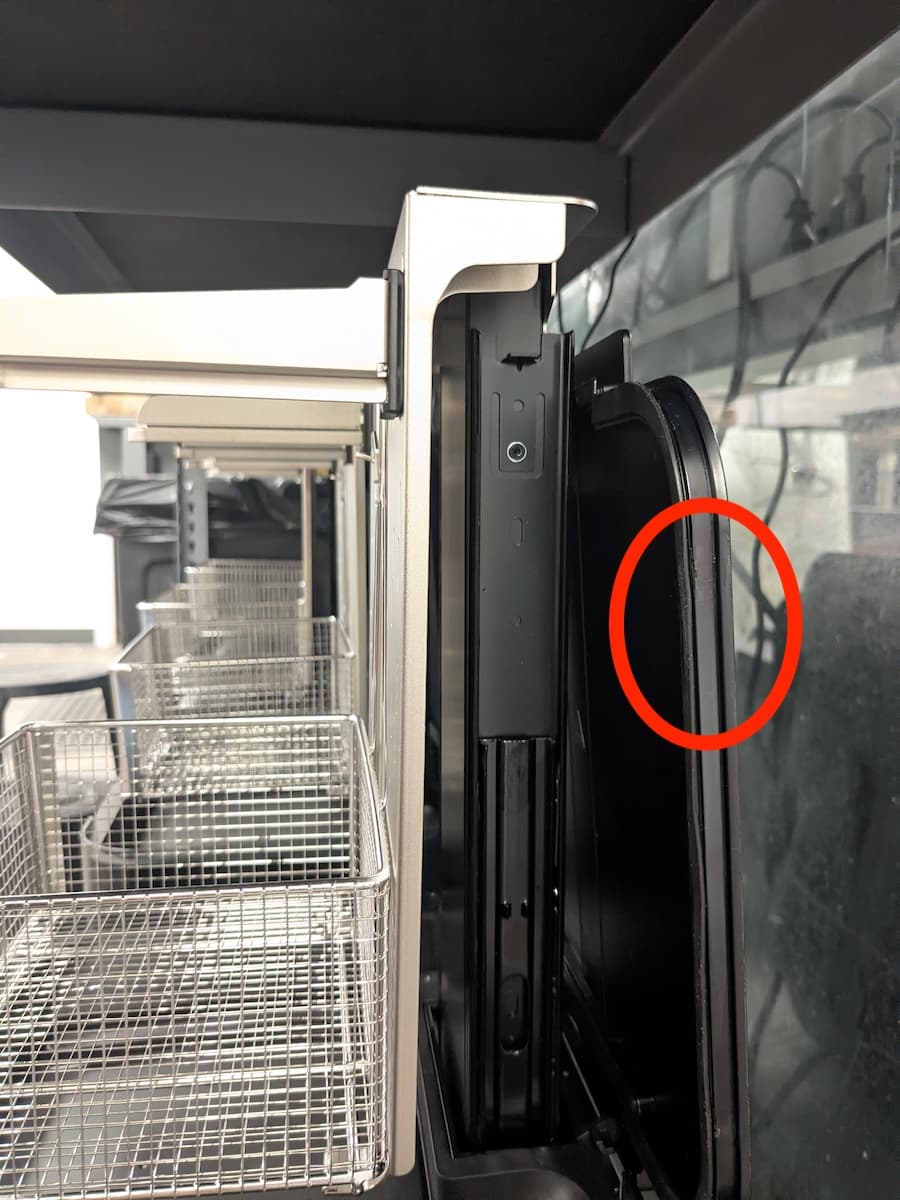
The Form Wash V2 outer lid has a gasket that helps it seal against the wash bucket, slowing the rate of solvent evaporation. If that gasket comes out of place, the outer lid may not be able to fully close. To resolve this, push the gasket back into place. If the gasket is damaged or does not stay in place, replace the outer lid assembly. Replacement outer lids are available for purchase on the Formlabs Store.
Impeller does not spin
The Form Wash removes uncured resin from the surface of printed parts by simultaneously soaking and moving them in a solvent with an impeller at the bottom of the wash bucket. If the impeller does not spin, your printed parts will not be cleaned effectively. To fix an impeller that no longer spins:
- Check the other functions of the Form Wash. If the Form Wash does not respond to menu selections, replace the display and control knob assembly. The part is available for purchase on the Formlabs Store.
- Start a new wash cycle, wait for the elevator to lower, then listen for the impeller motor.
- If you can hear the impeller motor moving but the impeller itself does not spin, check that the impeller is mounted properly within the wash bucket. Follow the instructions in the guide on replacing the impeller.
- If the impeller is damaged and cannot be remounted, replace the impeller.
- If the mount in the wash bucket is damaged, replace the wash bucket.
- If you cannot hear the motor spinning, the unit may need to be replaced. Contact Formlabs Support or your authorized reseller.
Rusted lift plate
The Form Wash V2 contains various metal components that can rust after prolonged exposure to water. This can happen if you fill your unit with water (e.g., to use as a secondary rinse when cleaning parts with TPM), but the water content in low-purity IPA can also cause rusting. Rust can prevent the lift plate from moving properly or can flake off into your wash solvent and contaminate your printed parts.
If you notice rusting on your Form Wash V2 lift plate:
- Replace the lift plate. Replacement Form Wash V2 lift plates are available for purchase on the Formlabs Store. If your unit is still under warranty, contact Formlabs Support or your authorized reseller.
- Replace your wash solvent. Do not fill the Form Wash V2 with water. If you are using low-purity IPA, consider replacing it with higher-purity solvent.