
技術白書
パウダーが溶けてしまう(SLS)
パウダーが溶けてしまう(SLS)
通常の動作では、プリンターはパウダーの融点よりも少し下の温度で加熱して焼結し、固形のパーツとして造形します。プリンターがパウダーをその温度以上に加熱すると、パウダーは溶けてしまいます。
症状
パウダーが溶ける原因や溶ける箇所はさまざまです。一般的に、パウダーが溶融する主な原因は3つあります。
- 全体的な溶融:プリントエリア全体が溶融する
- 局所的な溶融:プリントエリアの大部分が溶融し、一般的にビルドの片側に発生する
- 周辺部の溶融:プリントエリアの外縁が溶融するが、プリントエリアの中心は溶融しない
原因
- IRセンサの汚れ
- IRセンサのOリングの欠落(Fuse 1+ 30Wのみ)
- ビルドチャンバープラグの損傷
- ヒーターの故障
トラブルシューティング手順
溶けている部分を特定する
造形エリアでパウダーが溶ける箇所は、主に3つあります。パウダーが溶ける箇所によりそれぞれ異なる根本原因で発生するため、トラブルシューティング手順を実施する前にカテゴリーを特定することが重要です。
全体が溶ける:造形エリア全体が溶けてしまう現象です。これは、造形前に突然発生することもあれば、長時間の造形中に徐々に発生することもあります。
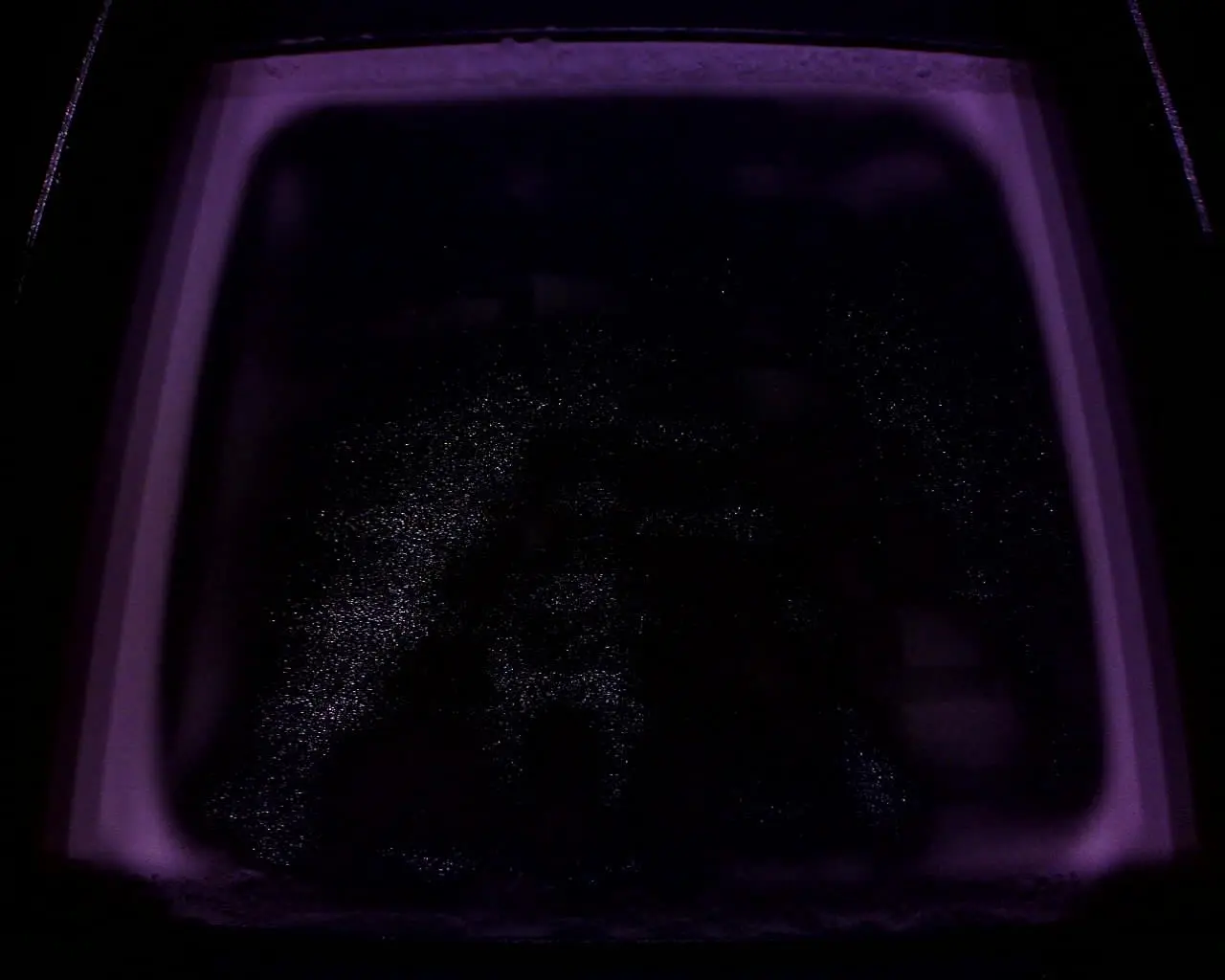
グローバルメルティングの結果
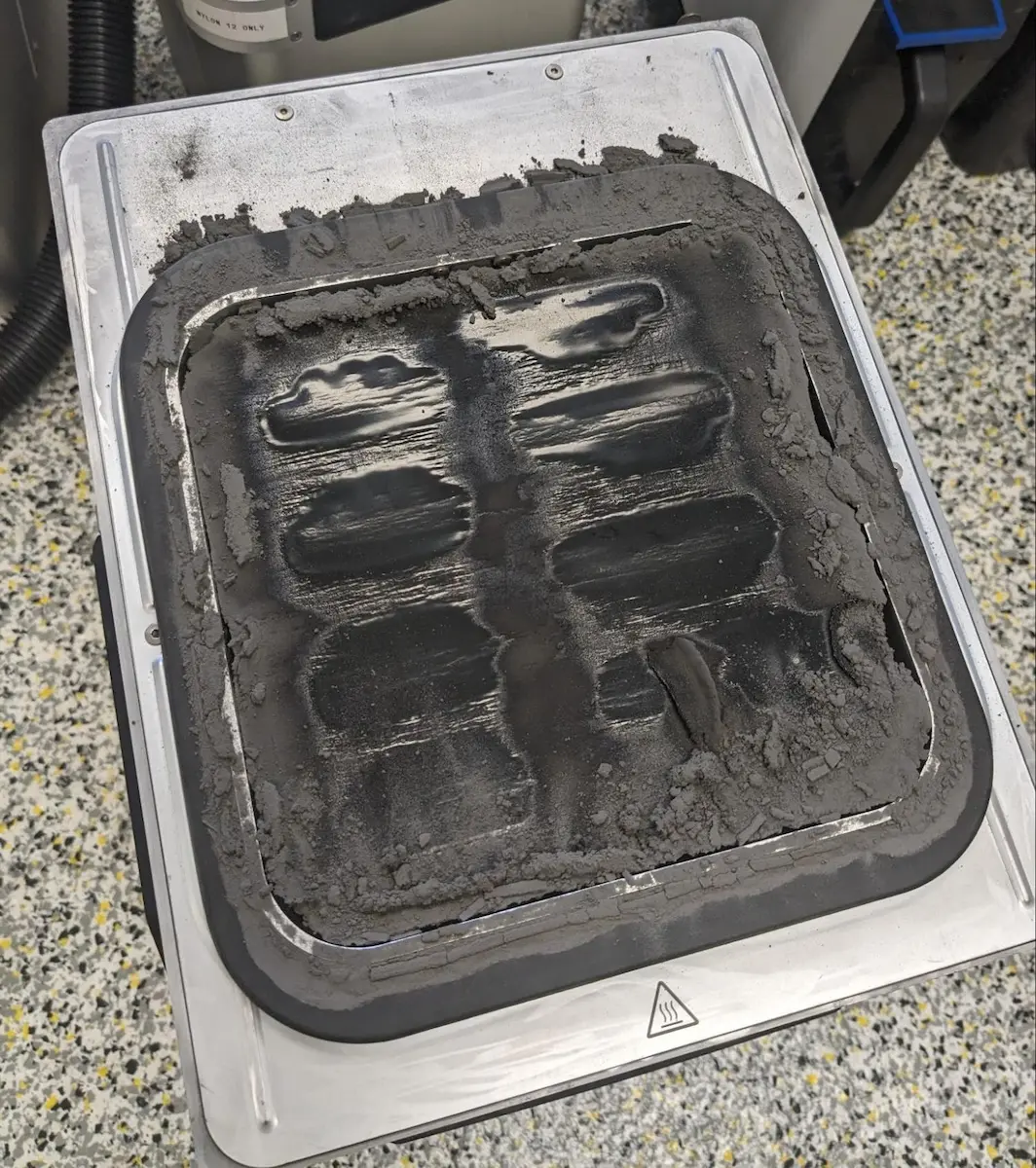
全体が溶けている状態の動画フィード
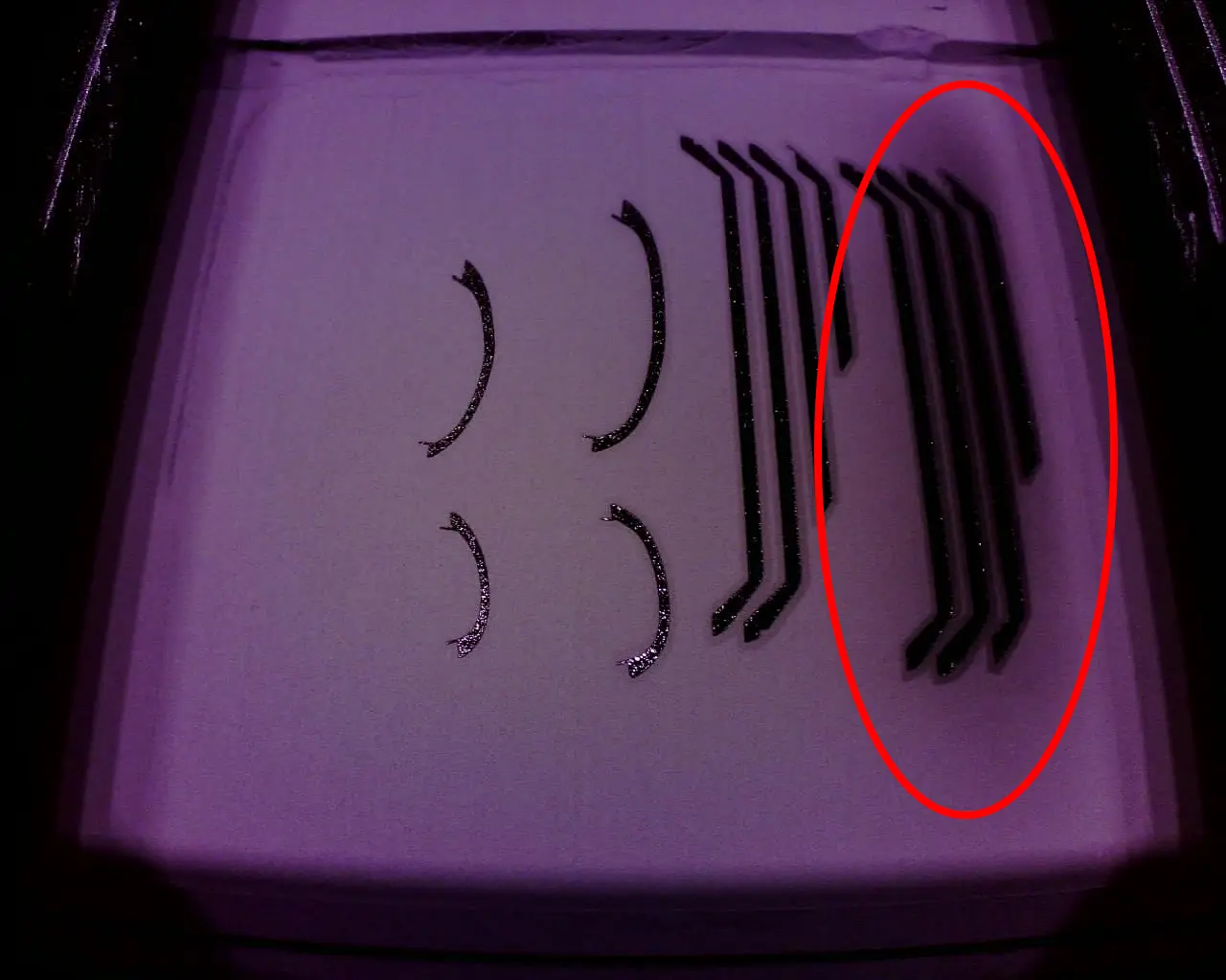
局所的な溶融: 造形エリアの大部分が溶けてしまう現象で、一般的にはビルドの片側で発生します。
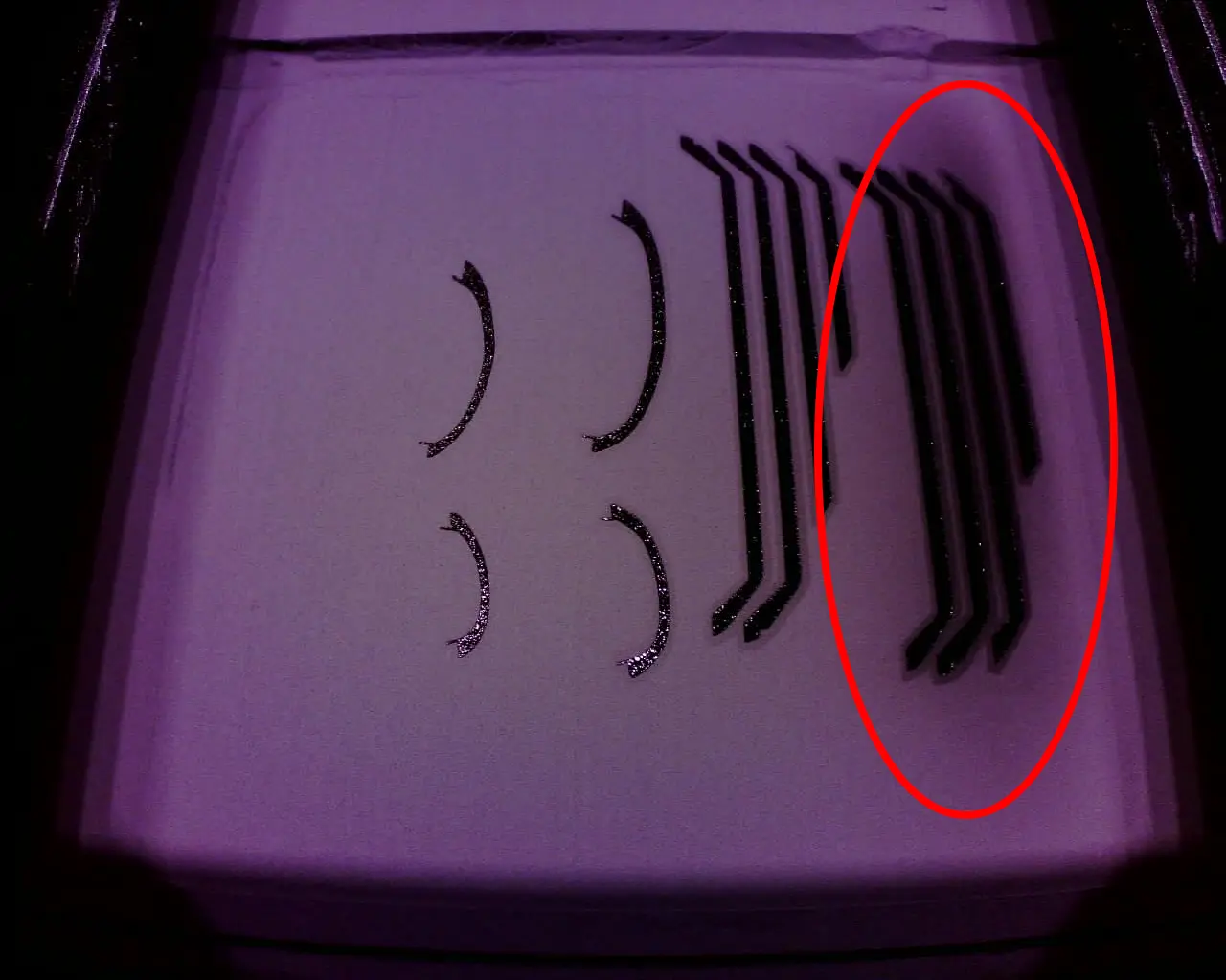
局所的に溶けている状態の動画フィード
周囲の溶融: 造形エリアの外縁が溶け、造形エリアの中心は溶けません。
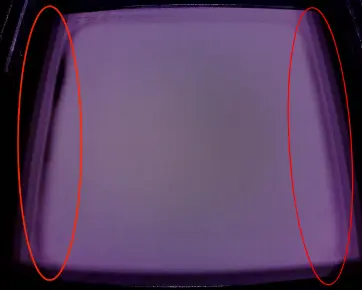
外縁が溶けている状態の動画フィード
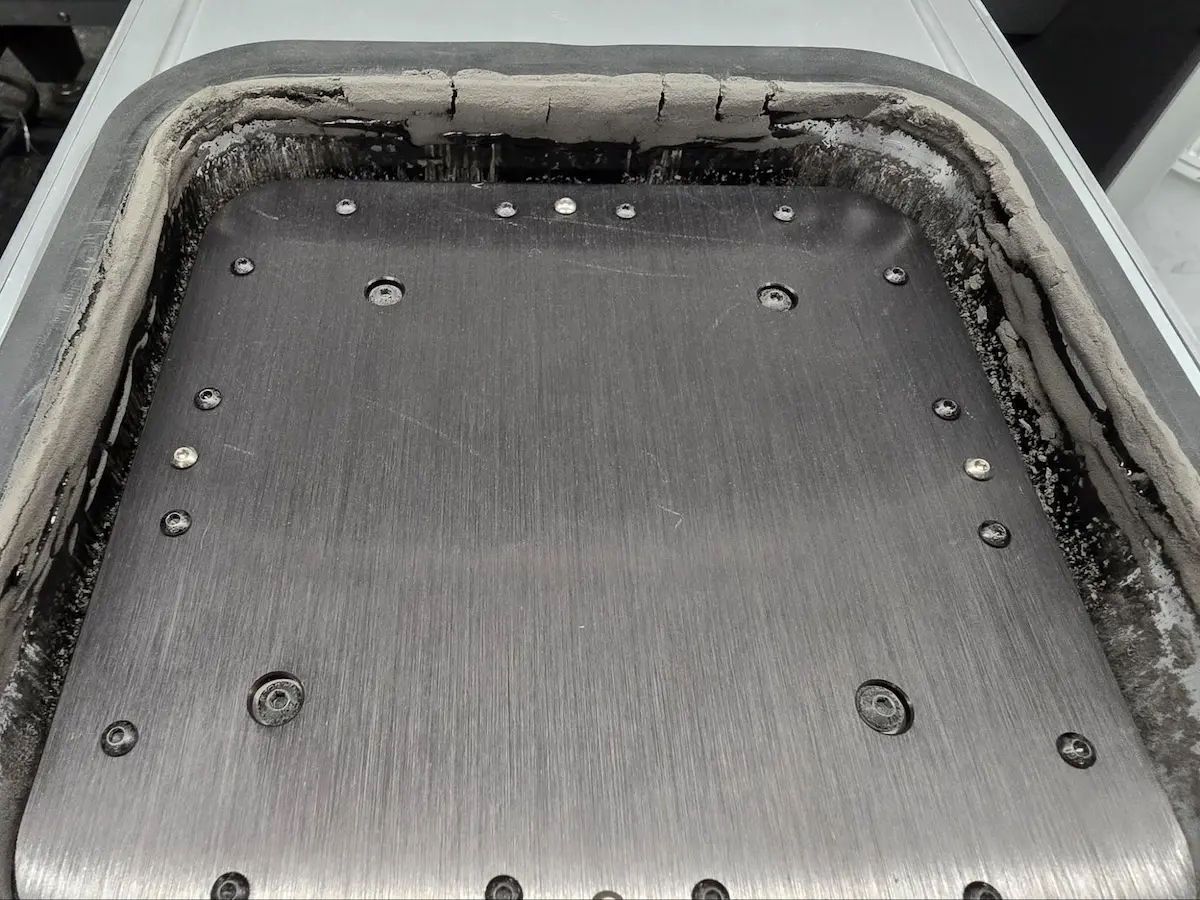
外周溶融の結果
溶けたパウダーを除去する
- ビルドチャンバーから造形不良品を取り除きます。溶けたパウダーがビルドチャンバーの壁にこびりついている場合は、ヒートガンで柔らかくしてください。
- 溶けたパウダーが取り除ける場合は、関連する指示に従ってビルドチャンバーを修理してください。交換部品は、FormlabsのWebストアでご購入いただけます。
- ビルドチャンバー外部フレームガスケットの交換 [英語] [ドイツ語] [スペイン語] [フランス語] [イタリア語] [日本語] [中国語]
- Fuse 1世代ビルドチャンバー内側ガスケットの交換 [英語] [ドイツ語] [スペイン語] [フランス語] [イタリア語] [日本語] [中国語]
- Fuse 1世代ビルドチャンバープリントベッドの交換 [英語] [ドイツ語] [スペイン語] [フランス語] [イタリア語] [日本語] [中国語]
- ビルドシートとプリンター内のトラフを徹底的に掃除機で吸い取り、すべてのゴミを取り除きます。
全体的な溶融
次のステップを決定するために、どのような全体的な溶融の問題が発生したかを特定します。
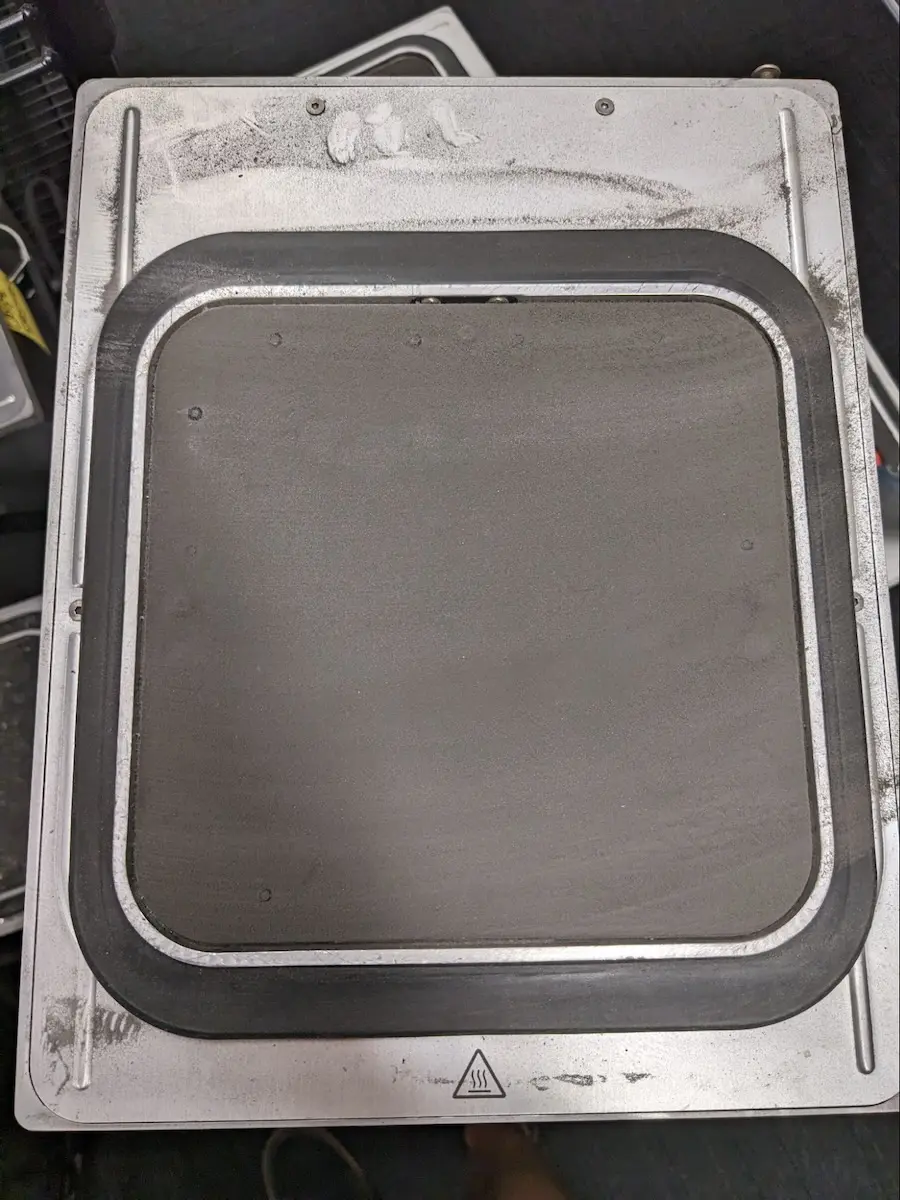
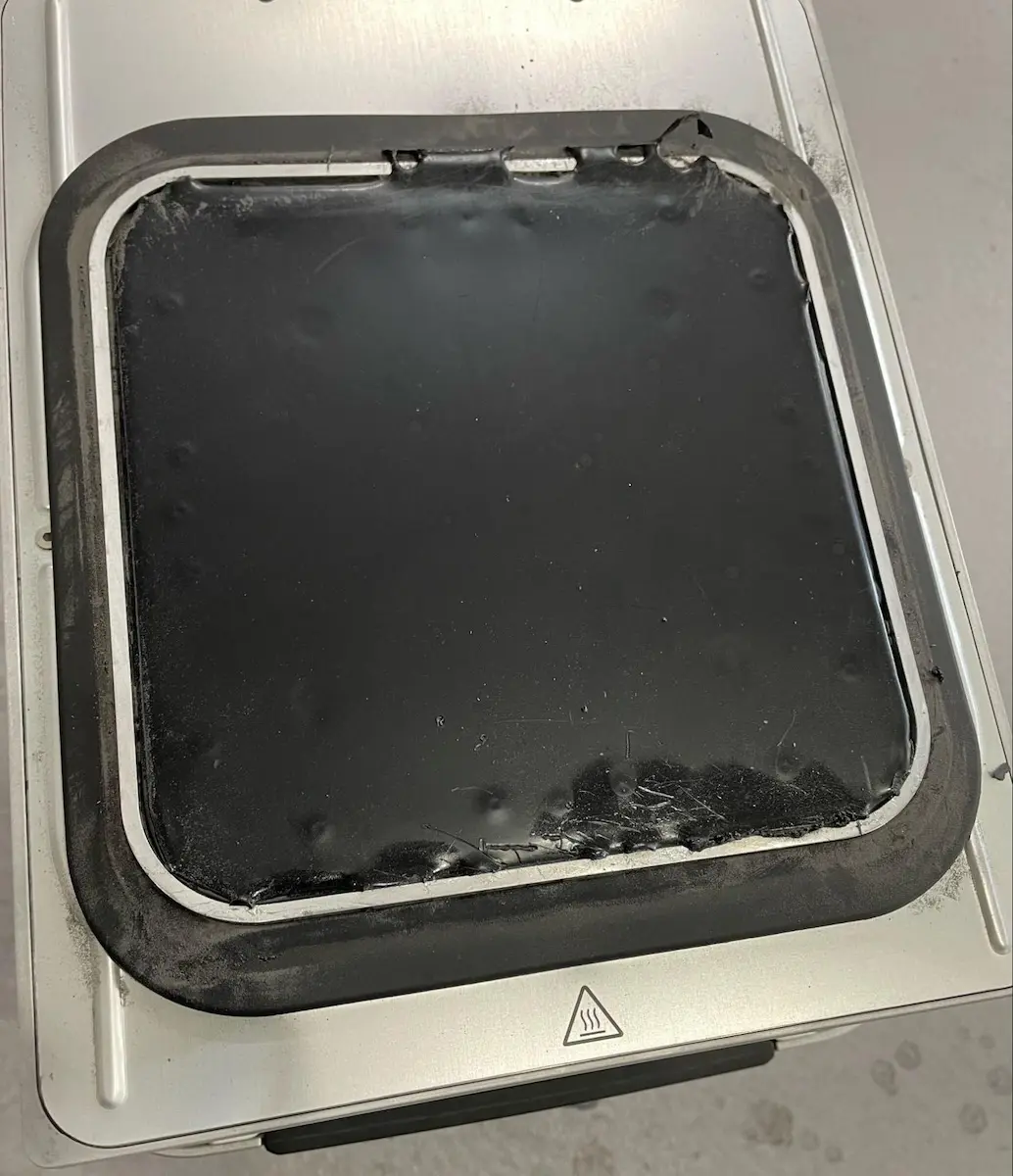
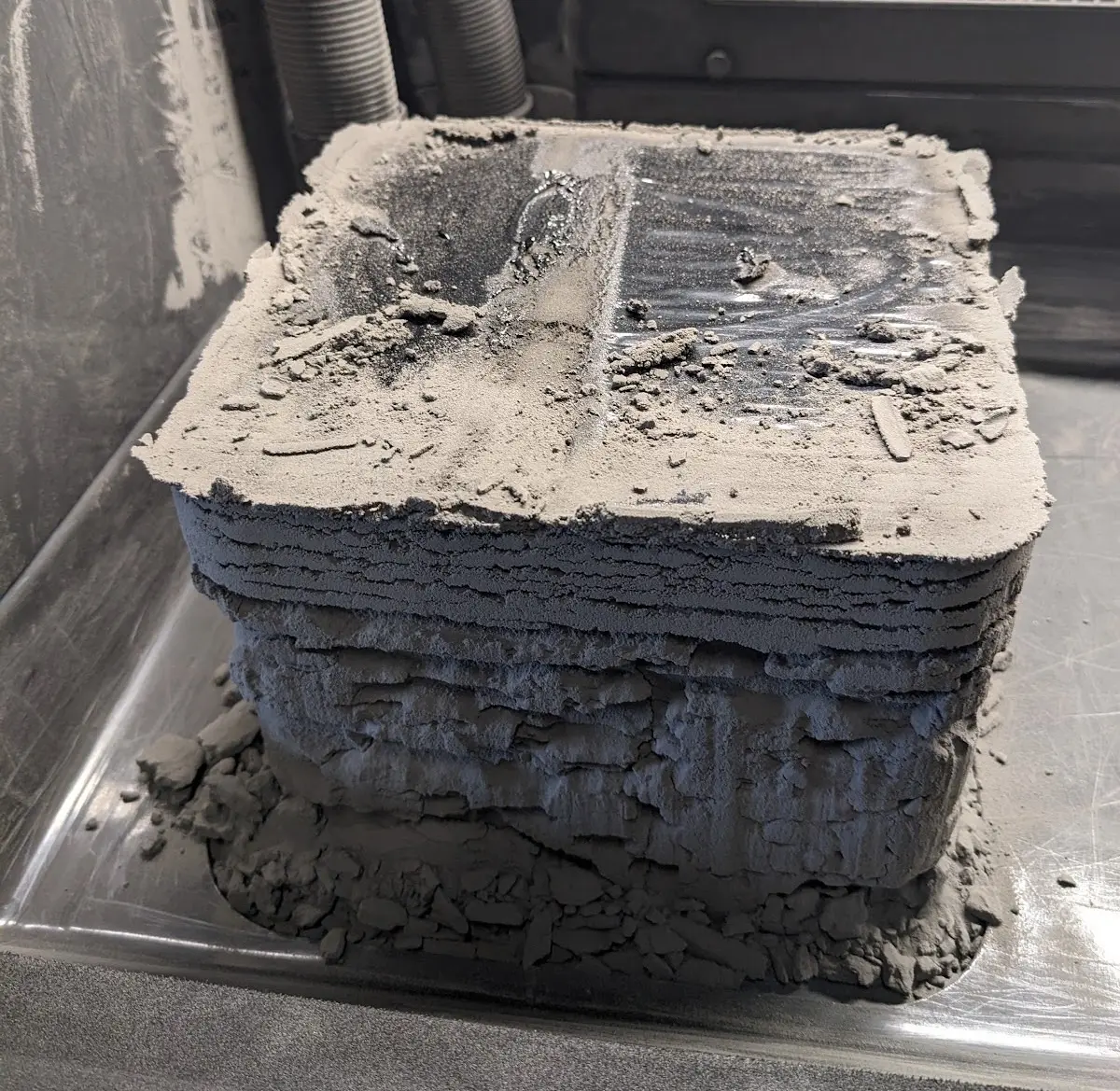
プリント前の溶融:光沢があり、プリントベッドに付着していない
プリント前の溶融:マットな質感でプリントベッドに付着している
造形後期の溶解
- If global melting occurs during preprint and the resulting material is shiny on top and not stuck to the print bed, the IR sensor is dirty or improperly installed.
- Clean the IR sensor lens and IR sensor housing. Ensure there is no white residue obstructing the IR sensor lens.
- Fuse 1+ 30W only: Ensure that the rubber O-ring around the base of the IR sensor probe is present and undamaged.
- Reseat the IR sensor, ensuring the IR sensor fits securely in its housing.
- Attempt another print. If melting occurs again, contact Formlabs Support or your certified service provider.
- If global melting occurs during preprint and the material is firmly stuck to the print bed with a matte finish on top, that indicates an issue with the build chamber electrical connection.
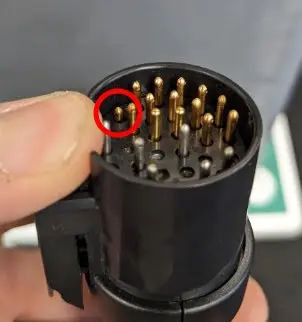
- Inspect the pins on the build chamber socket on the printer. If any are damaged, contact Formlabs Support or your certified service provider.
- If the pins are undamaged, clean the pins on both the build chamber and printer using compressed air, ensure the plug is fully inserted and flush with the printer enclosure.
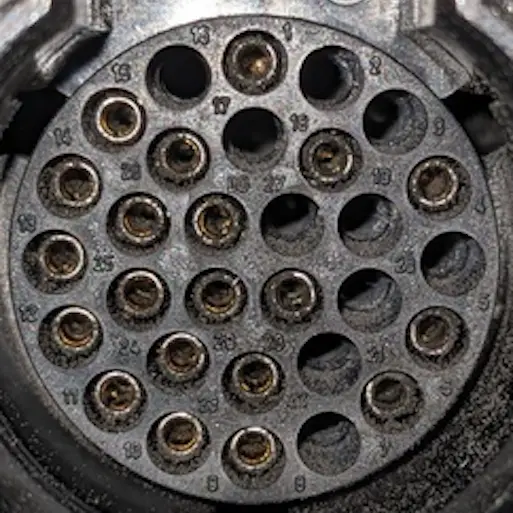
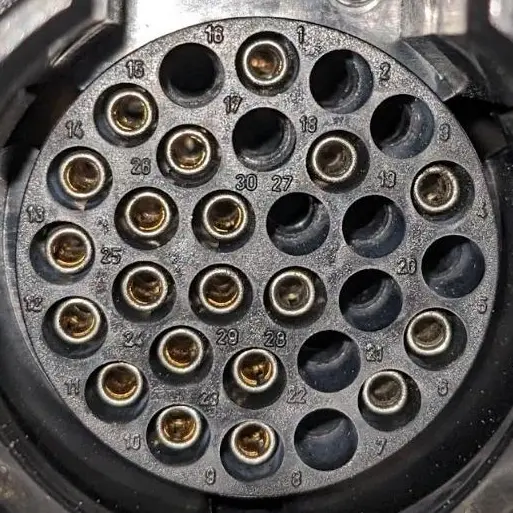
ビルドチャンバーのプラグピンが汚れている
ビルドチャンバーのプラグピンのクリーニング
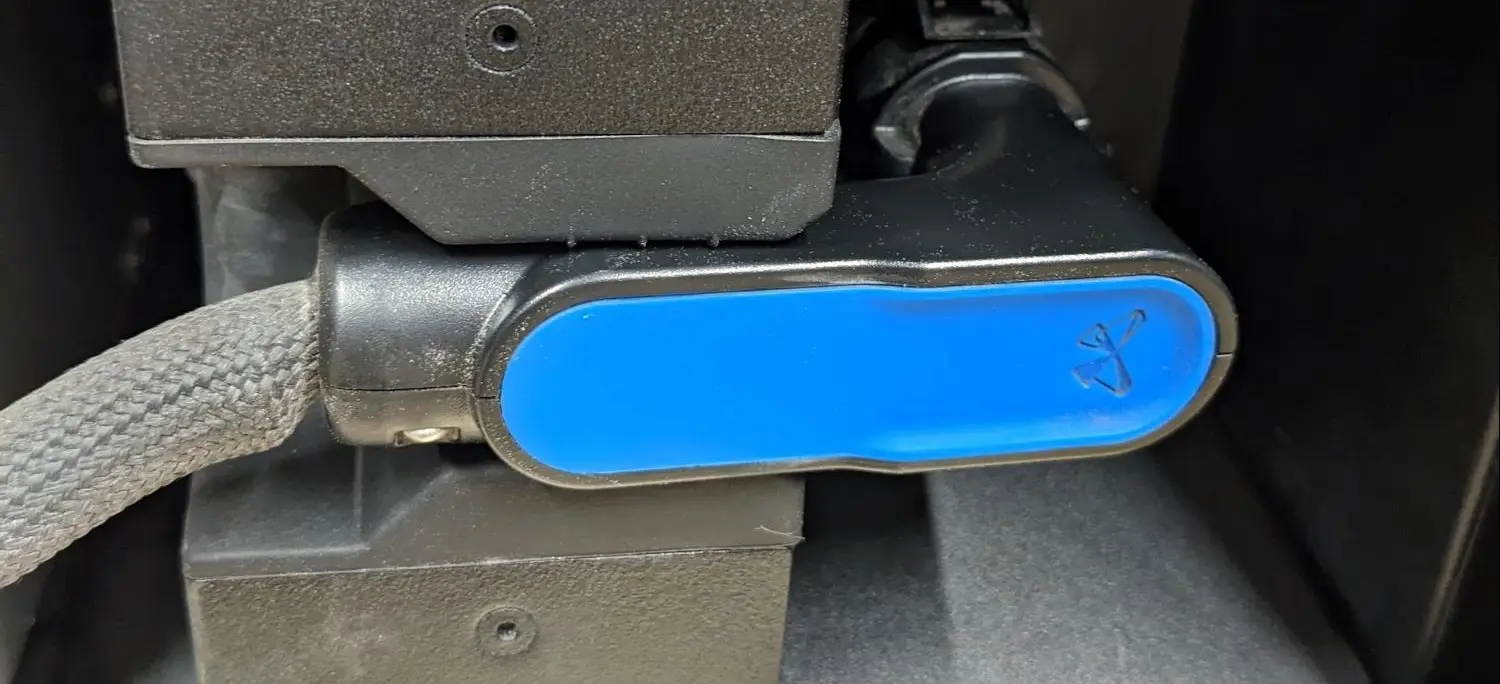
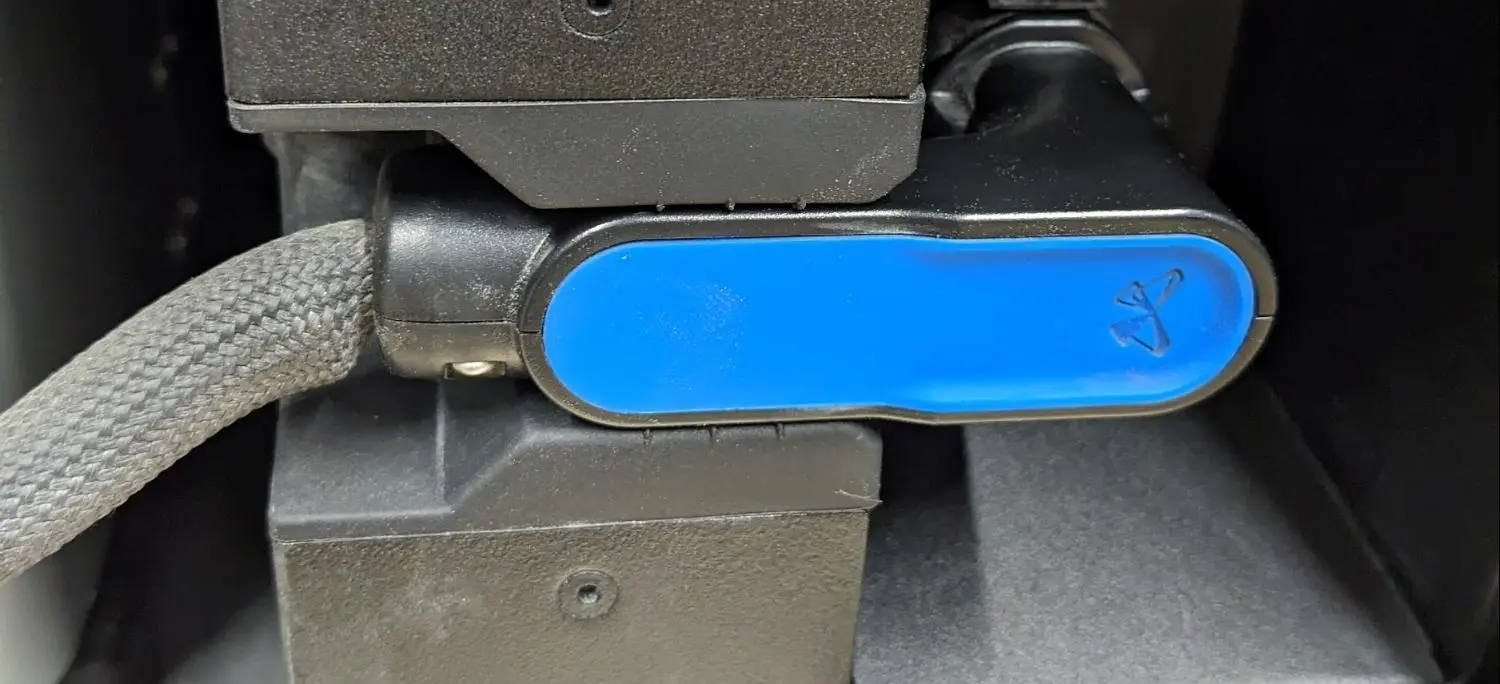
ビルドチャンバーのプラグが正しく取り付けられていない
ビルドチャンバーのプラグが完全に装着されている
- Attempt another print. If melting occurs again, contact Formlabs Support or your certified service provider.
- If global melting occurs towards the end of a long print, that indicates an issue with the IR sensor getting clouded during the print.
- Clean the IR sensor lens and IR sensor housing. Ensure there is no white residue obstructing the IR sensor lens.
- Fuse 1+ 30W only: Ensure that the rubber O-ring around the base of the IR sensor probe is present and undamaged.
- Reseat the IR sensor, ensuring the IR sensor fits securely in its housing.
- Thoroughly clean the exhaust filter, exhaust fan, and exhaust line.
- Fuse 1+ 30W only: Use a pipe cleaner to clear out the pressure tap hole in the fan plenum below the exhaust fan. Use compressed air if necessary, but take care not to mobilize significant amounts of loose powder.
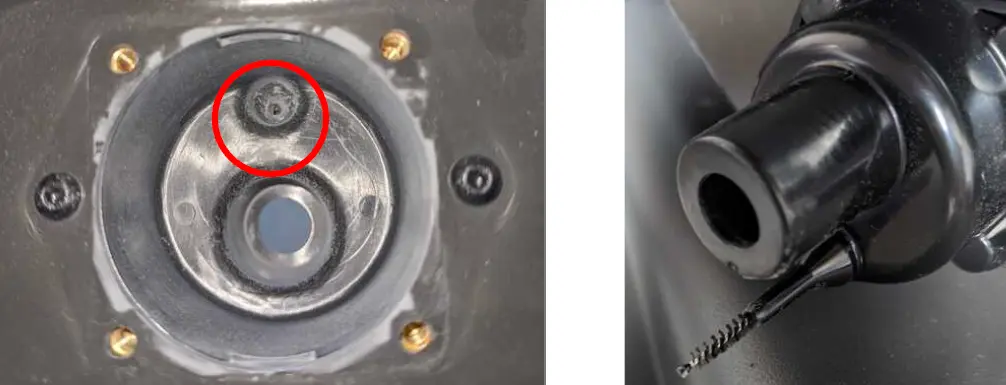
- Attempt another print. If melting occurs again, stop the print and contact Formlabs Support or your certified service provider.
Localized melting
Determine what kind of localized melting issue occurred to inform the next steps.
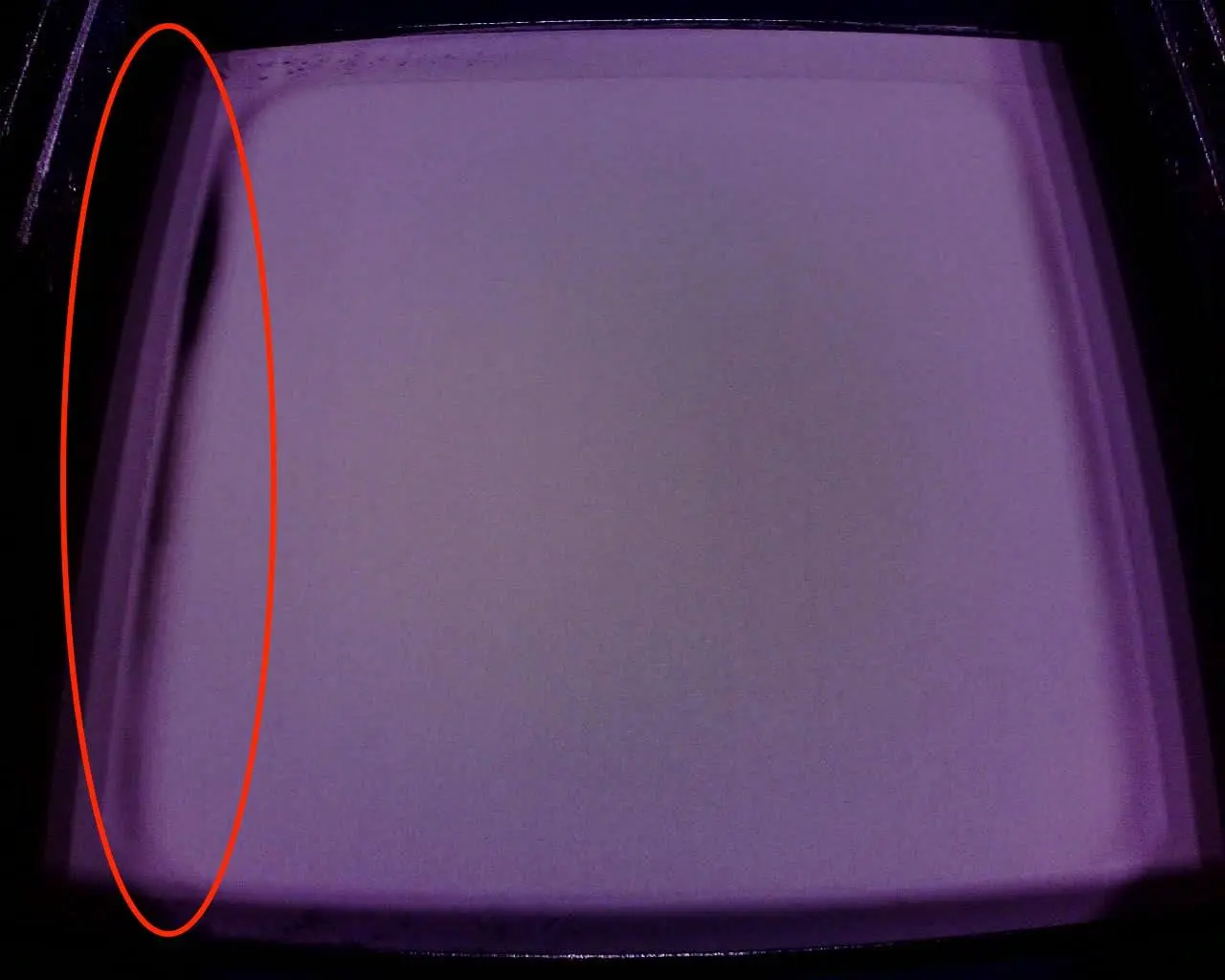
Melting on the buffer side
Melting on the hopper side
- If localized melting occurs on the buffer side, it indicates an issue with the hopper side quartz tube heater.
- If localized melting occurs on the hopper side, it indicates an issue with the buffer side quartz tube heater.
- Replace the buffer side quartz tube heater following the instructions in Replacing the Fuse 1 quartz tube heaters [EN] [DE] [ES] [FR] [IT] [JA] [ZH]. Replacement quartz tubes can be purchased from the Formlabs web store.
- If localized melting occurs in any area besides the buffer or hopper side, Contact Formlabs Support or your certified service provider to confirm the root cause. To speed up the resolution of your issue, follow best practices when opening a support case.
Perimeter melting
- Check the plug for any bent or sunken pins. If a pin sinks into the plug, gently pull on the pin with a pair of pliers. If the pin does not remain in place, the connector housing may be broken. Contact Formlabs Support or your certified service provider.
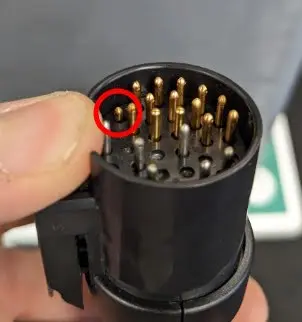
- プリンターのビルドチャンバーソケットのピンを点検します。損傷がある場合は、Formlabs Supportまたは公認サービスプロバイダにお問い合わせください。
- ピンに損傷がない場合は、ビルドチャンバーとプリンターの両方のピンを圧縮空気で清掃し、プラグが完全に挿入され、プリンター筐体と面一になっていることを確認します。
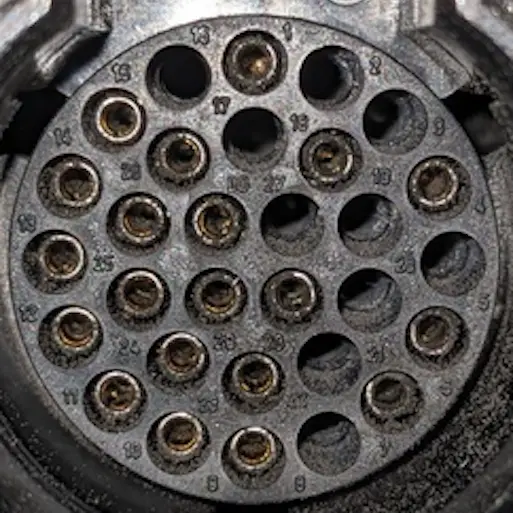
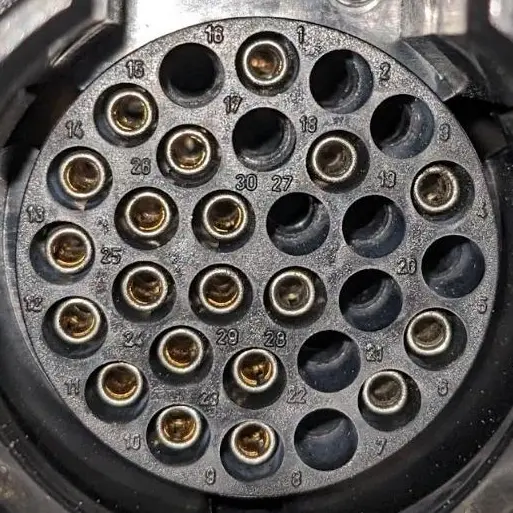
ビルドチャンバーのプラグピンが汚れている
ビルドチャンバーのプラグピンのクリーニング
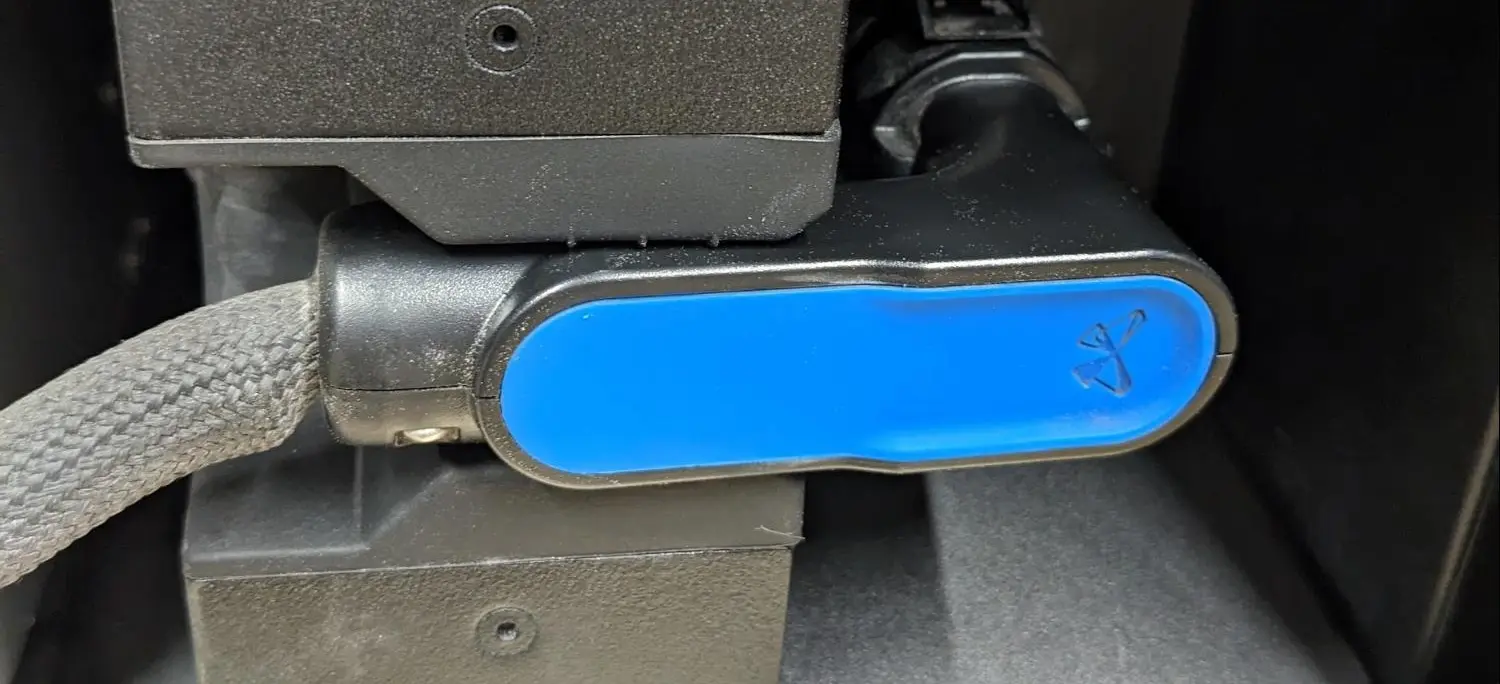
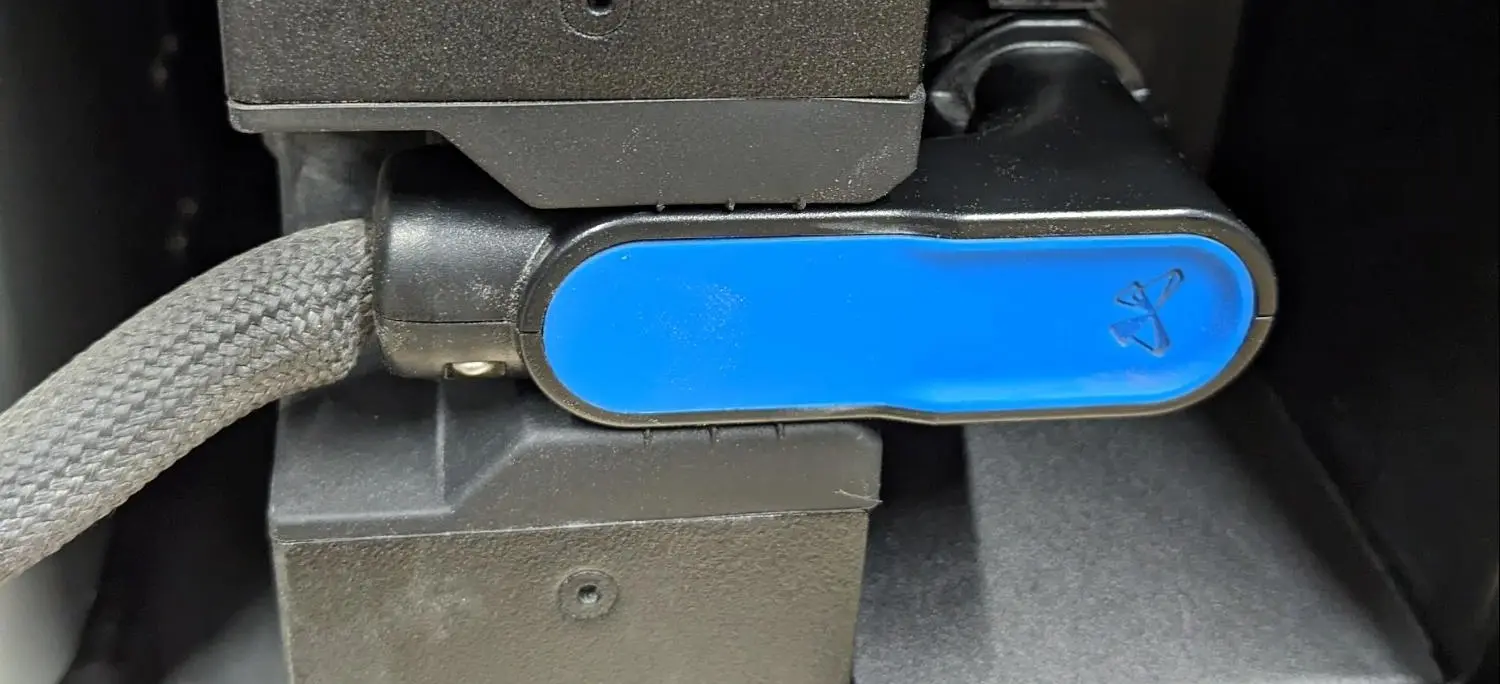
ビルドチャンバーのプラグが正しく取り付けられていない
ビルドチャンバーのプラグが完全に装着されている
- もう一度プリントを実行します。
- 再度溶解が発生した場合は、プリントを中止し、Formlabsサポートまたは公認サービスプロバイダにお問い合わせください。