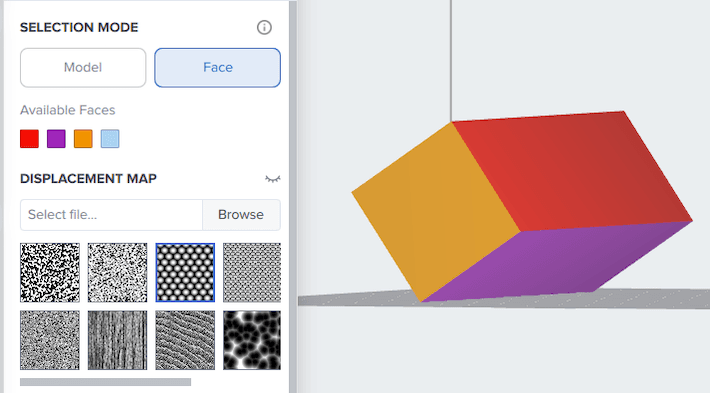
The Face selection mode offers precise control of texture placement, enabling improved aesthetics, finish, and functionality on desired surfaces without compromising other critical features in the model like mating surfaces, snap fits, or holes. PreForm does not detect faces automatically; it must be provided with a file that has separate faces already defined.
To add texture to specific model faces with the Texture tool:
- In your 3D modeling software of choice, apply a color to each face or set of faces you want to be able to texture separately.
- Export your models in a format that includes color and material metadata, such as STEP (AP 242 and later) or OBJ.
- In some CAD programs, you must enable a setting to export color information. For example, in SolidWorks, check the Export appearances option.
- Import the models into PreForm.