WHITE PAPER
Formlabs Logo

Cleaning the Fuse 1's IR sensor housing

Cleaning the Fuse 1's IR sensor housing

Fuse 1 generation printers use an infrared (IR) sensor to monitor temperature changes in the top powder layer. IR sensor data is crucial for print quality, accuracy, and repeatability. Any obstruction or contamination of the sensor can cause print defects.

During nylon sintering, a white powder called laurolactam builds up on components, including the IR sensor housing. To maintain accurate readings, inspect the housing before each new print and clean it if any laurolactam is spotted.

Human head (left-hand profile) wearing a mask

Caution:

Do not use compressed air or an air gun to clean the print enclosure, build chamber, or any other component. Mobilizing loose powder increases the risk of unintentional inhalation or ingestion.

Required supplies

Estimated time: 5 minutes
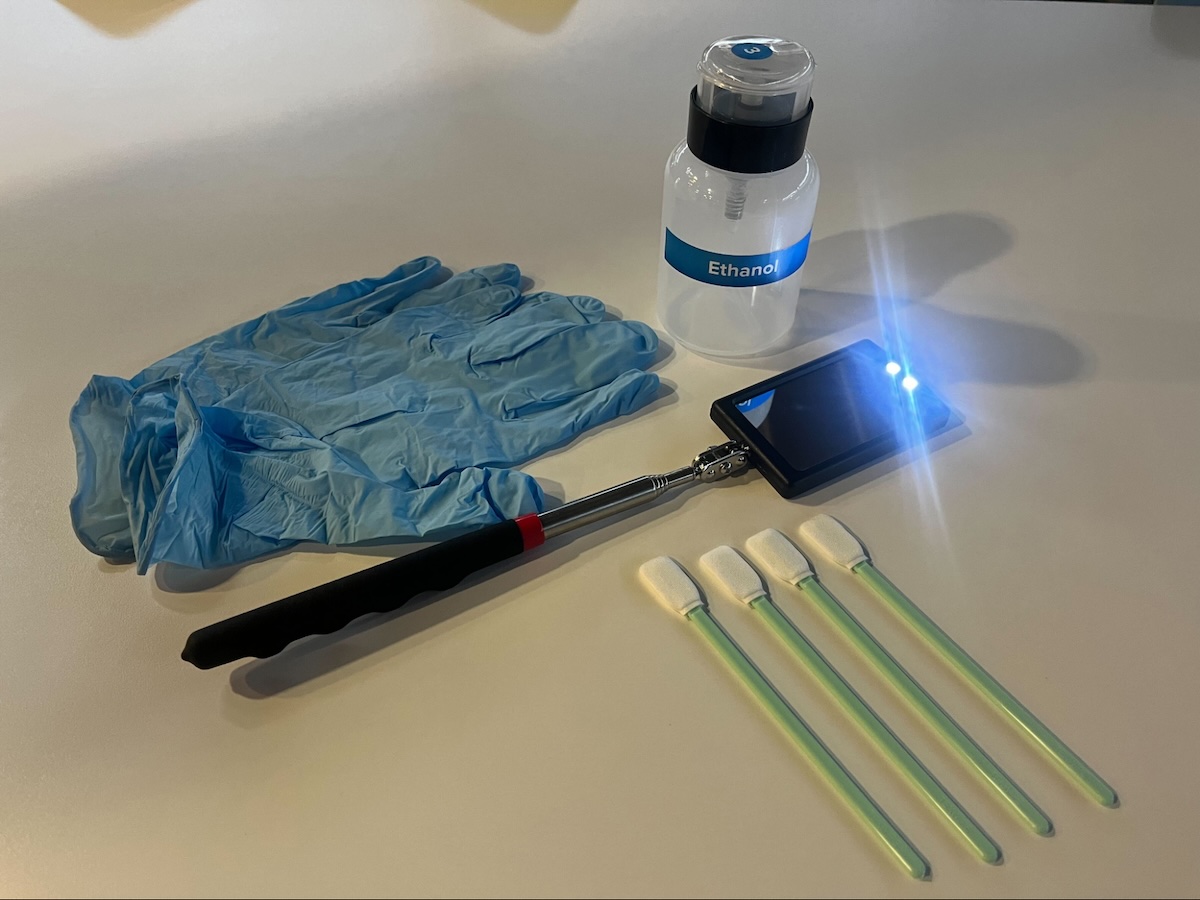
Required resources for cleaning the IR sensor housing
  • Nitrile gloves
  • Flashlight, LED, or cell phone light
  • Telescoping mirror
  • Polyester cloth swab
  • Ethanol

Cleaning the IR sensor housing

If there is laurolactam buildup obstructing the IR sensor, clean it with a swab wetted with ethanol.
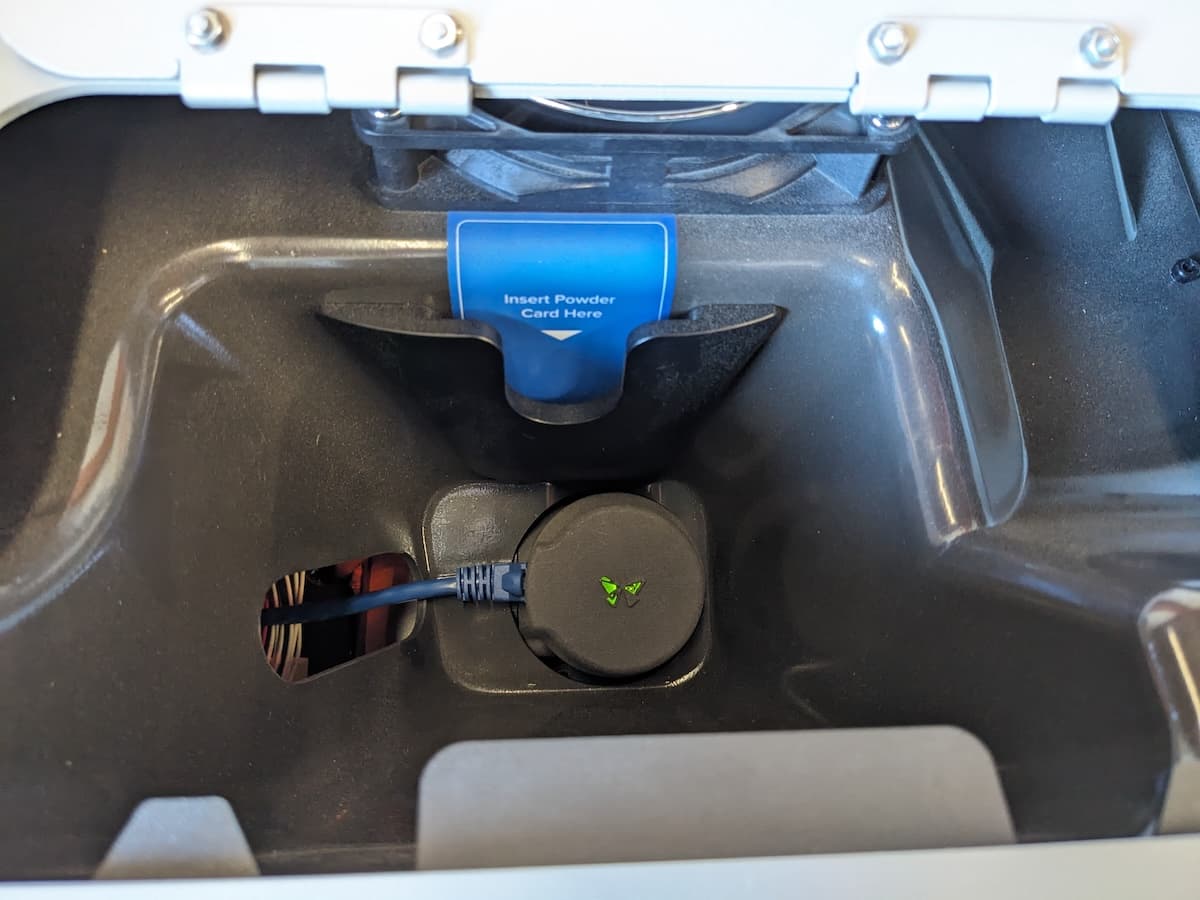
  1. Open the access door to the IR sensor panel, located on top of the printer next to the hopper.
The IR sensor panel door at the top of the Fuse 1 is open to display the IR sensor
  1. On the printer’s touchscreen, drag the Unlock Door slider. The print enclosure door unlocks.
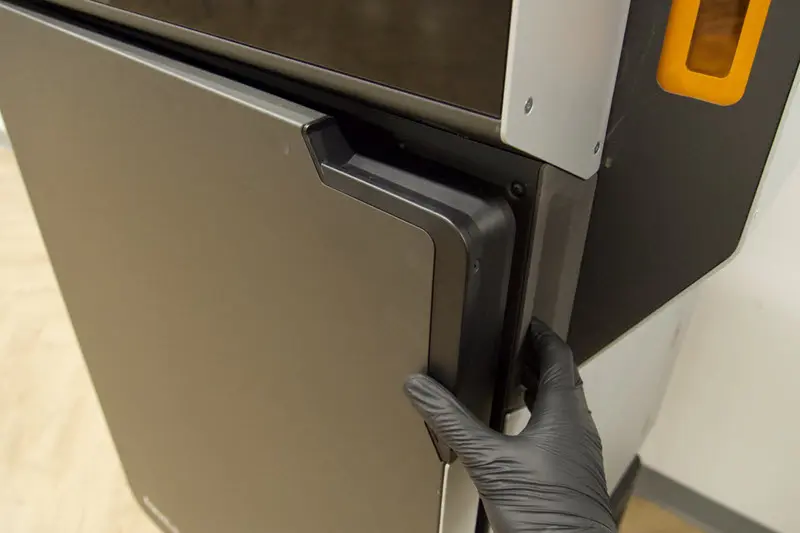
  2. Open the printer enclosure door.
Someone is reaching out to grip the print enclosure door and open it
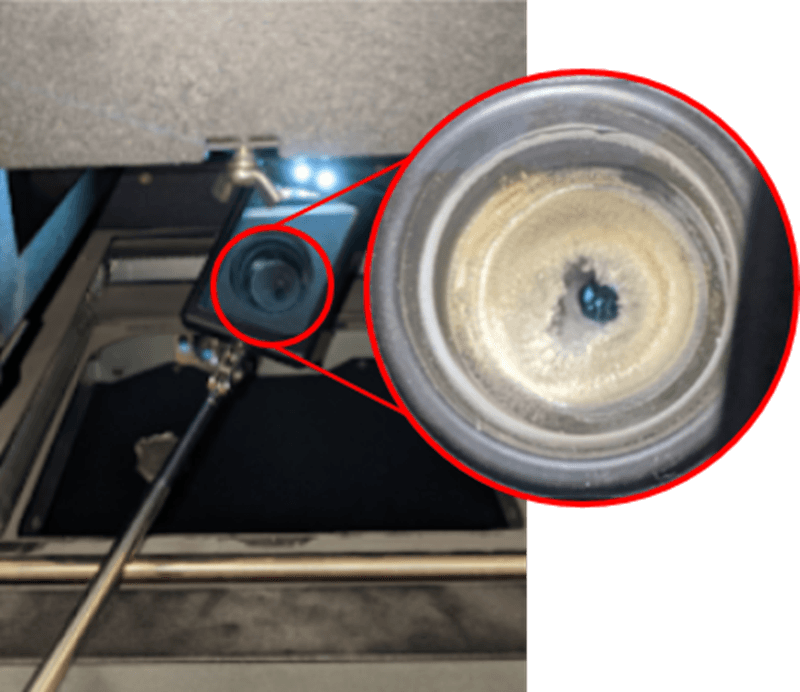
  1. Position the telescoping mirror inside the build chamber and angle the mirror up towards the ceiling of the build chamber. The IR sensor is located at the center of the printer.
A telescoping mirror is being inserted into the print enclosure to tilt upward. The image in the mirror is annotated and zoomed in to show that the IR sensor housing is obstructed by laurolactam
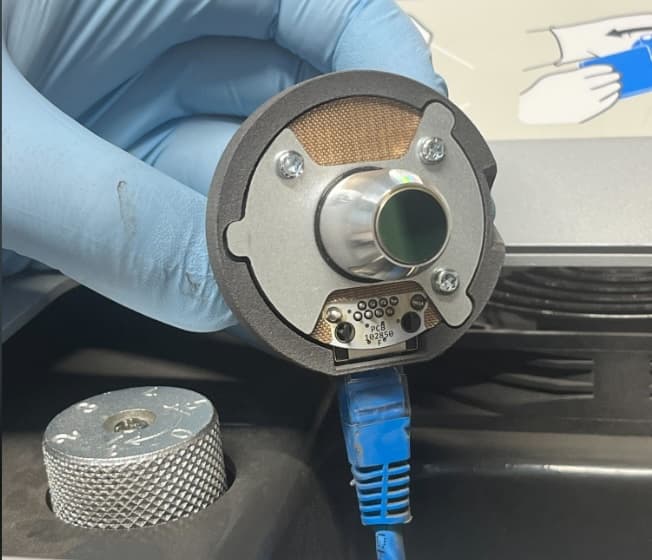
  1. Return to the access door on top of the printer and remove the IR sensor by pulling the cap off its mount.
  2. Disconnect the cable from the sensor and set the IR sensor aside on a clean, flat surface with the lens facing up.
Someone is removing the IR sensor from its mount
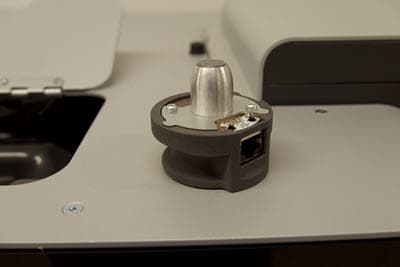
The IR sensor cap has been removed from its mount and sits atop the Fuse 1
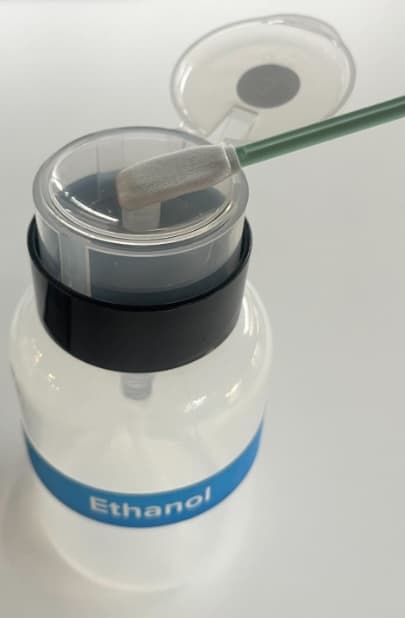
  1. Wet a polyester cloth swab with a small amount of ethanol.
Ethanol is being applied to a swab
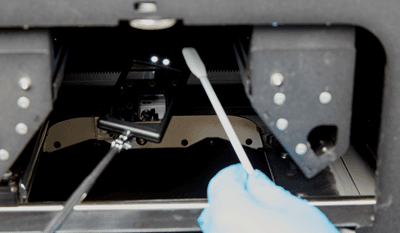
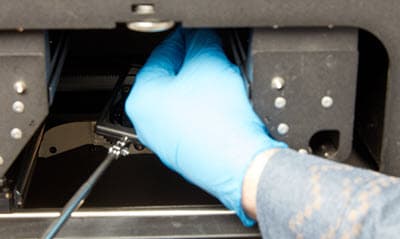
  1. Using a hand mirror for guidance, wipe the IR housing inside the print enclosure with a swab dampened with ethanol. Move the swab in a circular motion to clean all cone surfaces.
The hand mirror displays the inside of the IR housing while a swab is inserted
The hand mirror is blocked as the swab is fully inserted through the print enclosure
  1. Position the telescoping mirror back inside the printer’s enclosure to visually inspect the housing. Ensure there are no large pieces of debris or remaining lauralactam.