
Required Supplies:
Formlabs:
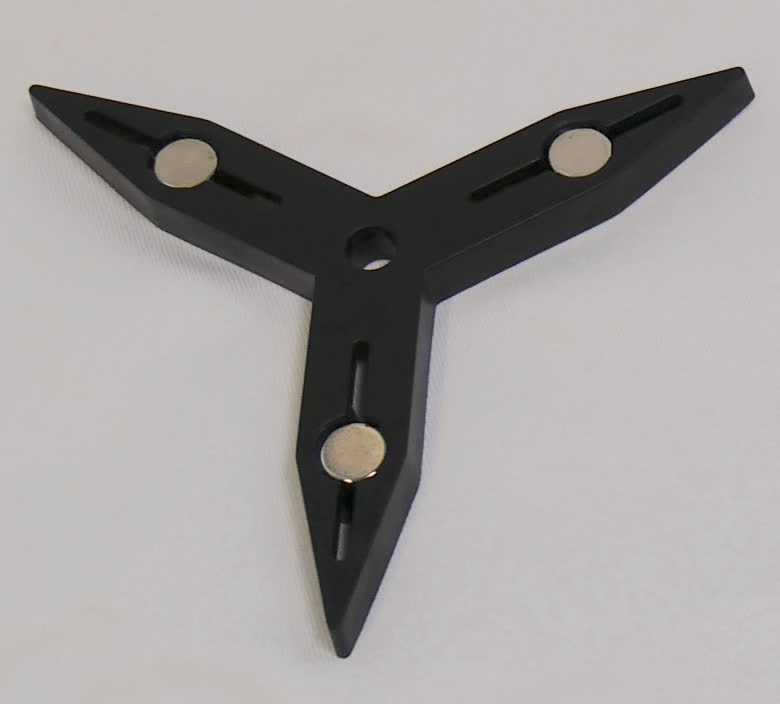
- Replacement impeller
Third-party:
- 2 mm hex driver
- Nitrile gloves

The Form Wash contains a magnetic impeller that agitates the solvent in the wash bucket to help clean printed parts. Any damage to the Form Wash impeller may cause the unit to make loud clicking sounds or fail to operate properly.
Use this guide to replace the Form Wash impeller.
Required Supplies:
Formlabs:
Third-party:
Estimated time: 10–15 minutes
DANGER:
Read and follow all safety instructions and warnings in the operator manual. Replacement with incorrect parts can lead to burns, shock, fire, or explosion. Dispose of all parts in accordance with local regulations.
Fire hazard. IPA is flammable. Keep containers closed, and keep out of the reach of children.
Preparing the workspace
Overview: Prepare the Form Wash and a dust-free workspace for replacing the impeller.
Step 1: Remove the wash bucket and inner lid
Turn the Form Wash knob to select Open on the display. Push the knob to confirm. The Form Wash raises the mount and basket out of the wash bucket, and opens the inner and outer lid.
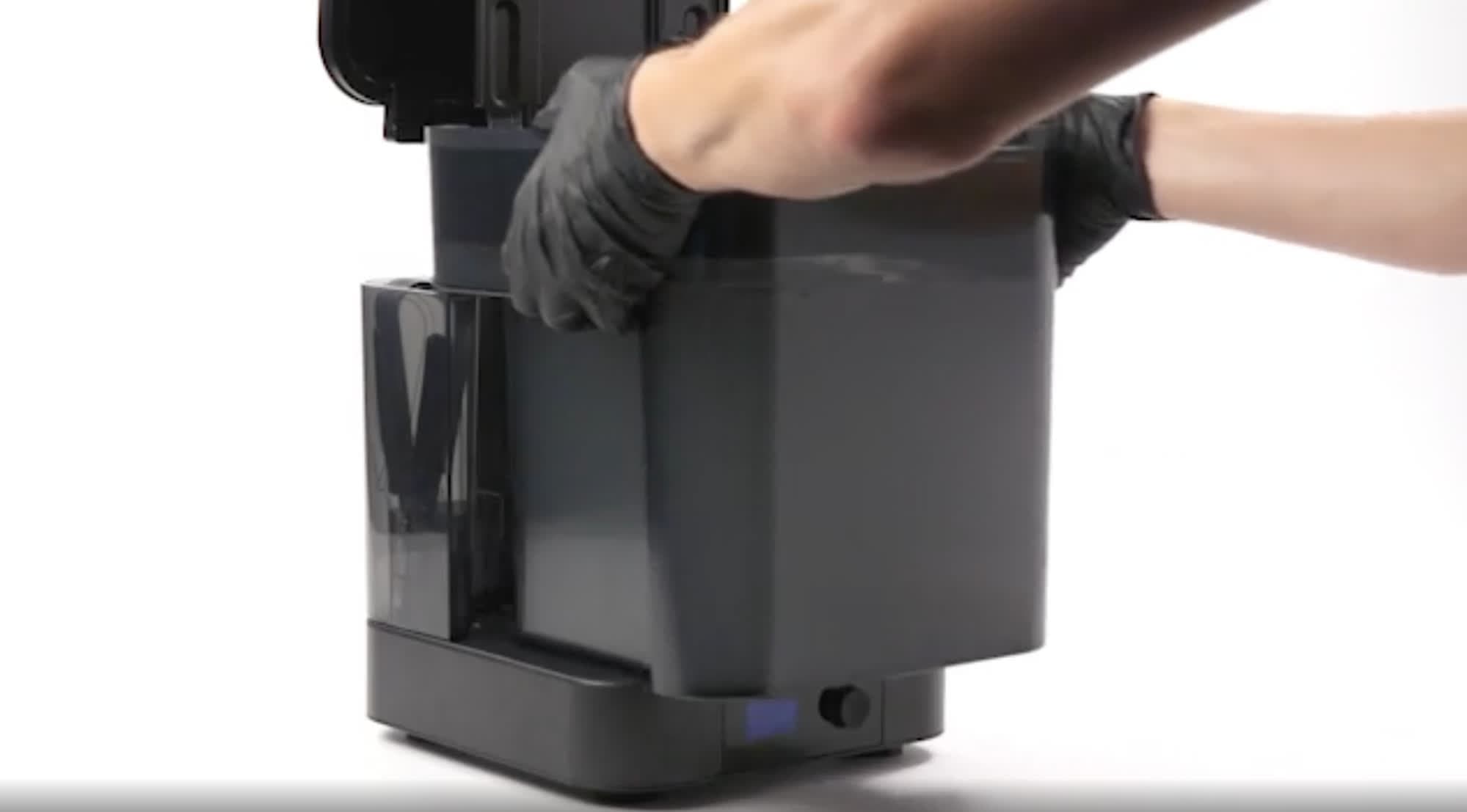
Lift the wash bucket forward and upward to remove it from the base. Set the wash bucket on a clean, stable surface.
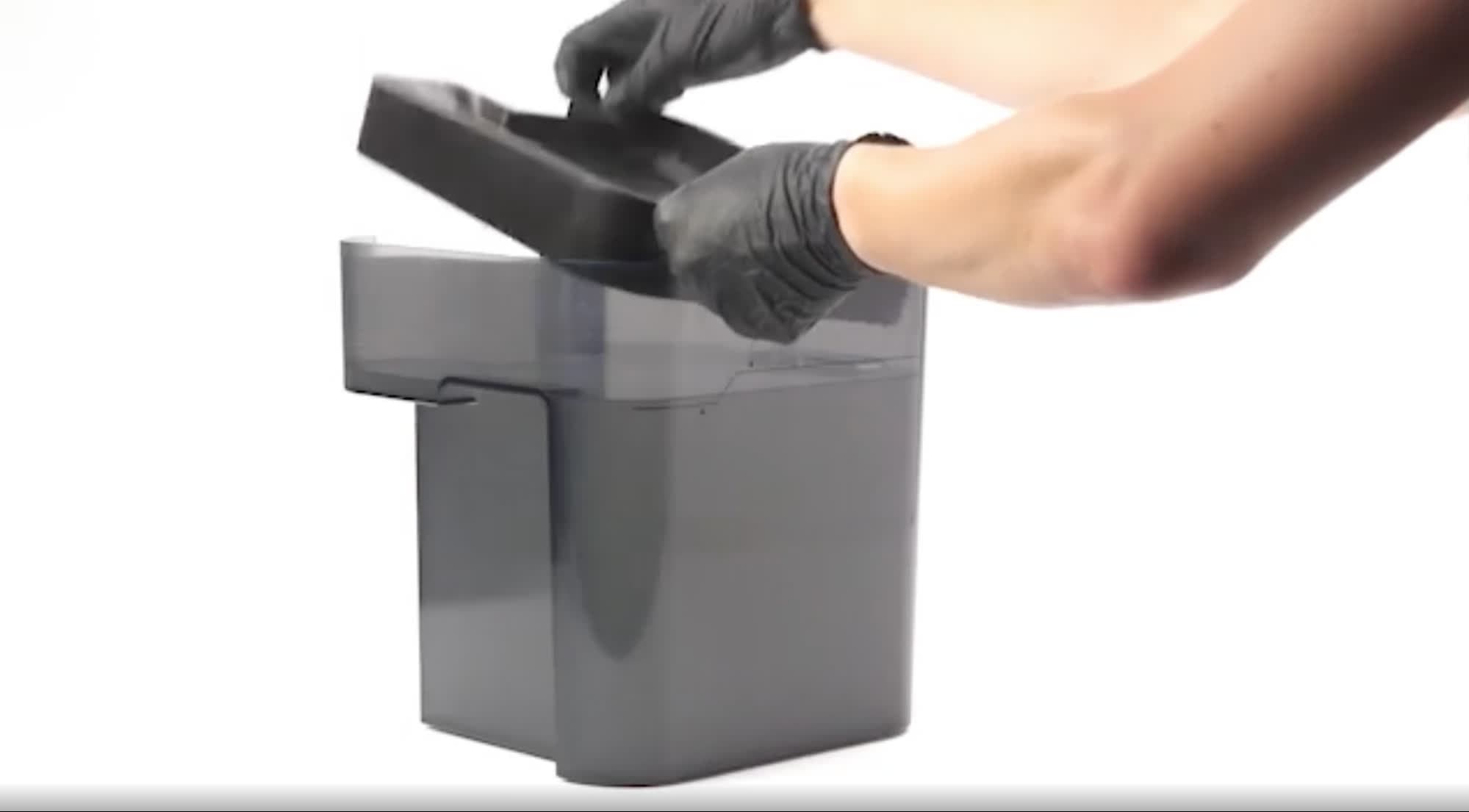
Lift the inner lid to remove it and set aside.
Step 2: Assemble the siphon pump
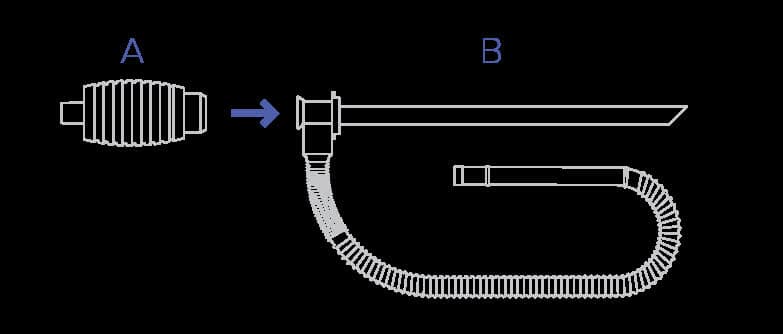
The Form Wash comes with a siphon pump, used to transfer solvent to and from the wash bucket. To assemble the siphon pump, screw the handle (A) into the rigid tube (B) of the siphon pump.
Step 3: Transfer used solvent to an empty container
Danger:
Always consult the safety data sheet (SDS) from the IPA supplier as the primary source of information. IPA is flammable and should be used and stored away from ignition sources. Store small quantities of IPA in appropriately labeled and sealed containers.
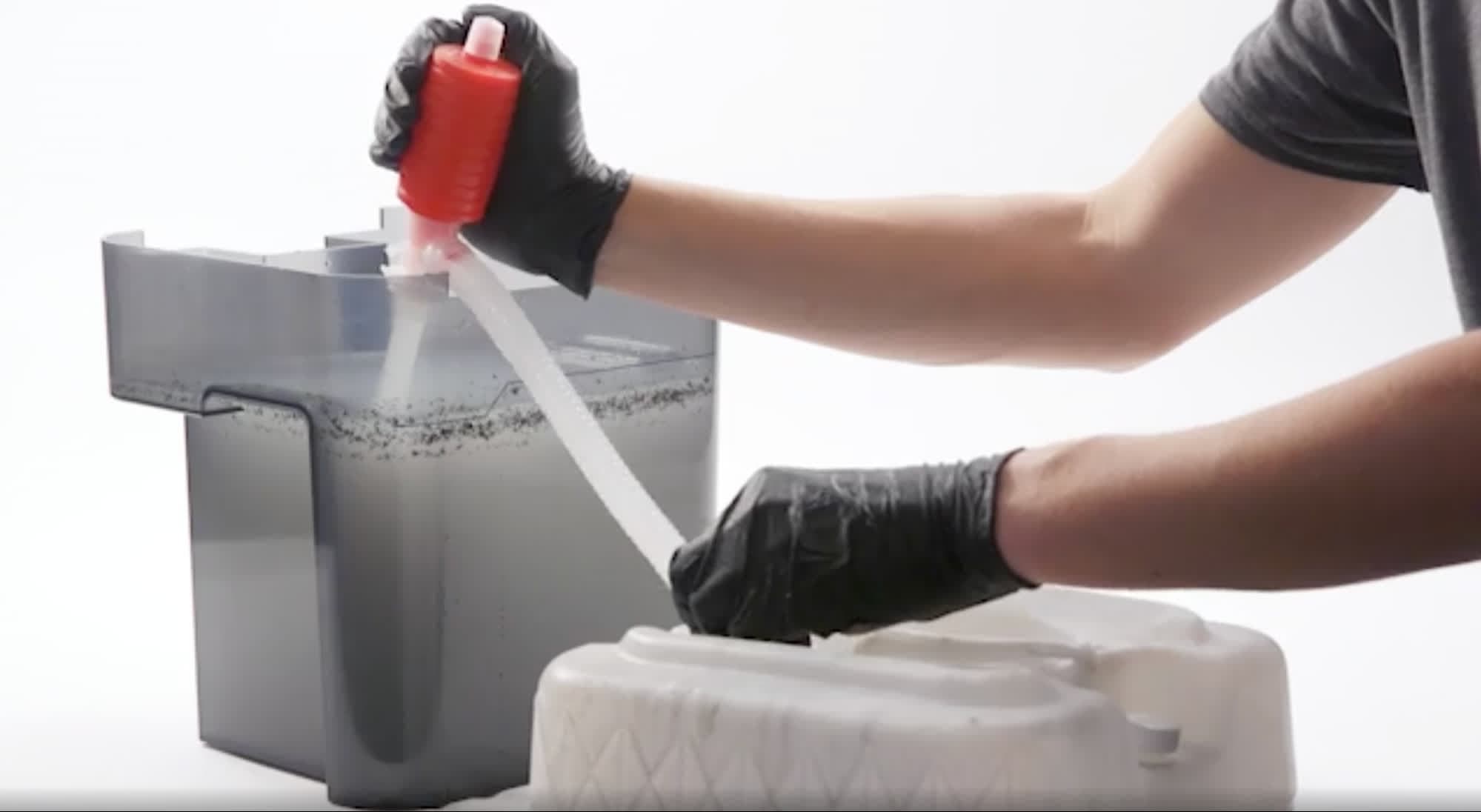
For optimal flow, elevate the source container—the wash bucket with used solvent—above the empty receiving container. Place the rigid tube in the source container and the flexible tube in the receiving container. To initiate flow, squeeze the handle several times, then hold. Gradually release the handle when the solvent begins flowing through the flexible tube.
Removing the impeller
Overview: Locate the impeller and remove it from the wash bucket.
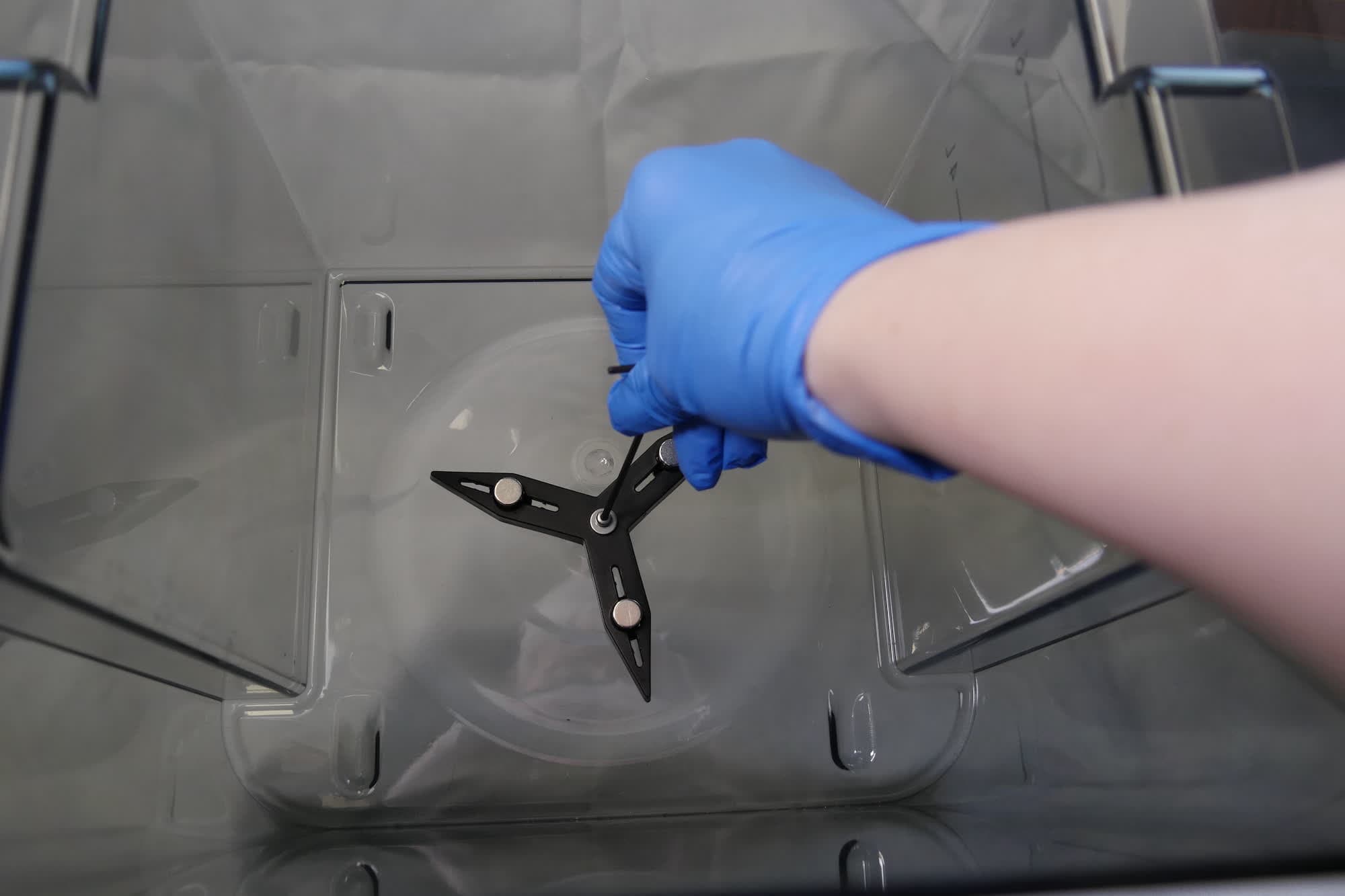
Locate the impeller in the wash bucket. The impeller is positioned at the bottom of the bucket. It is fixed by one screw with a washer in the center.
Using a 2 mm hex driver, unscrew the retaining screw holding the impeller in place. Remove the screw, washer, and impeller. Set the screw and washer aside for reinstallation. Dispose of the old impeller with household waste once dry.
Installing the impeller
Overview: Install the new impeller in the wash bucket.
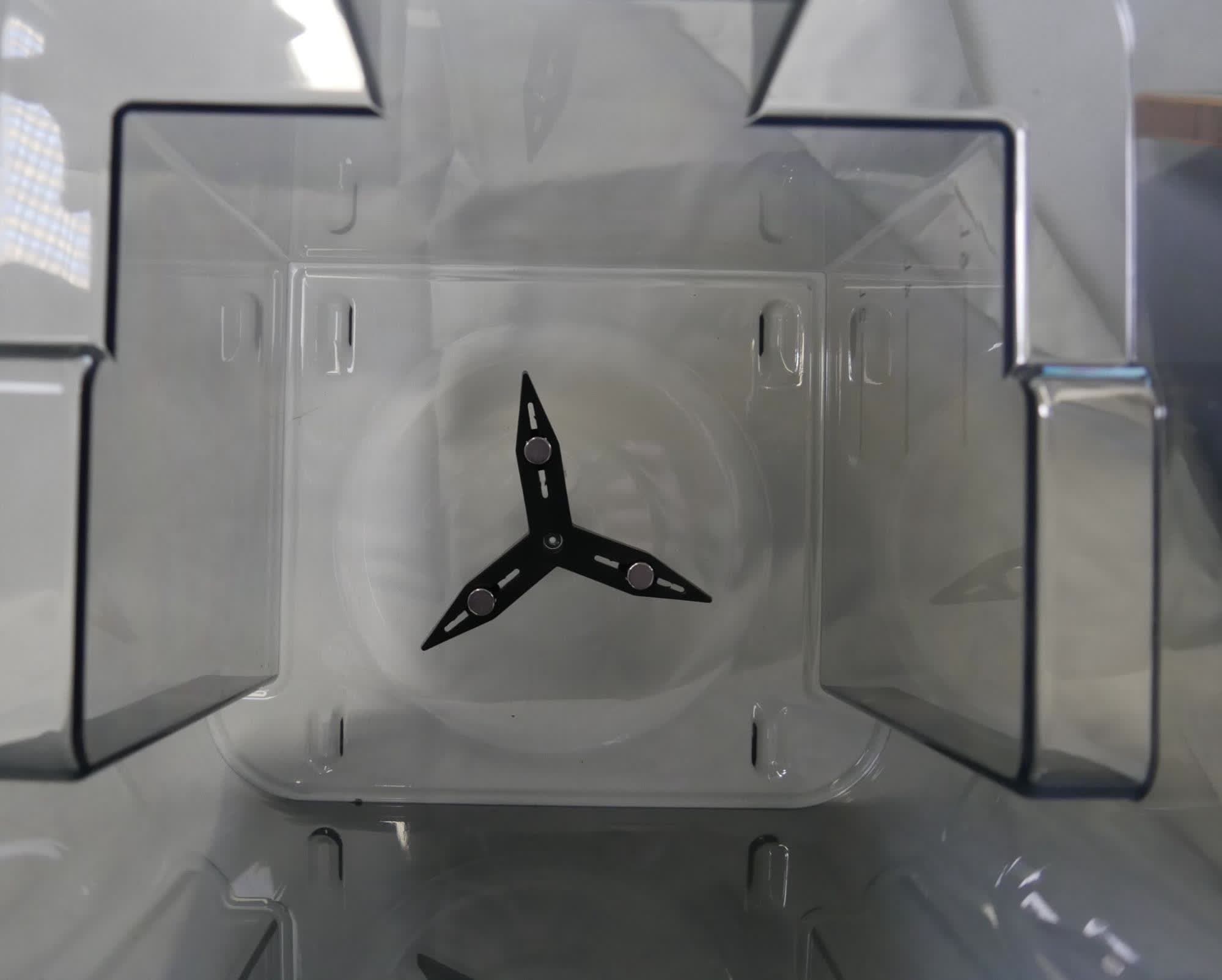
Insert the new impeller into the wash bucket with the magnets facing up. Align the impeller’s screw hole with the corresponding screw hole in the wash bucket. The impeller should sit flat against the bottom of the wash bucket.
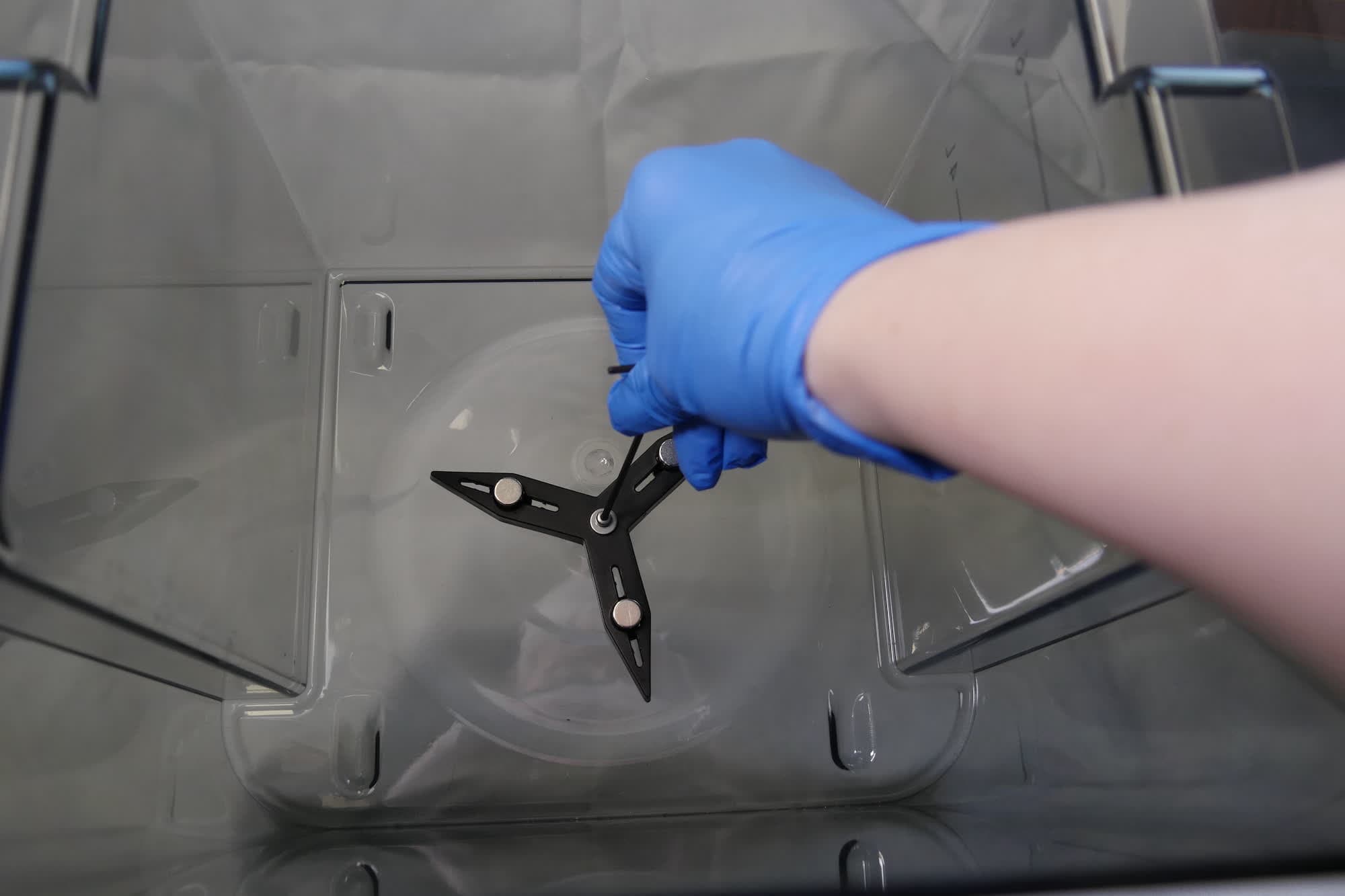
Place the washer onto the impeller’s retention screw. Thread the screw into the Form Wash impeller’s screw hole. Using a 2 mm hex driver, tighten the screw until finger tight. Take care to not overtighten or strip the plastic threads in the wash bucket.
Step 3: Check impeller spin
Spin the impeller by hand. It should spin freely. If it does not, loosen the screw half a turn and check again. Repeat as needed.
Finalizing the repair
Overview: After replacing the impeller, reassemble and refill the Form Wash and perform final checks.
Use the siphon pump to refill the wash bucket between the minimum and maximum fill lines.
Align the front edge of the inner lid with the wash bucket’s edge and lower the inner lid directly into the top of the wash bucket.
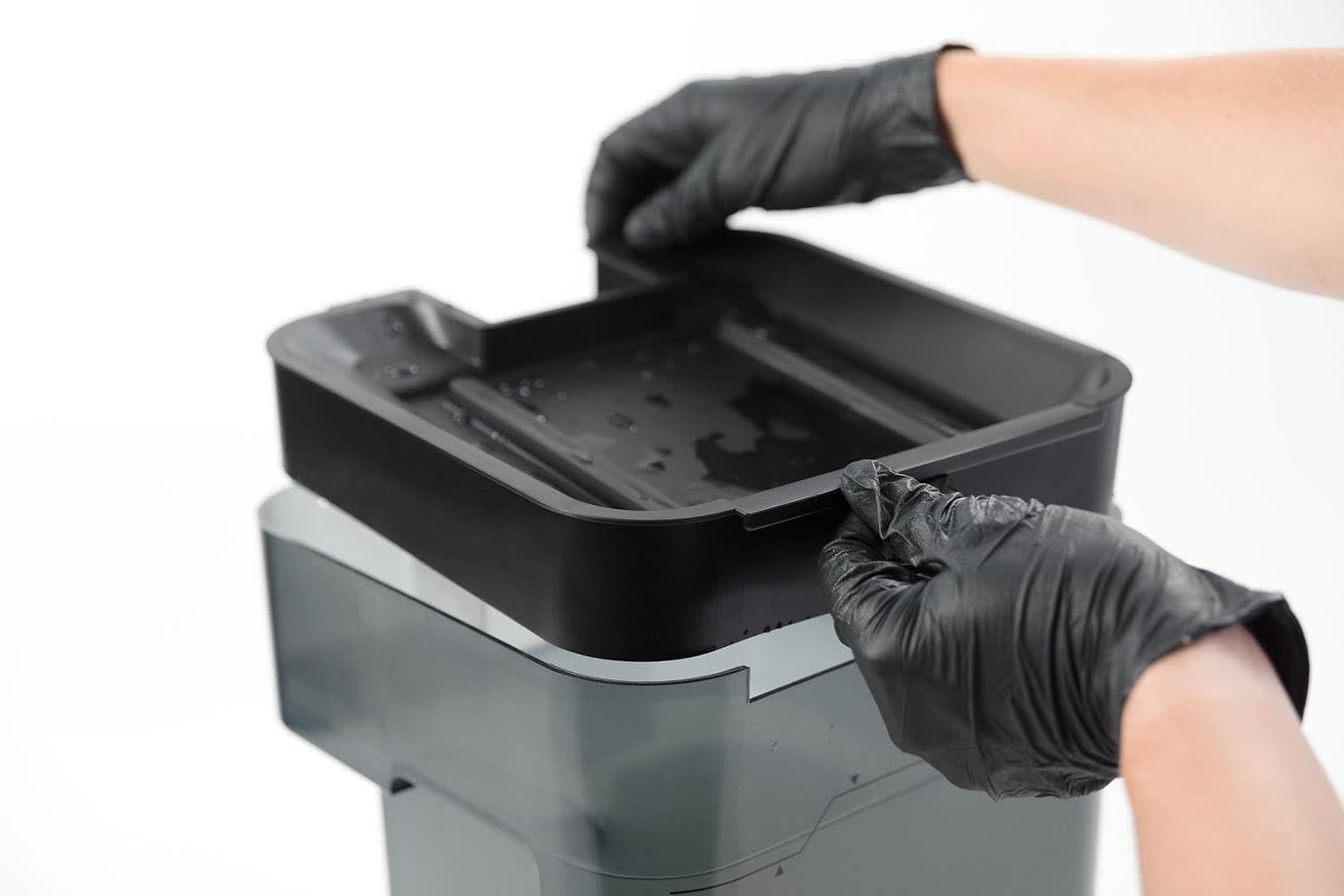
Step 3: Reinsert the wash bucket
Insert the wash bucket into the Form Wash.
Step 4: Start a wash cycle
Turn the knob to navigate the display menu and set the Time. Push the knob to select or confirm. Select Start. Check to see that the wash cycle starts normally and that the Form Wash does not make any unusual noises and that the impeller is moving properly. Contact Formlabs Support or your authorized reseller to share the results of the procedure.