

Replacing the Fuse Blast blast orifice
Replacing the Fuse Blast blast orifice
The Fuse Blast ships with two blast orifice sizes: a 3 mm orifice and a 4 mm orifice. Early Fuse Blast units shipped with the 4 mm blast orifice preinstalled. All subsequent units shipped with the 3 mm blast orifice preinstalled. Formlabs recommends using the 3 mm blast orifice if you have an air compressor that does not supply enough pressure to adequately clean parts with the standard 4 mm orifice.
The 3 mm orifice and the 4 mm look similar from the exterior. Measure the inner diameter of the spare blast orifice that came with your Fuse Blast to determine which is currently installed.
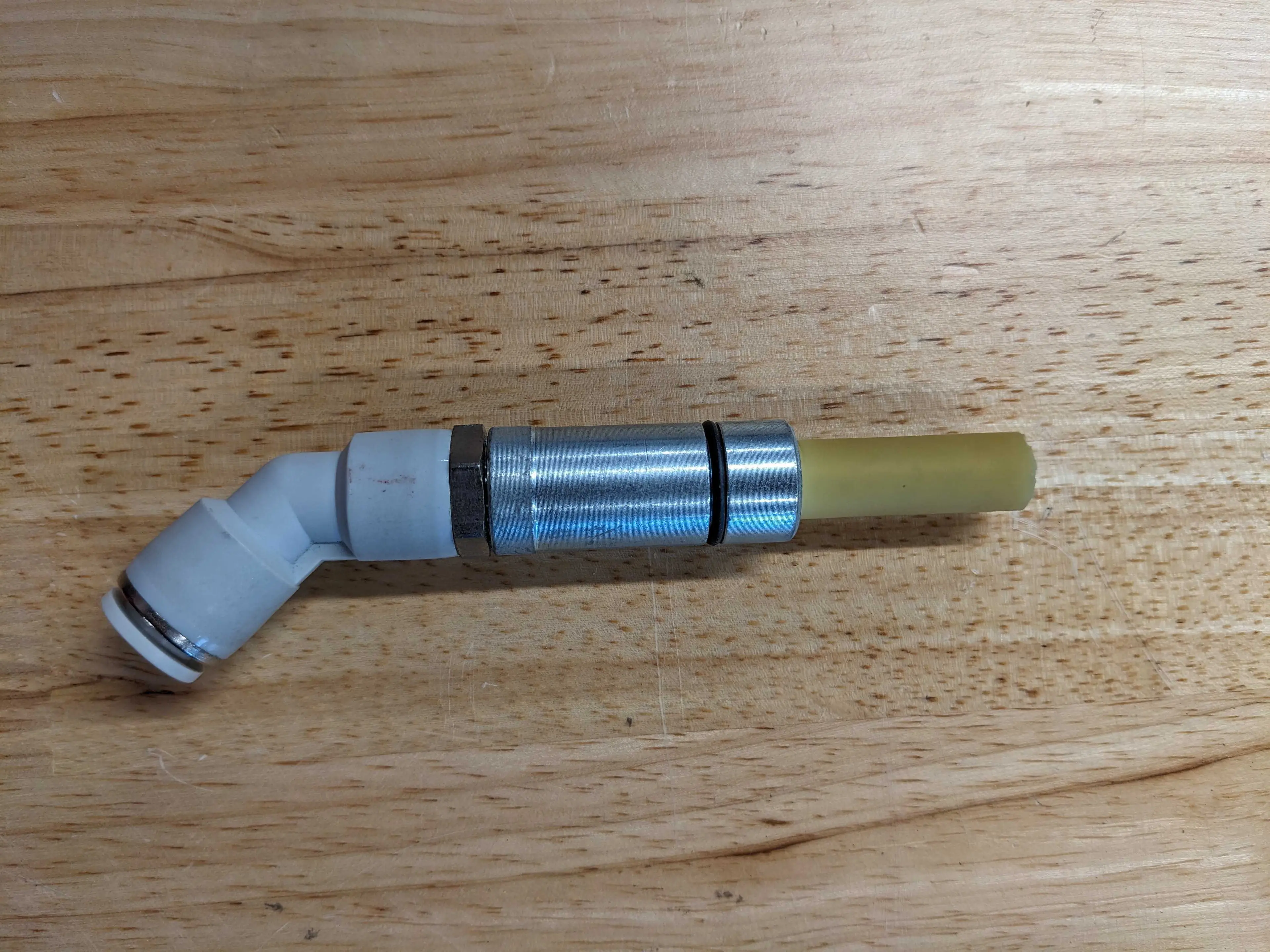
3 mm blast orifice
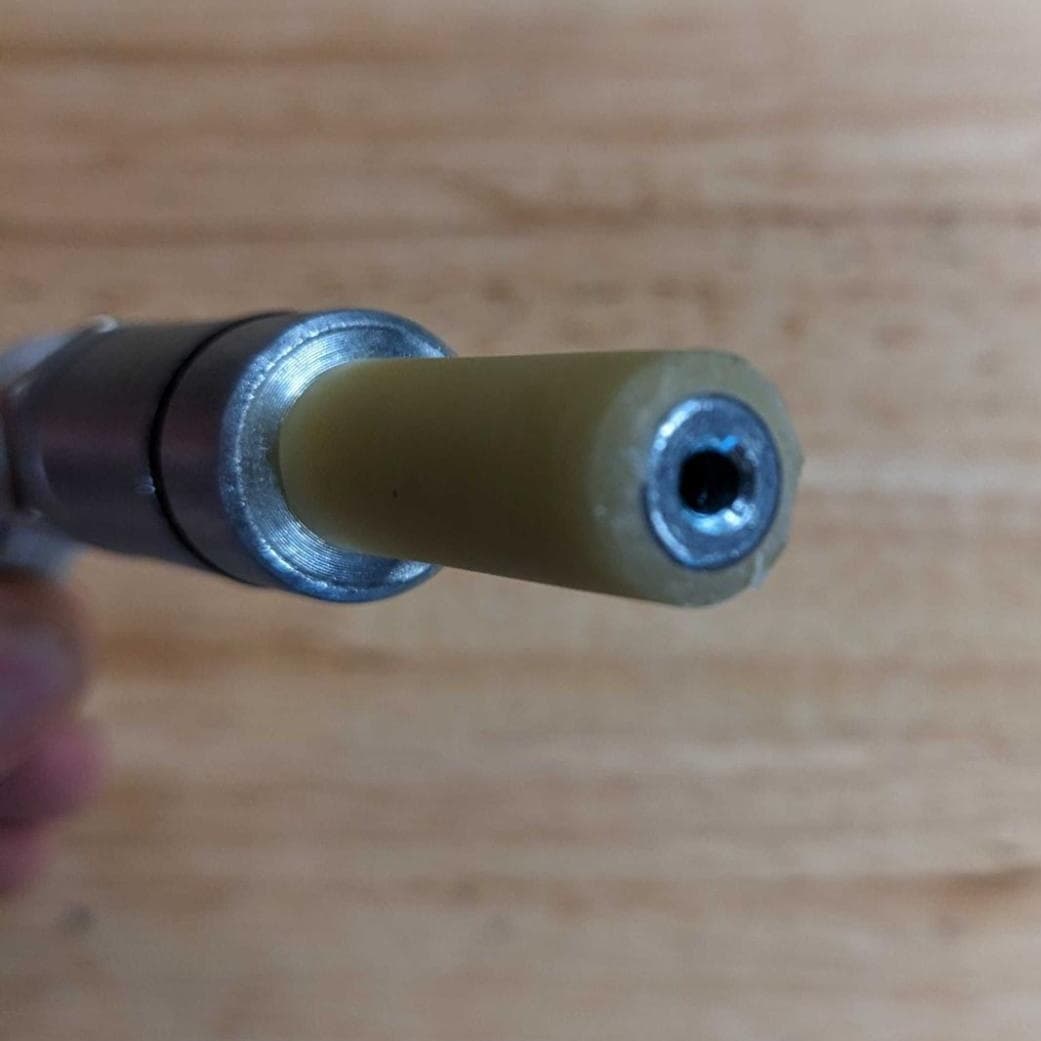
3 mm diameter blast orifice
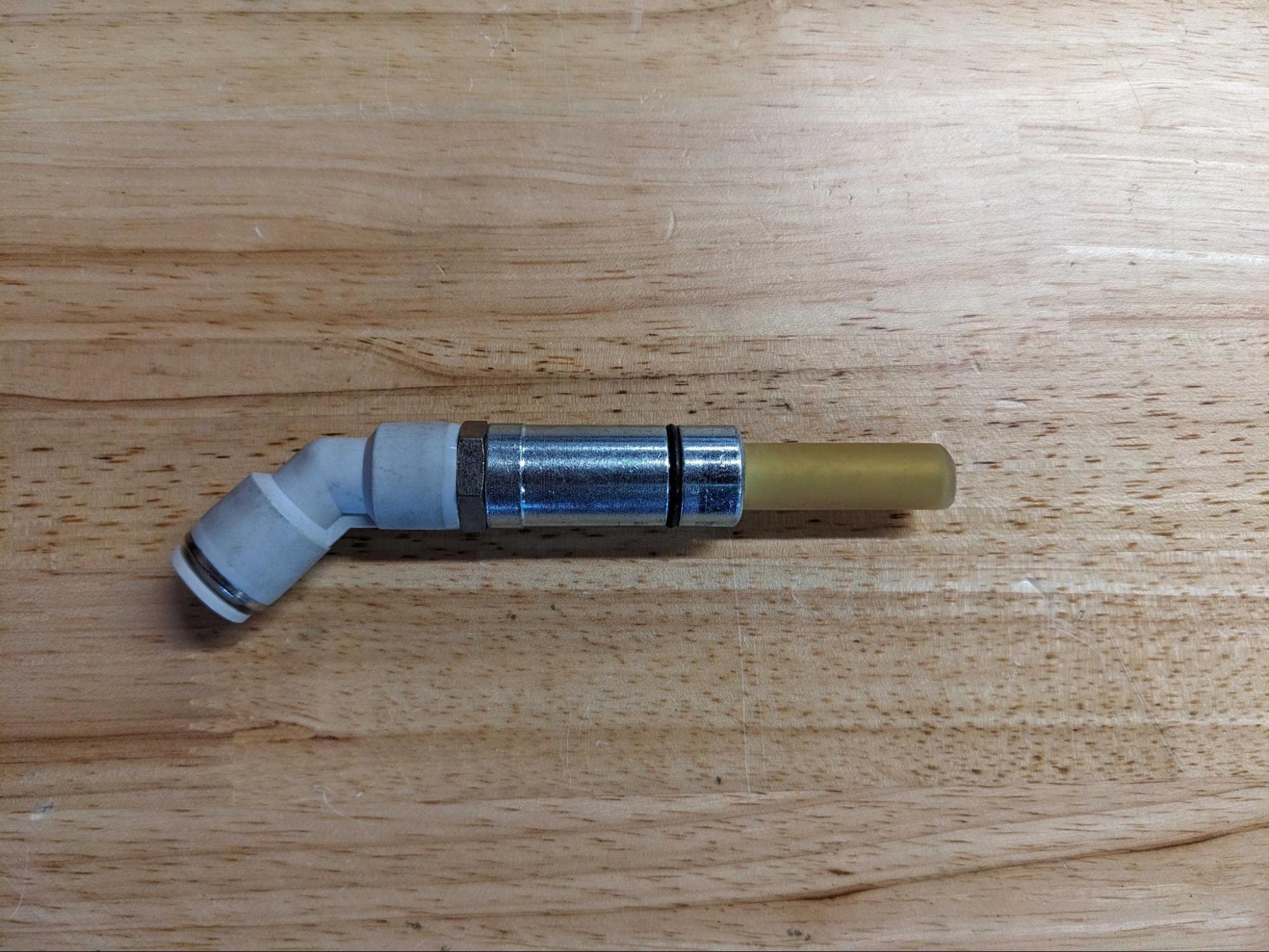
4 mm blast orifice
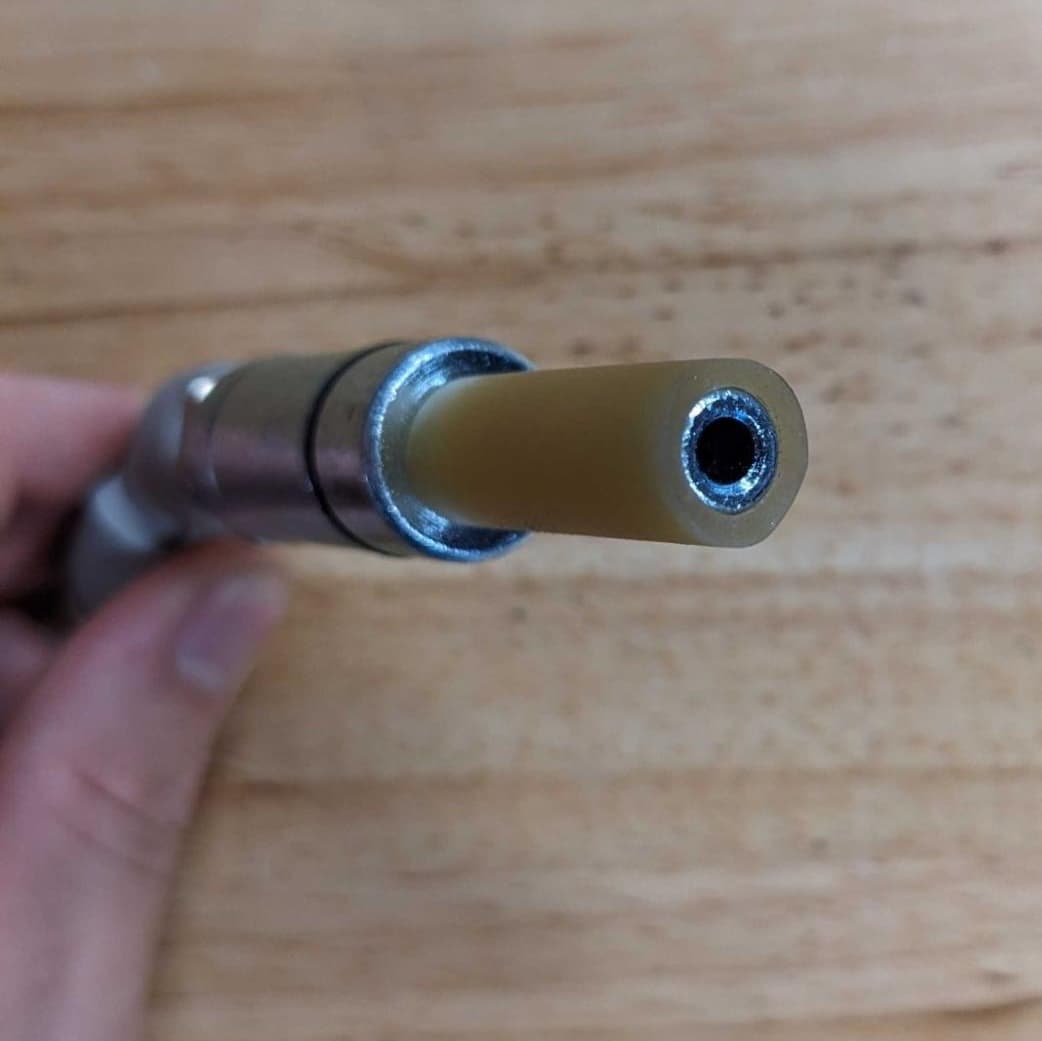
4 mm diameter blast orifice
Required resources
Made by Formlabs
- Replacement blast orifice
Made by third parties
- 3 mm hex driver
- T20 Torx driver
Removing the blast orifice
To remove the currently-installed blast orifice:
- Turn off and unplug the Fuse Blast.
- Unlatch and open the blasting chamber door.
- Push the retention ring at the back of the blast gun towards the blast gun body. While pressing on the ring, separate the clear hose from the blast gun.
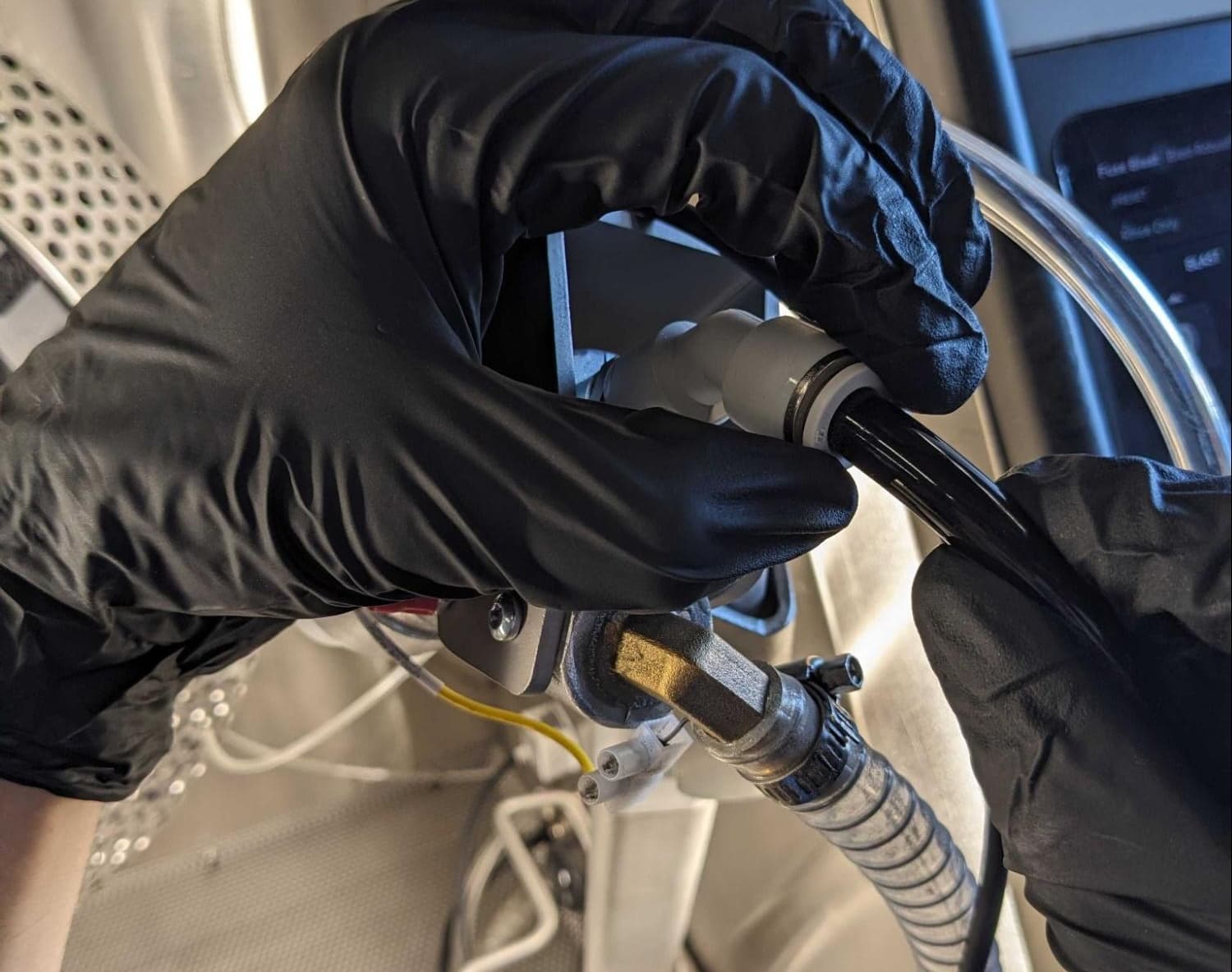
- Rotate the blast arm so you can access the left side of the blast gun. Locate the four screws securing the blast gun to the blast arm.
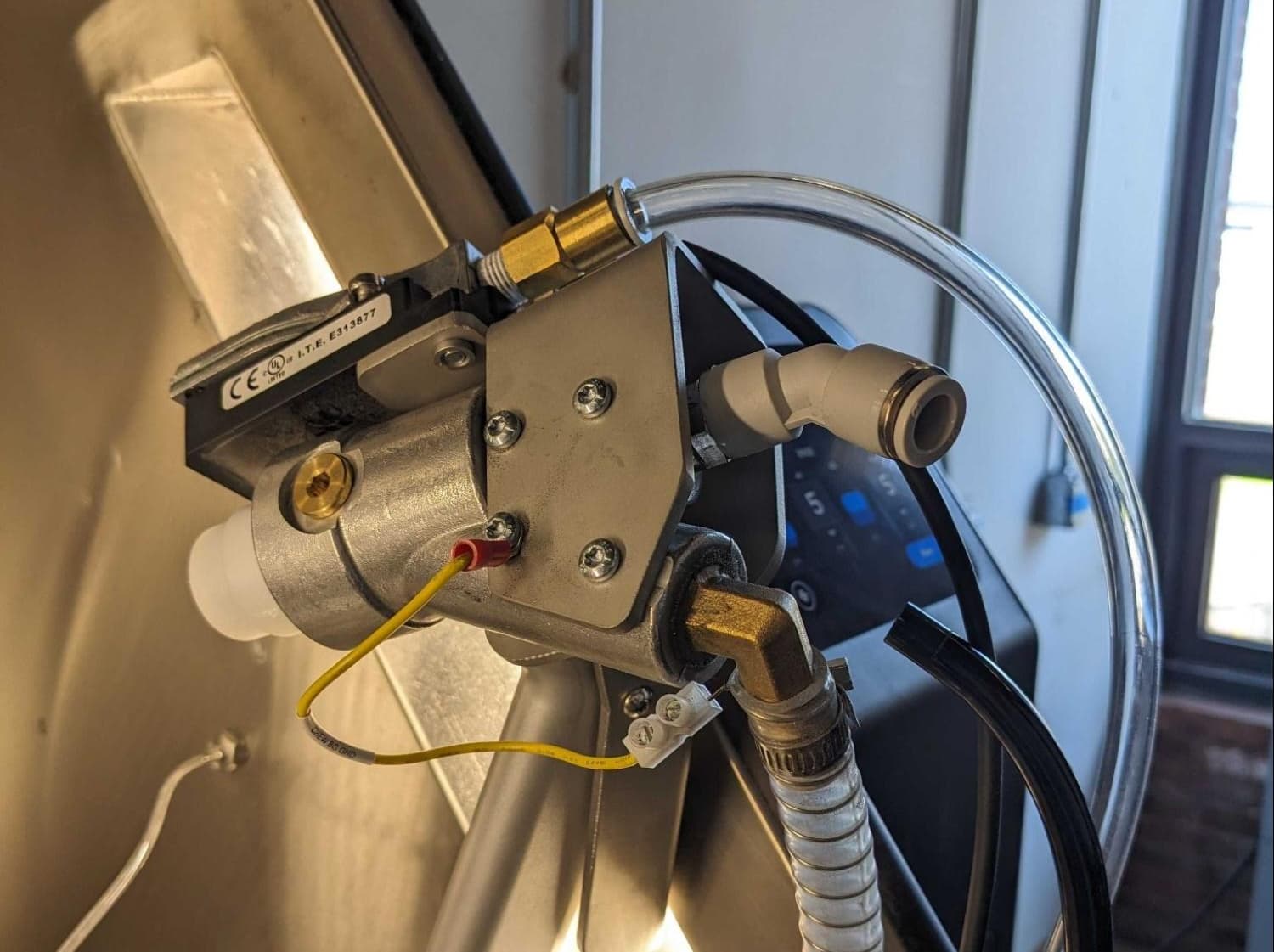
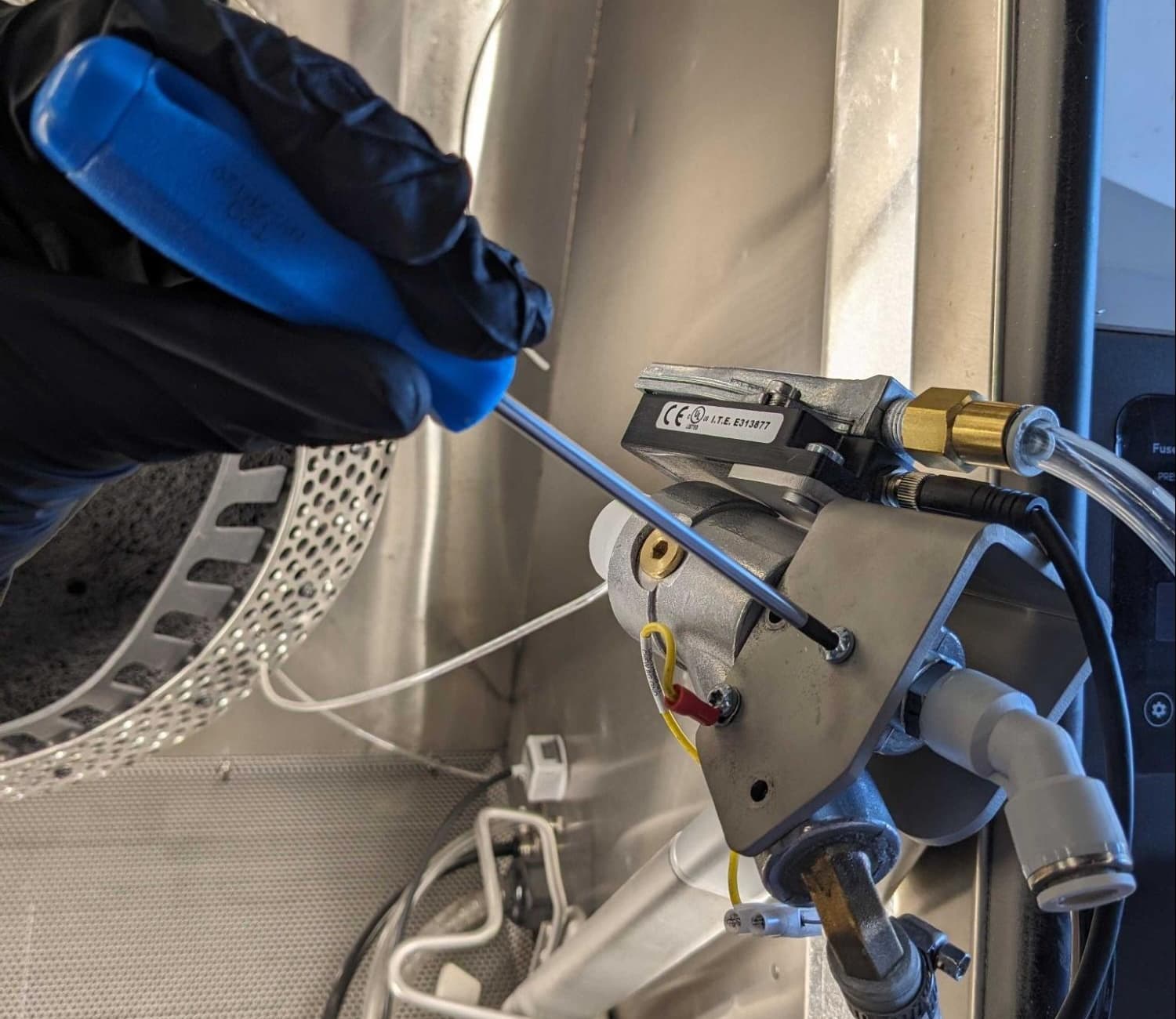
- Using a T20 Torx driver, unscrew and remove the four screws. Take care not to damage the grounding wire attached to one of the screws. Set the screws aside.
- Separate the blast gun from the blast arm.
- Rotate the blast gun so you can access its right side. Locate the set screw securing the blast orifice.
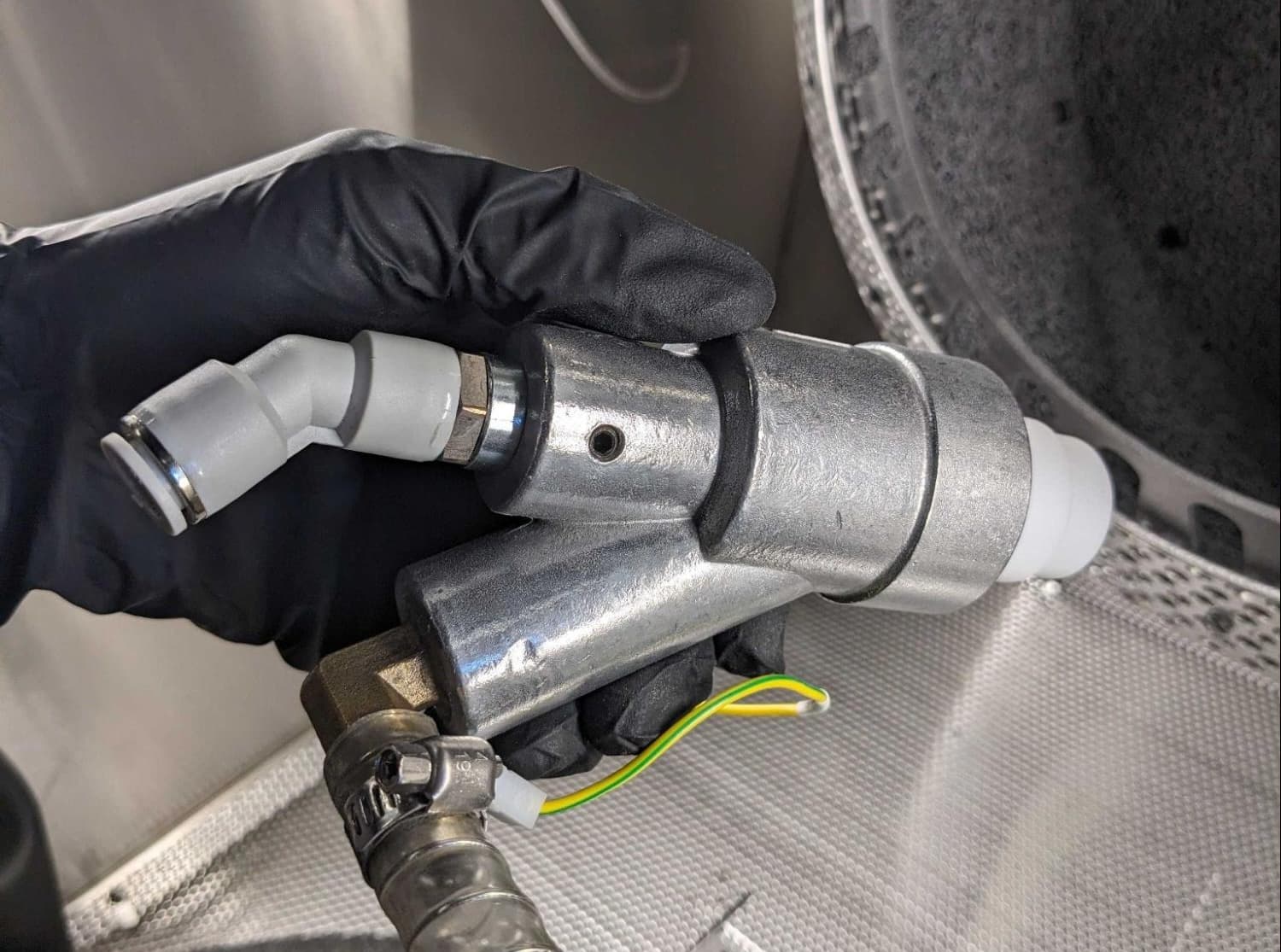
- Using a 3 mm hex driver, loosen but do not remove the set screw.
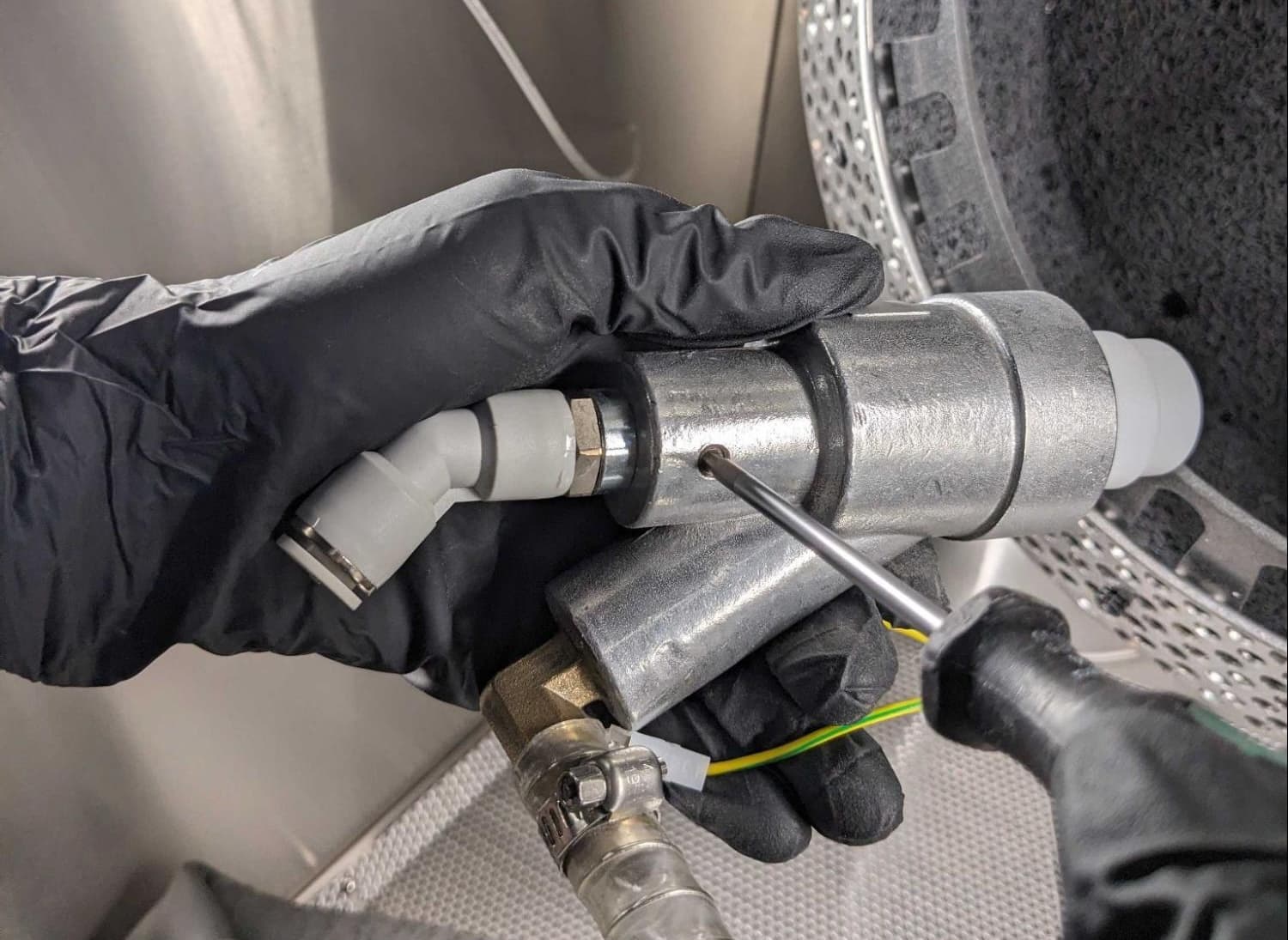
- Slide the blast orifice out of the back of the blast gun.
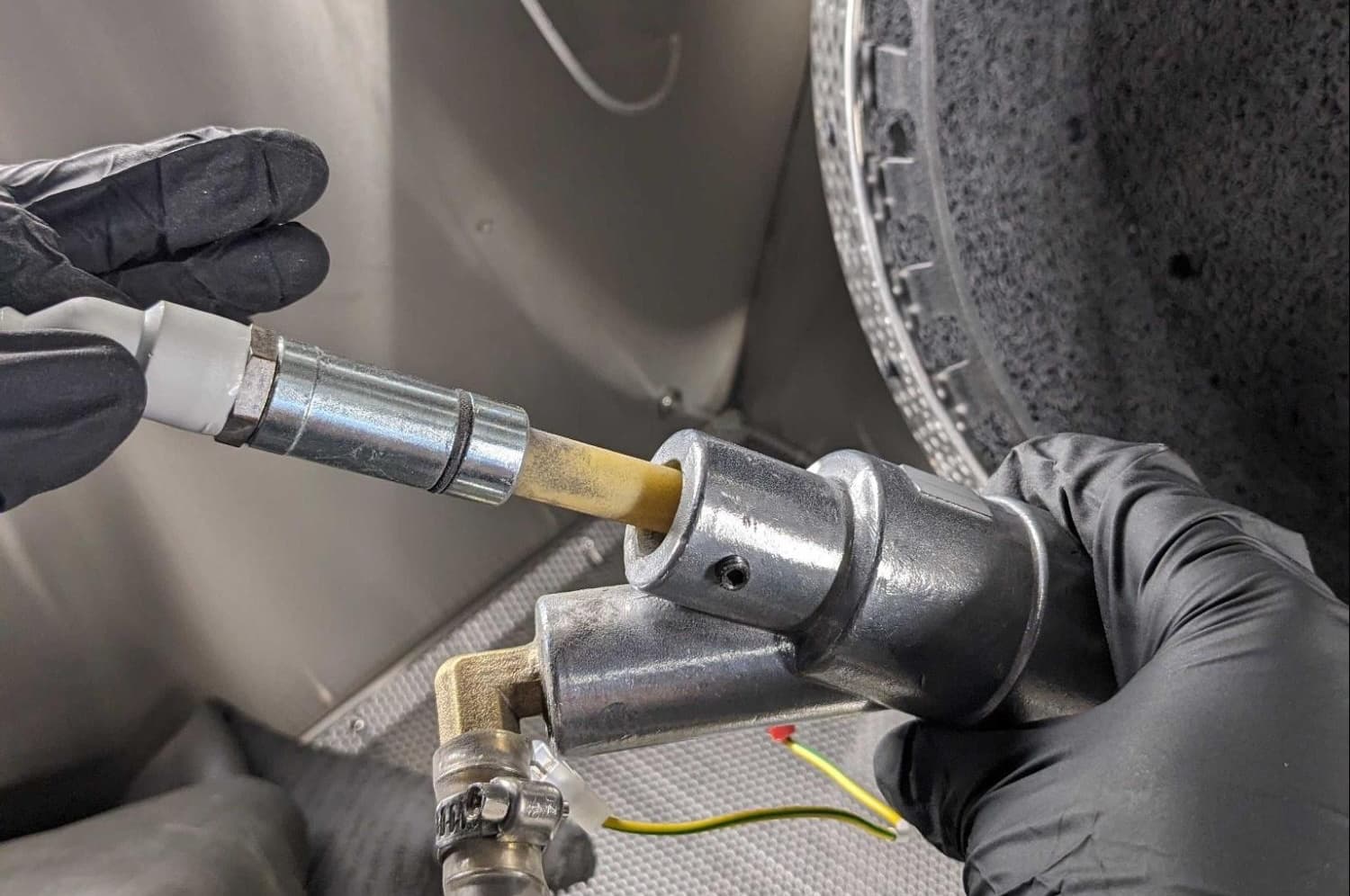
Installing the blast orifice
After removing the previously-installed blast orifice, install the replacement orifice.
To install the blast orifice:
- Insert the blast orifice into the back of the blast gun. Push the blast orifice forward until it bottoms out against the back of the blast gun.
- Using a 3 mm hex driver, tighten the blast orifice set screw until snug.
- Align the four screw holes in the left side of the blast gun with the corresponding holes in the blast arm.
- Place the grounding wire on one of the T20 screws and loosely thread into one of the four screw holes. Thread the remaining three screws into their screw holes. Using a T20 Torx driver, tighten until snug.
- Firmly press the clear tube into the port on the back of the blast gun.
- Close and latch the blasting chamber door.
- Connect the Fuse Blast to power and turn the machine on.
- Test the blast gun with the new blast orifice.