
TIP
Save your printer box, inserts, and the cardboard protectors that are attached to the cover. You will need the original packaging to exercise your warranty or ship your printer in the future.

Find out some basic information on what packages to expect in the mail when your Form 1+ arrives and what to get while you wait.
Now that you've received your Form 1+, it's time to unpack and get familiar with your printer and accessories.
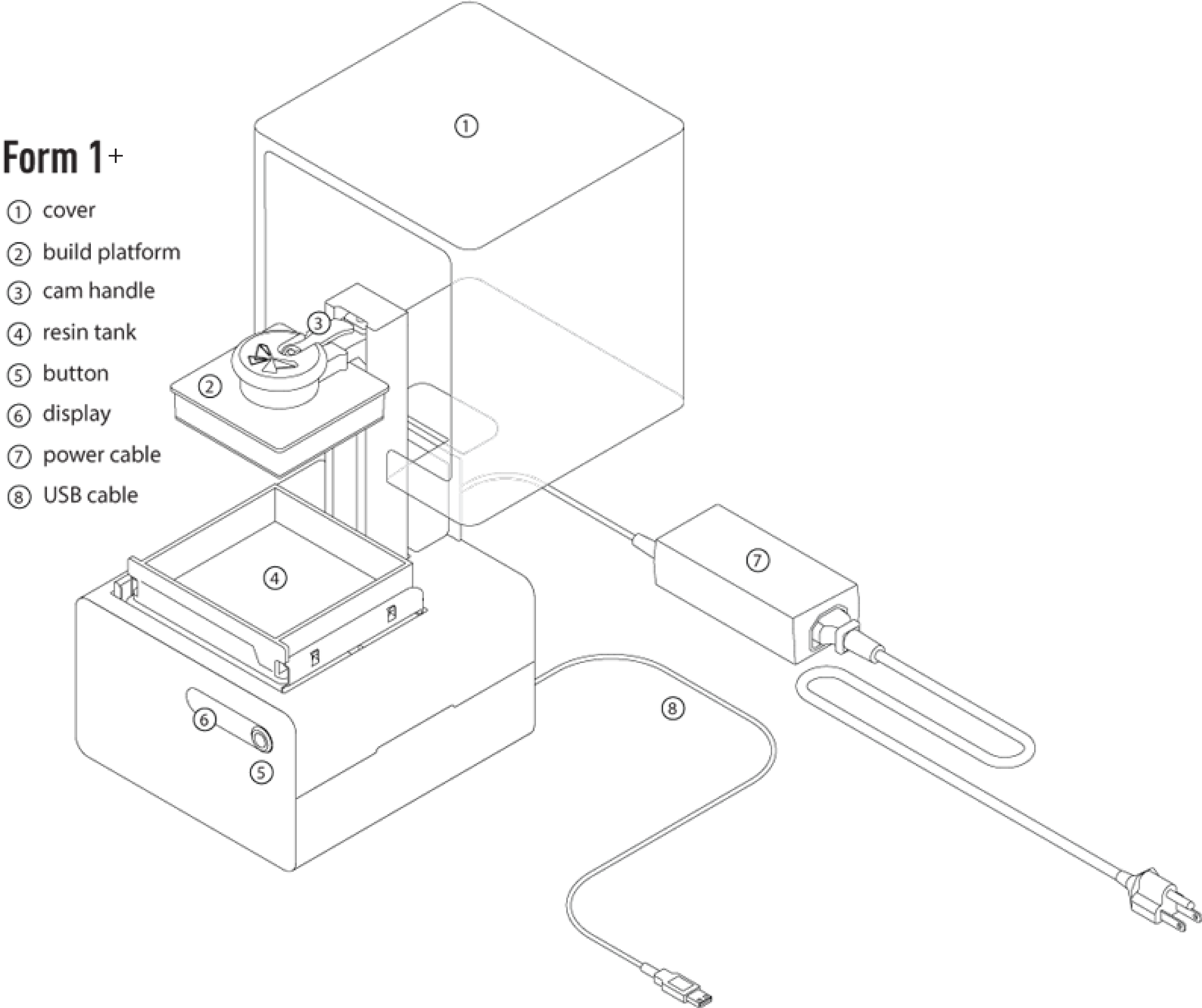
Form 1+
Your Form 1+ rests between two plastic inserts. Simply remove the first (without cutting the plastic) and remove your printer. The power brick, power cable, and USB cable are in a cardboard case at the bottom of the box.
TIP
Save your printer box, inserts, and the cardboard protectors that are attached to the cover. You will need the original packaging to exercise your warranty or ship your printer in the future.
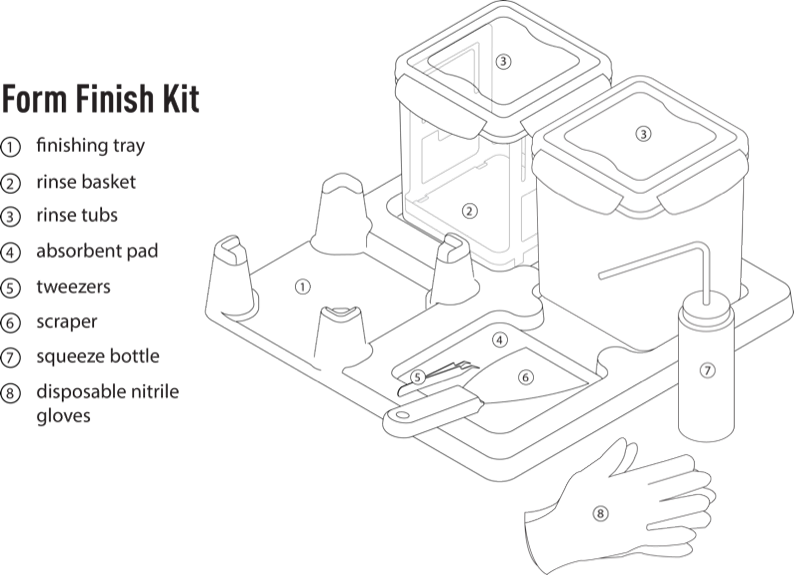
Form Finish Kit
The Form Finish Kit contains the tools you need to get printing.
Formlabs resin
Form 1+ orders include 1 liter of Formlabs resin.