


Formlabs Logo

Cooling a print with Fuse Sift X1

Cooling a print with Fuse Sift X1

For detailed guidance and visual assistance, visit formlabs.com/support.


After printing, parts need to cool in the Fuse X1’s print enclosure before being moved into the Fuse Sift X1 to alleviate thermal stresses so your final geometry can be achieved. The Fuse X1 automatically starts cooling parts after printing completes, and indicates the recommended time a print should remain inside the print enclosure. This is indicated by an on-screen notification, as well as the status card in the top-right of the Home screen.

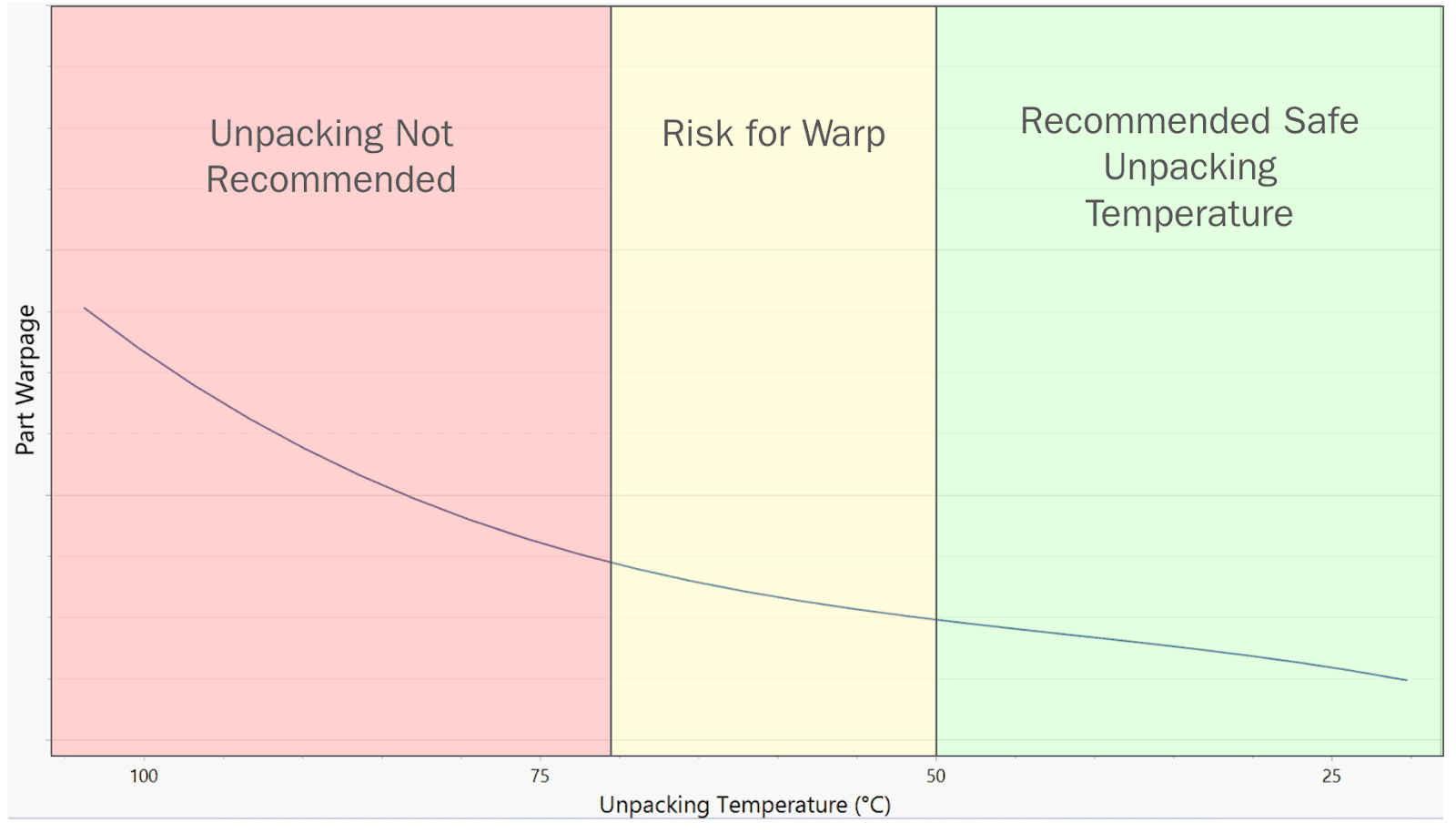
Your prints can be unpacked before the powder cake fully cools to save time, but that increases the risk of warping.

Warning:

The Fuse X1’s print enclosure is designed to operate at up to 200 ºC (392 °F), and incorporates high-intensity heaters. Do not open the print enclosure or any other access doors on the Fuse X1 during or immediately after a print. Do not handle parts from a build unit without allowing the entire print enclosure to cool for several hours, or until the print bed temperature has reached ≤ 100 ºC (212 °F). Failure to follow these procedures will result in serious injuries, including burning and/or scalding of skin.
Caution:

A full build unit or a build unit with many printed parts will be heavy. Use appropriate precautions when moving the build unit.

Cooling the build unit in the Fuse X1

After a print has completed, a message on the touchscreen displays the recommended cooling time required for each print. All prints are subject to a subsequent cooling phase that allows parts to steadily cool down to 100 ºC (212 ºF). Removing a build unit from the printer before parts have completed their initial cooling may result in warpage and deformation.

To cool the build unit in the Fuse X1:

  1. Check the estimated cooling time on the touchscreen or on Dashboard. Allow the print to remain inside the printer until the estimated time has elapsed.

  2. Once a print has completed the in-printer cooling, remove the build unit from the printer and insert it into the Fuse Sift X1.

Cooling a build unit outside of the Fuse X1 or Fuse Sift X1

After a print has completed, leave the build unit in the printer until the internal temperature has fallen below 100 ºC (212 °F). At that point, the build unit can be safely transferred to Fuse Sift X1 to finish cooling. Removing a build unit from the printer before parts have completed their initial cooling may result in warpage and deformation.

To cool the build unit in the Fuse Sift X1:

  1. When the build unit temperature has fallen below 100 ºC (212 °F), remove it from the printer and load it into the Fuse Sift X1.

  2. Allow the build unit to cool for 30–50% of the original print time. You can check the internal temperature of the powder cake with a probe thermometer or other similar tool to see if it has reached room temperature.

  3. Begin the part recovery process.