

Replacing the Fuse X1 recoater arm and roller
Replacing the Fuse X1 recoater arm and roller
The recoater may encounter damage such as scratches and wear after normal use that cannot be resolved by cleaning. Replace the recoater arm and roller if there is visible damage or buildup on the roller surface that cannot be removed by cleaning.
To replace the recoater arm and roller:
-
Open the print chamber door.
-
Tap Maintenance > Motor Moves. The Motor Moves menu appears. Use the UI buttons to move the recoater roller to the middle of the print chamber.
-
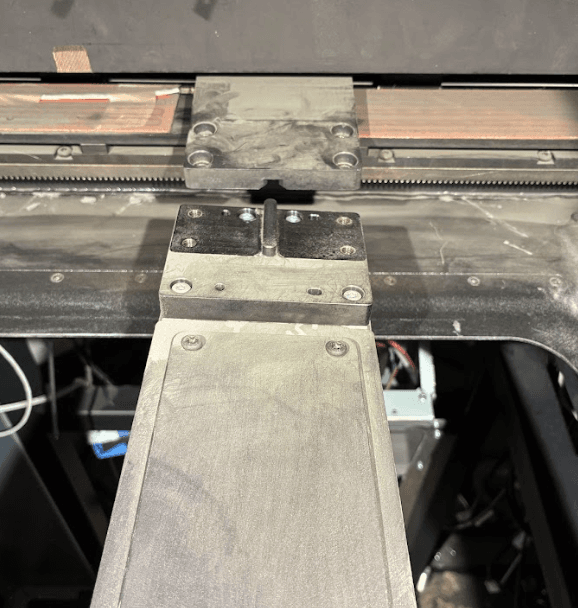
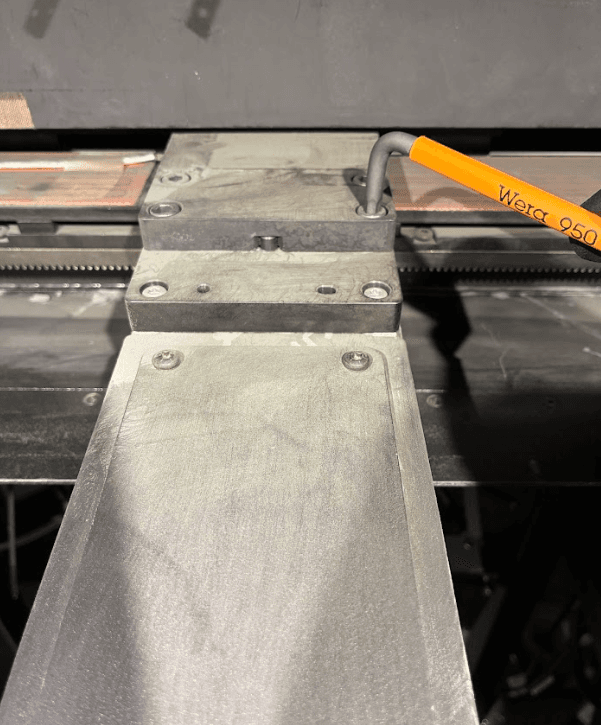
Using a 5 mm hex driver, loosen and remove the four screws securing the recoater arm.
-
Pull the arm and roller assembly forward until it releases from the printer.
-
Slide the replacement recoater arm and roller into place, aligning the four screw holes in the arm with the corresponding screw holes in its mount.
-
Place a drop of Loctite 246 or equivalent threadlocker on the threads of each of the recoater mounting screws.
-
Thread one recoater mounting screw into each of the four screw holes. Using a 5 mm hex driver, tighten in an X pattern to 5 Nm