Formlabs Logo

Using the VOC Extractor with a Formlabs SLA printer

Using the VOC Extractor with a Formlabs SLA printer

The VOC Extractor is a Formlabs SLA printer accessory that extracts and filters resin VOCs through the exhaust port on the back of the printer. When used with Form Studio 1 and Alpha Resins, the ecosystem meets UL Greenguard Gold standards. The VOC Extractor is also compatible with Form 4 generation printers, but has not been tested against UL Greenguard standards in that configuration.

UL Greenguard Gold logo

For more information about Formlabs products and sustainability certifications offered by UL Solutions, see the UL Sustainable Products of Trust (SPOT) database.

When using the VOC Extractor, keep your workspace’s temperature between 18–28 °C (64–82 °F) and ambient humidity below 80%.

Product components

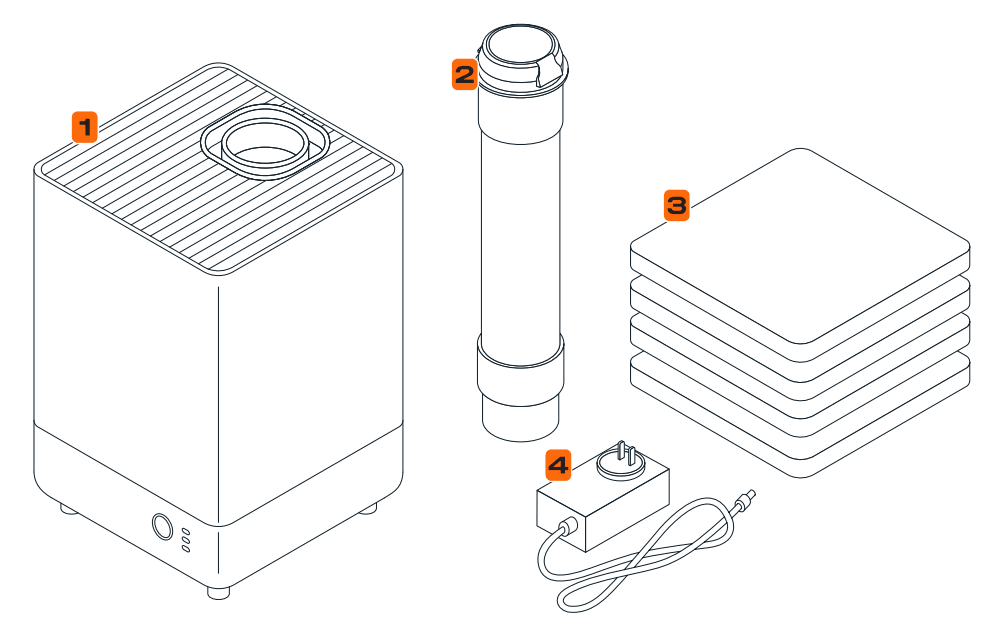
VOC Extractor components
  1. VOC Extractor: Extracts and filters resin VOCs through the exhaust port on the back of the Form Studio 1. UL Greenguard certified when used with Form Studio 1 and Alpha Resins. Also compatible with Form 4 and Form 4L generation printers.
  2. Hose with adapter: For connecting the VOC Extractor to the printer.
  3. Spare pre-filters: The VOC Extractor draws air through one pre-filter and two activated carbon filters. The pre-filter removes dust and large particles so the carbon filters can run effectively. All three filters are replaceable.
  4. Power adapter: Compatible with the VOC Extractor. Includes interchangeable plugs for different regional outlet types (not pictured).

Setting up the VOC Extractor

  1. Unbox the VOC Extractor and its accessories. Place the unit near the printer.
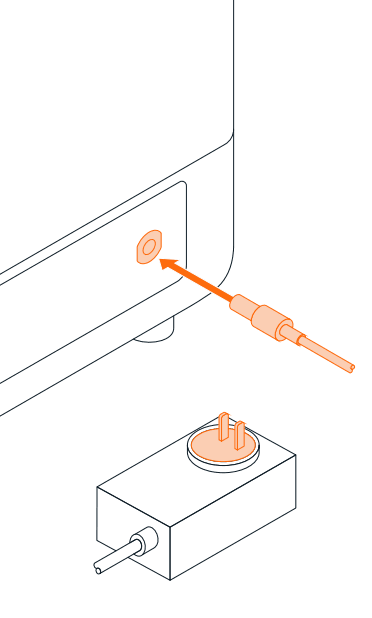
  2. The VOC Extractor power adapter comes with interchangeable plugs. Swag the plug to the appropriate type if needed.
  3. Connect the power adapter to the VOC Extractor and a power source.
Setting up the VOC Extractor
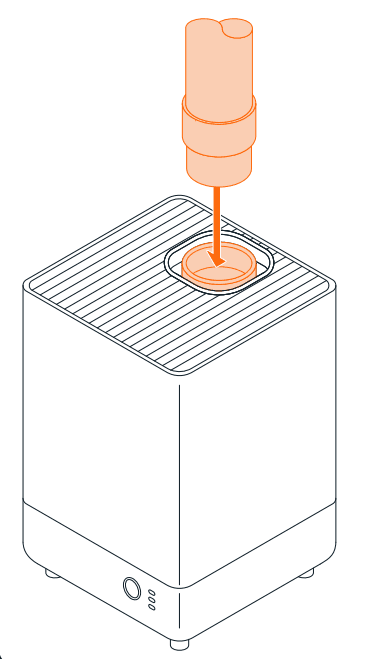
  1. Connect the smooth end of the hose to the inlet at the top of the VOC Extractor.
Setting up the VOC Extractor
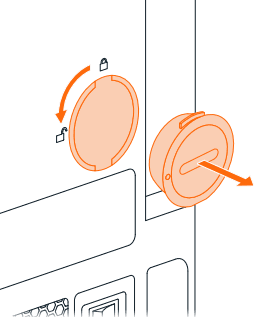
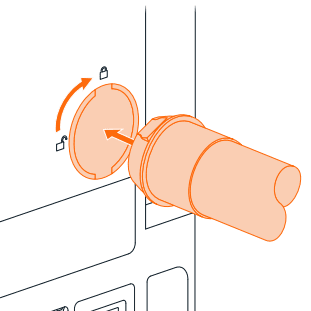
  1. Remove the exhaust plug from the back of the printer.
Setting up the VOC Extractor
  1. Connect the hose adapter to the exhaust port, keeping the hose short and with as few bends as possible. Long or kinked hose runs reduce the effective airflow and efficacy of the VOC Extractor.
Setting up the VOC Extractor

Using the VOC Extractor

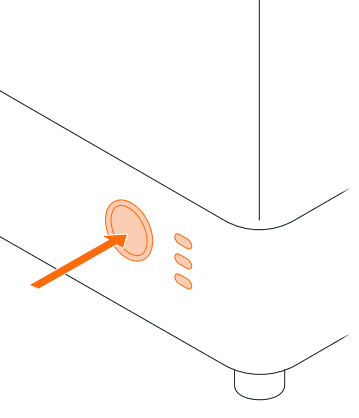
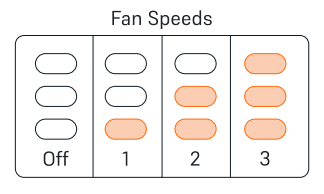
  1. When you are ready to print, press the touch button on the VOC Extractor to power it on and select the appropriate fan speed. The VOC Extractor cycles through fan speeds with each press of the button: on → Level 1 → Level 2 → Level 3 → off.
    • When printing with Alpha Resins on the Form Studio 1, use fan speed 2. This is the only setting that is UL Greenguard certified when used with Alpha Resins and the Form Studio 1.
    • Fan speed 1 can be used for lower fan noise (roughly 5 dBA quieter than fan speed 2).
    • Use fan speed 3 if the VOC Extractor hose is fully extended and/or has multiple bends.
  2. Turn off the VOC Extractor when not actively printing to extend filter and resin lifetimes.
VOC Extractor button
VOC Extractor modes

Tip:

If you are concerned about VOCs when not printing, remove the resin tank from the printer and cover it with its lid after a print is done.

Replacing the VOC Extractor filters

The VOC Extractor draws air through one pre-filter and two activated carbon filters. The pre-filter removes dust and large particles so the carbon filters can run effectively. All three filters are replaceable. Only use the machine with the pre-filter and both activated carbon filters installed.

Checking and replacing the pre-filter

Check the pre-filter regularly. Lift the top cover off of the machine to access the pre-filter. Replace if it is covered in dust. Do not wash or reuse the prefilters or carbon filters.

Replacing the activated carbon filters

The two activated carbon filters are rated to last two weeks (336 hours) of active use. Replace both filters after this time period. Form Studio 1 printers will also remind you to replace the filters on the printer touchscreen. The carbon filters are located beneath the pre-filter; lift the top cover off of the machine and remove the pre-filter to access them.
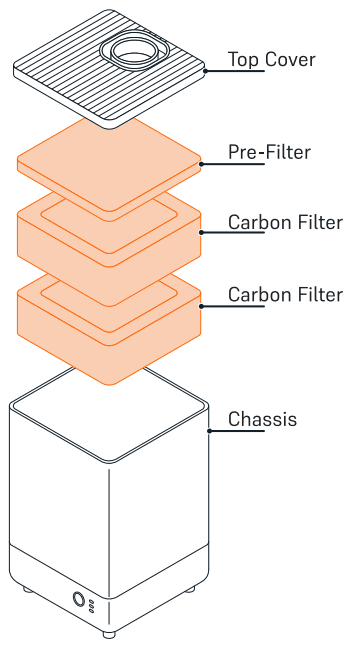
VOC Extractor filters