WHITE PAPER
Build platform not detected (Form 3 generation)
Build platform not detected (Form 3 generation)
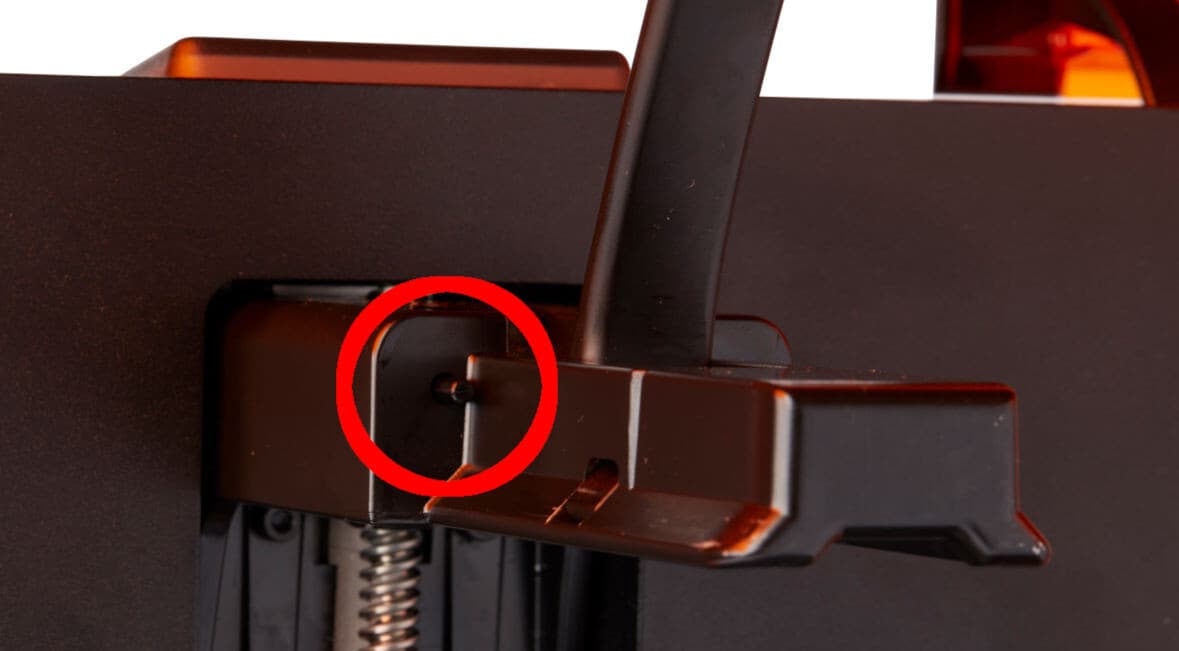
The printer detects when the build platform is properly installed in its home position. If the printer is unable to detect the build platform, there may be a firmware issue, damage to the plunger that detects the build platform, or a problem with the build platform itself.
Symptoms
- Printer is unable to detect build platform when properly inserted
Causes
- Software bug
- Broken plunger
- Faulty build platform
- Broken Z-axis limit switch
Troubleshooting steps
- Ensure that the printer's firmware is up to date. If the firmware is up to date, manually reinstall the latest firmware package.
- With the printer idle, manually push the build platform detection plunger.
- If the printer detects a build platform, the issue is with the build platform itself and not the printer. Check the build platform handle for damage where it would contact the plunger. Replace the build platform if necessary.
- If the printer does not detect a build platform, this means the build platform plunger or sensor is broken. To continue printing, you can disable build platform detection. Tap Settings > System > Printer Details > Subsystems > Build Platform Detection. Tap Disable to confirm the change.