

Formlabs Logo

Cleaning the Fuse X1 recoater roller

Cleaning the Fuse X1 recoater roller

The recoater roller distributes powder across the print bed during the print. Any debris on the recoater roller could lead to a print failure. After a print has completed and sufficiently cooled to move the build unit, clean the recoater roller. For best printer performance, clean the recoater roller after every print.

For more information about recommended maintenance, see the printer's manual.

Caution:

  • Do not use compressed air or an air gun to clean the print chamber, build unit, or any other component. Mobilizing loose powder increases the risk of unintentional inhalation or ingestion.

  • If a print was recently completed, the surfaces inside the print chamber will be hot. Take care while cleaning the build sheet, troughs, and recoater roller to avoid burns.
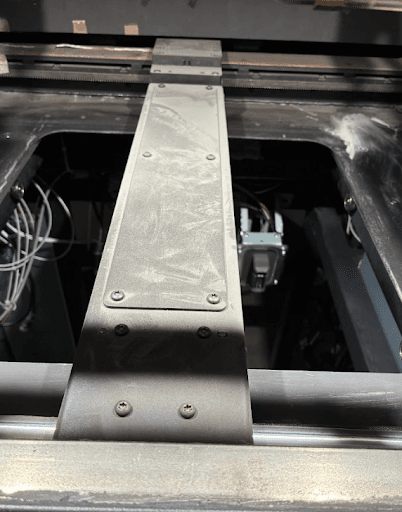
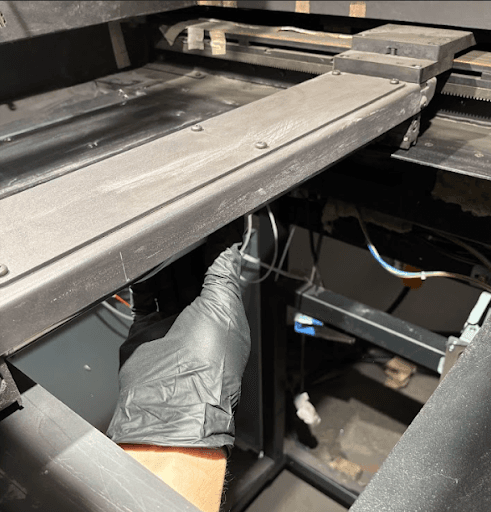
Cleaning the recoater roller

To clean the recoater roller:

  1. Open the print chamber door.

  2. Tap Maintenance > Motor Moves. The Motor Moves menu appears. Use the UI buttons to move the recoater roller to the middle of the print chamber.

  1. Using a microfiber cloth wetted with Alconox, wipe the underside of the roller. Do not use shop wipes embedded with waxy additives because they can stick to the roller.
  1. Use the controls on the Motor Moves screen to jog the recoater arm to the left or right so that the roller makes a 180 degree rotation.
  2. Wipe the underside of the roller again.
  3. Repeat steps 3–5 using a clean microfiber cloth wetted with distilled water to remove any Alconox residue.