
Tip:
Looking for settings for the Form Cure (2nd Generation)? Click here.

The Form Cure helps 3D printed parts achieve their highest possible strength and stability. Optimal post-curing settings depend on equipment and the geometry of the part. Select the material type and version below to see the recommended Form Cure time and temperature settings. To post-cure previous resin formulations with the Forrm Cure, use the recommended time and temperature for the closest resin version.
Over-curing is acceptable, unless otherwise stated. Increase the post-curing time for thick, bulky parts because they are slower to heat to the proper temperature.
For parts printed in a Formlabs resin for biocompatible applications, follow the post-curing steps in the relevant instructions for use or application guide. For Formlabs Fast Cure settings, see the support article Fast Cure time settings.
Tip:
Looking for settings for the Form Cure (2nd Generation)? Click here.
Updating Form Cure temperature settings
As of firmware version 1.2.0, the Form Cure offers preset curing options for all Formlabs materials. Turn the knob to select Custom Profile file from the main menu. Choose a material, and the Form Cure automatically displays the material’s recommended cure time and temperature settings.
The Form Cure’s firmware is updated with new material profiles as they become available. Form Cure updates are included in every PreForm update and can be installed using the FormWashCureUpdater executable. For information about how to update the Form Cure, see the article Updating Form Wash and Form Cure firmware.
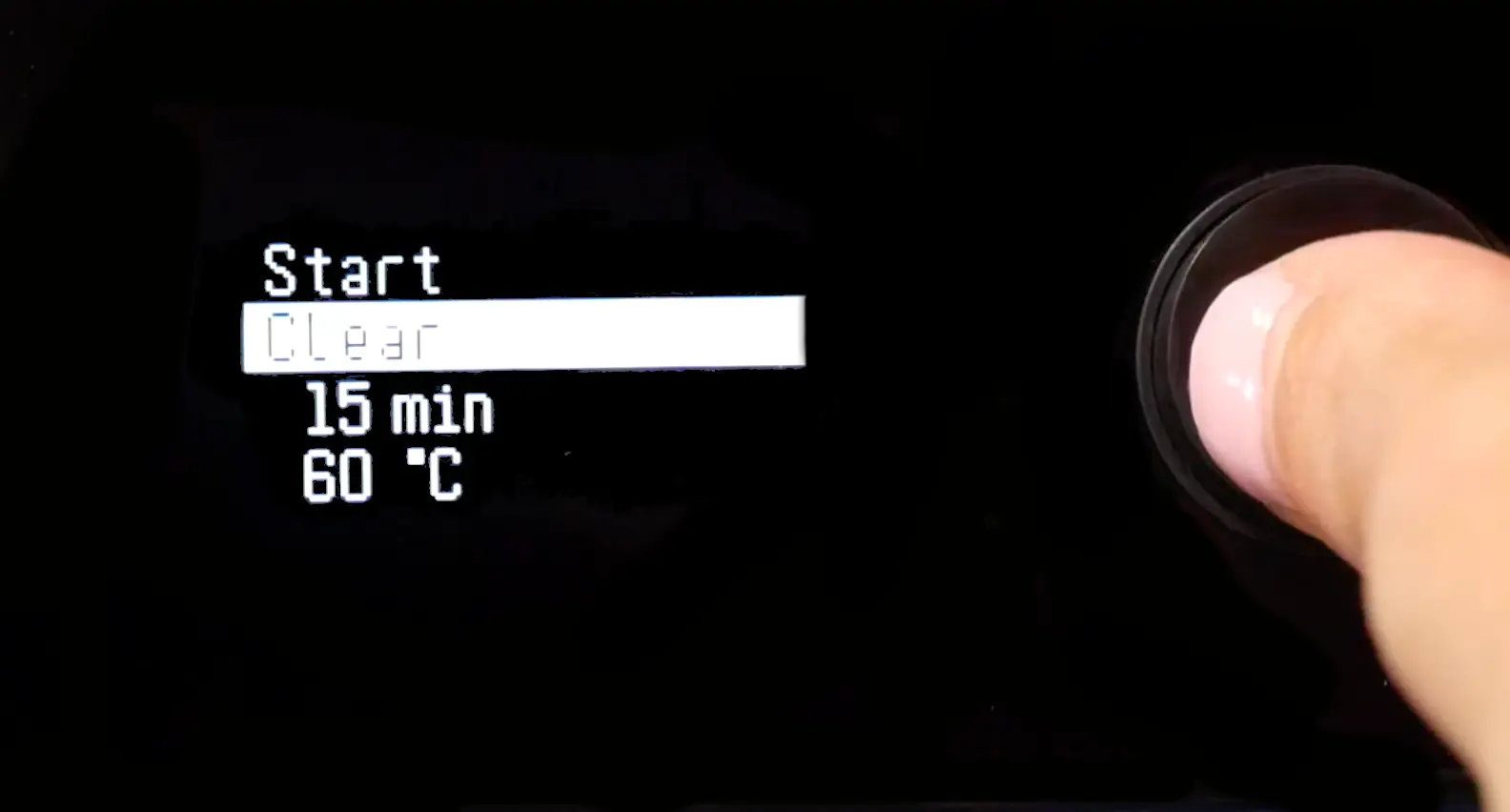
Form Cure V1 settings
| Resin | Post-cure setting | Post-cure time | Post-cure temperature |
|---|---|---|---|
| Alumina 4N Resin | N/A4 | N/A | N/A |
| Black Resin V4/V4.1 Color Kit Grey Resin V4/V4.1 White Resin V4/V4.1 |
Recommended1 | 30 min | 60 °C |
| Full post-cure | 60 min | 60 °C | |
| Black Resin V5 Clear Resin V5 Grey Resin V5 White Resin V5 |
Default1 | 5 min | No heat |
| Enhanced mechanical properties | 15 min | 60 °C | |
| BEGO™ VarseoSmileⓇ TriniQⓇ Resin | Full post-cure2 | Refer to the Instructions for Use for washing and post-curing instructions for this resin. Enter the item number (REF) from the resin cartridge label to access the IFU. | |
| BioMed Amber Resin | Full post-cure2 | Refer to the Manufacturing Guide for washing and post-curing instructions for this resin. | |
| BioMed Black Resin | Full post-cure2 | Refer to the Manufacturing Guide for washing and post-curing instructions for this resin. | |
| BioMed Clear Resin | Full post-cure2 | Refer to the Manufacturing Guide for washing and post-curing instructions for this resin. | |
| BioMed Durable Resin V1 BioMed Durable Resin V1.1 |
Full post-cure2 | Refer to the Manufacturing Guide for washing and post-curing instructions for this resin. | |
| BioMed Flex 50A Resin (formerly BioMed Elastic 50A Resin) |
Full post-cure2 | Refer to the Manufacturing Guide for washing and post-curing instructions for this resin. | |
| BioMed Flex 80A Resin | Full post-cure2 | Refer to the Manufacturing Guide for washing and post-curing instructions for this resin. | |
| BioMed White Resin | Full post-cure2 | Refer to the Manufacturing Guide for washing and post-curing instructions for this resin. | |
| Castable Resin | Full post-cure3 | 240 min | 60 °C |
| Castable Wax Resin Castable Wax 40 Resin |
N/A4 | N/A | N/A |
| Ceramic Resin | N/A4 | N/A | N/A |
| Clear Cast Resin | Recommended1 | 15 min | 60 °C |
| Full post-cure | 30 min | 60 °C | |
| Clear Resin V4/V4.1 | Recommended1 | 15 min | 60 °C |
| Full post-cure | 30 min | 60 °C | |
| Color Resin V5 | Full post-cure | 5 min | N/A |
| Custom Tray Resin | Full post-cure2 | Refer to the Manufacturing Guide for washing and post-curing instructions for this resin. | |
| Dental LT Clear Resin V1 | Full post-cure2 | 20 min | 80 °C |
| Dental LT Clear Resin V2 | Full post-cure2 | Refer to the Manufacturing Guide for washing and post-curing instructions for this resin. | |
| Dental LT Comfort Resin V1 Dental LT Comfort Resin V1.1 |
Full post-cure2 | Refer to the Manufacturing Guide for washing and post-curing instructions for this resin. | |
| Denture Base Resin V1 | Full post-cure2 | Refer to the Instructions for Use for washing and post-curing instructions for this resin. | |
| Denture Base Resin V2 | Full post-cure2 | Refer to the Manufacturing Guide for washing and post-curing instructions for this resin. | |
| Denture Teeth Resin | Full post-cure2 | Refer to the Instructions for Use for washing and post-curing instructions for this resin. | |
| Draft Resin | Better elongation | 5 min | No heat |
| Better UTS | 5 min | 60 °C | |
| Durable Resin V2 Durable Resin V2.1 |
Full post-cure | 60 min | 60 °C |
| Elastic 50A Resin V1 | Full post-cure5 | 20 min | 60 °C |
| Flexible 50A Resin (formerly Elastic 50A Resin V2) |
Full post-cure6 | 30 min | 70 °C |
| ESD Resin | Full post-cure | 60 min | 70 °C |
| Fast Model Resin | Default1 | 5 min | No heat |
| Enhanced mechanical properties | 15 min | 60 °C | |
| Flame Retardant Resin | Better toughness | 60 min | 70 °C |
| Better HDT | 120 min | 80 °C | |
| Flexible Resin | Recommended1 | 15 min | 60 °C |
| Full post-cure | 60 min | 60 °C | |
| Flexible 80A Resin V1 Flexible 80A Resin V1.1 Soft Tissue Resin |
Full post-cure | 10 min | 60 °C |
| Flexible 80A Resin V2 | Default | Cycle 16: 5 min Cycle 2: 30 min |
Cycle 16: No heat Cycle 2: 70 °C |
| Grey Pro Resin | Full post-cure7 | 15 min | 80 °C |
| High Temp Resin V1 | Recommended1 | 30 min | 60 °C |
| Full post-cure | 60 min | 60 °C | |
| High Temp Resin V2 | Recommended8 | 120 min | 80 °C |
| Thermal post-cure | 180 min | 160 °C | |
| IBT Flex Resin | Full post-cure2 | Refer to the Manufacturing Guide for washing and post-curing instructions for this resin. | |
| IBT Resin | Full post-cure2 | Refer to the Manufacturing Guide for washing and post-curing instructions for this resin. | |
| Model Resin V2 | Recommended1 | 30 min | 60 °C |
| Full post-cure | 60 min | 60 °C | |
| Model Resin V3 | Full post-cure | 5 min | 60 °C |
| Permanent Crown Resin | Full post-cure2 | Refer to the Instructions for Use [EN] [EU] for washing and post-curing instructions for this resin. | |
| Precision Model Resin | Full post-cure | 5 min | 35 °C |
| Premium Teeth Resin | Full post-cure2 | Refer to the Manufacturing Guide for washing and post-curing instructions for this resin. | |
| Rigid 4000 Resin | Full post-cure | 15 min | 80 °C |
| Rigid 10K Resin V1 Rigid 10K Resin V1.1 |
Recommended7 | 60 min | 70 °C |
| Thermal post-cure | 125 min | 90 °C | |
| Silicone 40A Resin | Full post-cure6 | 45 min post-cure | 60 °C |
| Surgical Guide Resin | Full post-cure2 | Refer to the Manufacturing Guide for washing and post-curing instructions for this resin. | |
| Temporary CB Resin | Full post-cure2 | Refer to the Instructions for Use for washing and post-curing instructions for this resin. | |
| Tough 1000 Resin | Recommended | 60 min | 70 °C |
| Tough 2000 Resin V1 Tough 2000 Resin V1.1 Tough 2000 Resin V2 |
Recommended | 60 min | 70 °C |
| Tough Resin V5 | Recommended1 | 60 min | 60 °C |
| Full post-cure | 120 min | 60 °C | |
| Tough 1500 Resin V1 Tough 1500 Resin V1.1 Tough 1500 Resin V2 |
Full post-cure9 | 60 min | 70 °C |
| True Cast Resin V1 | Full post-cure | 10 min | N/A |
1: Recommended post-cure settings achieve close-to-optimal mechanical performance and minimize post-cure time. Full post-cure settings achieve optimal mechanical properties. Use full post-cure settings when using materials for functional applications.
2: This post-cure setting ensures that parts achieve both biocompatibility and optimum mechanical properties. Read the Manufacturing Guide for a full description of the workflow.
3: Cure for 4 hours to increase the part strength. Increasing cure time may improve casting results, particularly for thicker parts, though casting success depends more on part geometry and casting process.
4: Does not require post-curing. After washing, allow parts to fully dry before firing/casting.
5: For parts printed with Durable Resin, the tensile modulus increases throughout the first hour of post-curing.
6: Post-cure parts completely submerged in room temperature water in a glass beaker (or other UV-transparent container).
7: There is no significant gain in properties after 15 minutes. There is only one recommended post-curing time.
8: There are several post-curing options for High Temp Resin V2 and Rigid 10K Resin. Refer to the technical data sheet to understand how different options affect mechanical properties, and choose the post-cure option that is best suited to the intended application.
9: If parts printed with Tough 1500 Resin will be used for skin contact use, parts must be post-cured in a Form Cure at 70 °C for 60 minutes.
Downloadable PDF
Formlabs updates post-curing settings periodically with new and improved materials. Download the latest PDF version (English only), and check for updated post-curing settings when using a new resin or revised formulation.