Danger:
This procedure involves operating your printer with a panel removed. Do not touch any electrical components on the printer while the panel is removed and the printer is powered on.

Damaged or malfunctioning components may cause your Form 4 or Form 4L generation printer to fail to power on, freeze, not initialize, shut down unexpectedly, or experience display issues. Although these symptoms might seem similar, they usually result from different underlying causes, most often related to the display, motherboard, power supply, or the system on module (SOM).
Symptoms
Causes
Troubleshooting steps
Check if the printer is accessible via PreForm
If the printer does not appear to turn on but shows other signs of activity, such as fan noise or motor movements, the touchscreen may be disconnected or damaged. In this case, the printer may still be accessible via PreForm. To check this:
Check the motherboard power LEDs
Danger:
This procedure involves operating your printer with a panel removed. Do not touch any electrical components on the printer while the panel is removed and the printer is powered on.
If the printer is not available in PreForm, you can diagnose which component has failed by checking the four power LEDs on the printer’s motherboard.


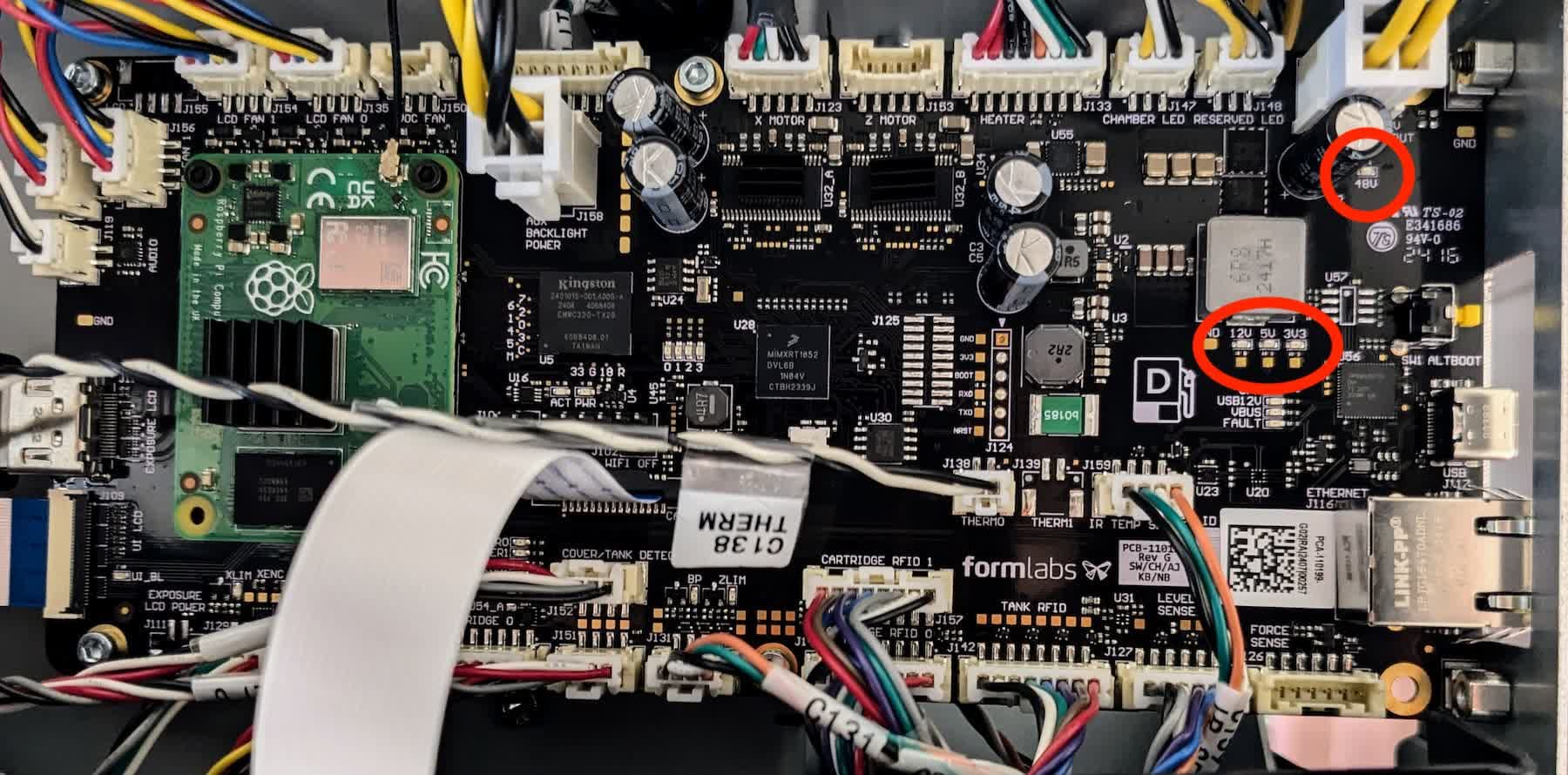
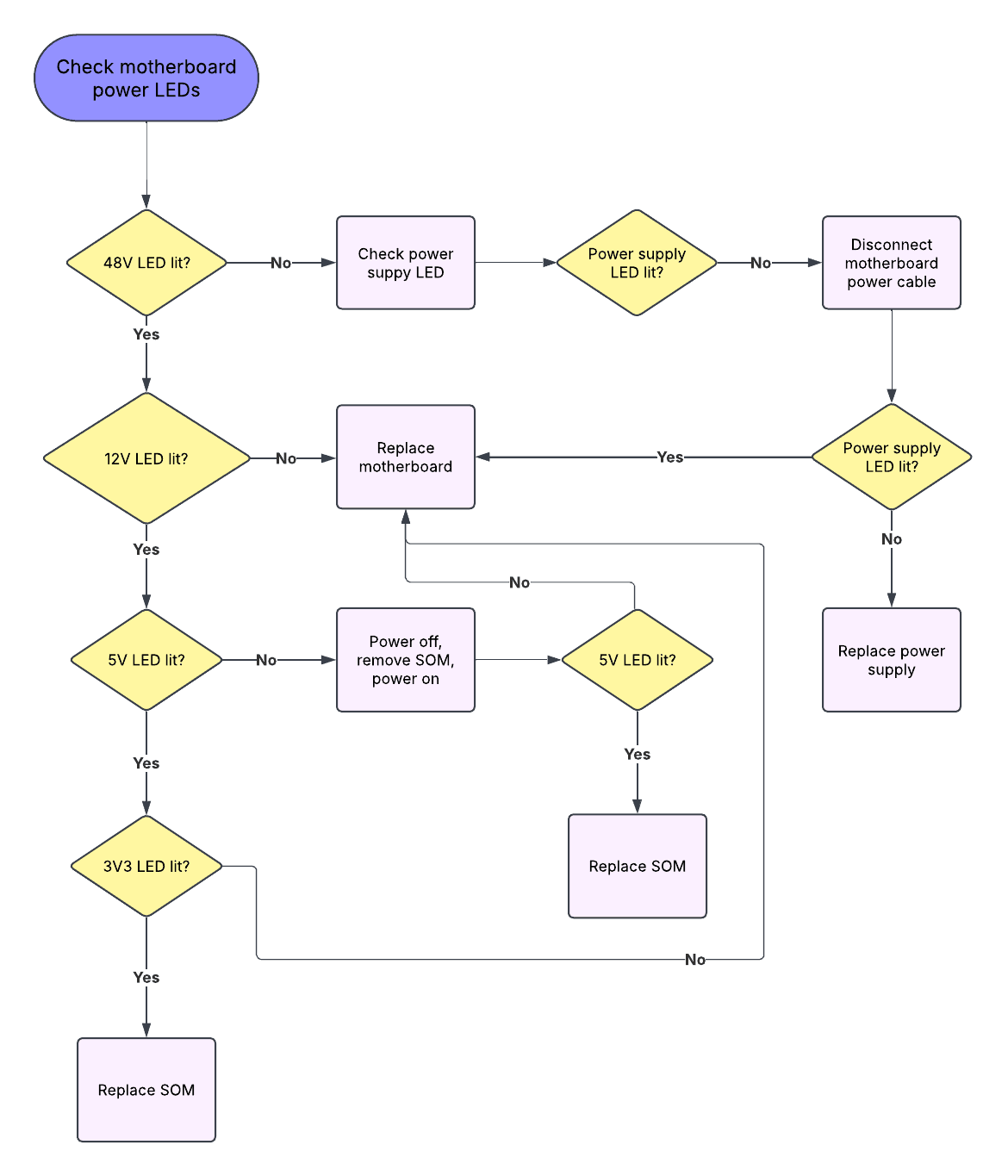
If you need additional assistance, contact Formlabs Support or your authorized reseller.
Check the power supply LED
Danger:
This procedure involves operating your printer with a panel removed. Do not touch any electrical components on the printer while the panel is removed and the printer is powered on.
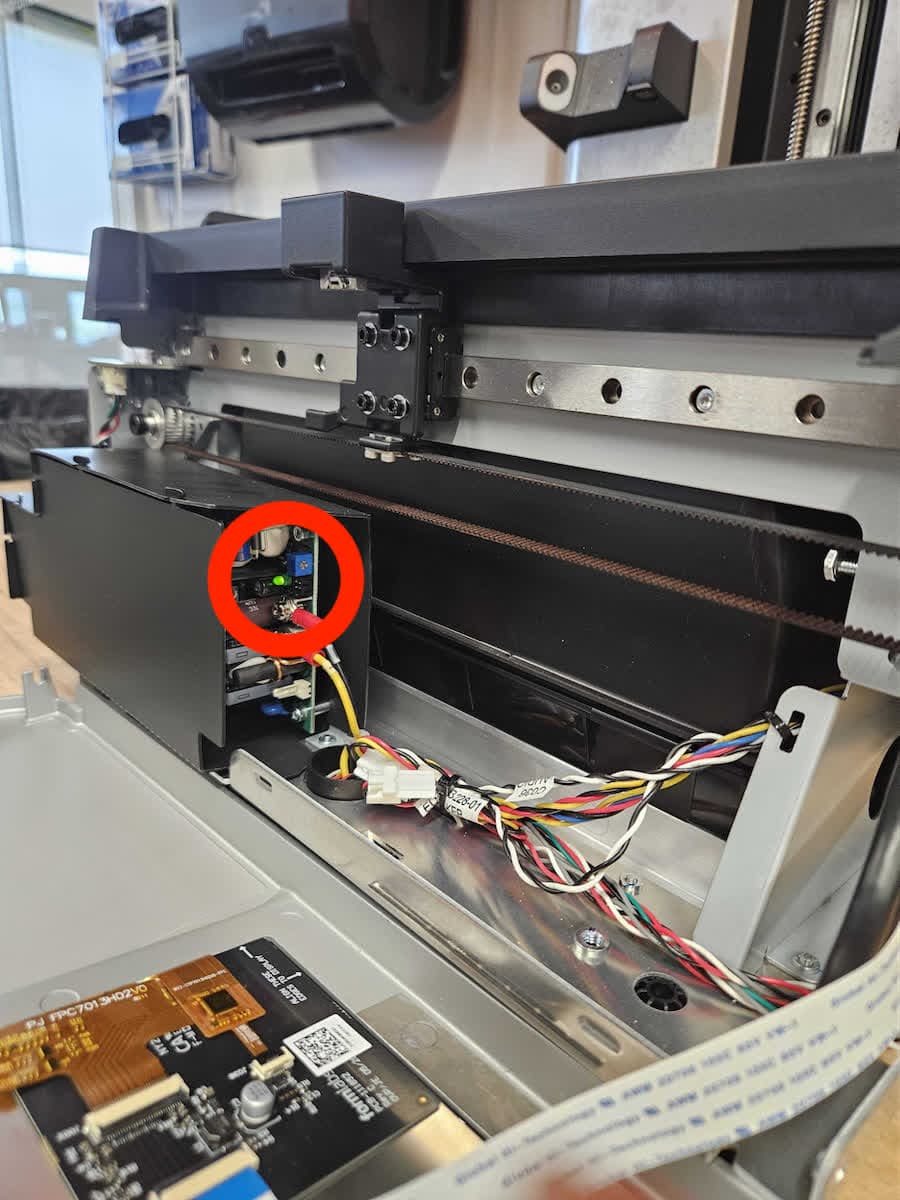
If the 48V LED on the motherboard is not lit, the power supply may be defective and not providing power to the motherboard or there is a fault on the motherboard that is interfering with power delivery. To determine which is the case, check the activity LED on the power supply.