
Note:
The sample images below show the elastic layer on standard resin tanks as viewed through the underside of the acrylic tank window.

The lifetime of a standard resin tank varies depending on print practices, resin type, and layer thickness. Over time, peel forces and exposure to laser light wear down the elastic layer in the standard resin tank.
Note:
The sample images below show the elastic layer on standard resin tanks as viewed through the underside of the acrylic tank window.

Clouding
Over time, repeated laser exposure causes opaque regions called clouding to develop in the elastic layer. Clouding can range from slight and translucent to heavy and opaque.
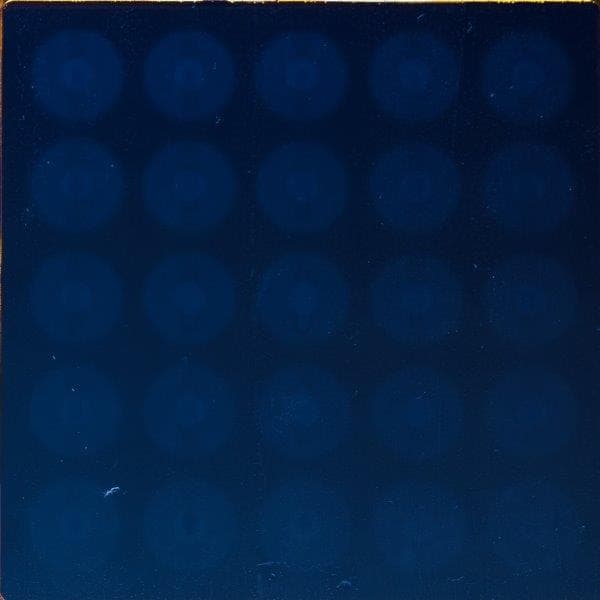
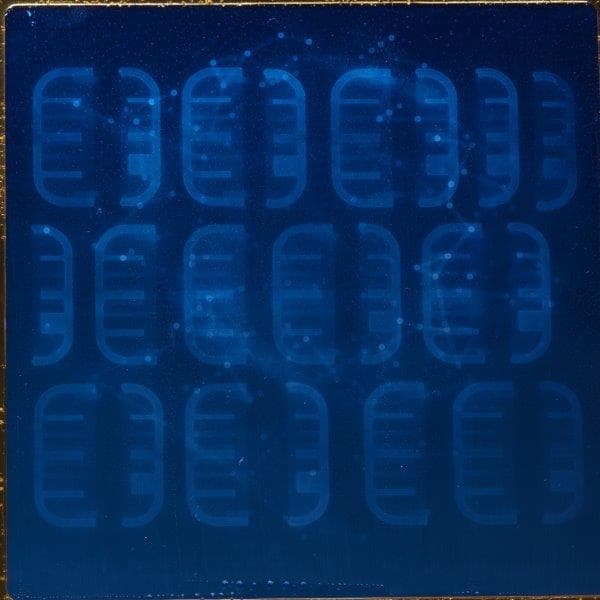
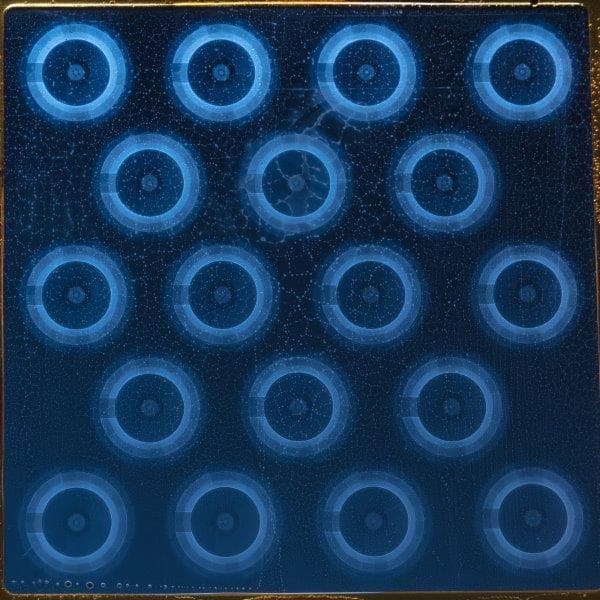
When clouding appears in a standard resin tank, you may wish to place models outside the clouded areas. Avoid printing on areas with moderate clouding, or consider replacing the tank to restore optimal print accuracy and quality.
Punctures and cuts
Punctures and cuts in the elastic layer of a resin tank can be caused by:
A tank with gouges, punctures, or cuts in the elastic layer requires replacement. This type of damage to the elastic layer bends light and prevents the laser from curing resin properly. Holes or cuts may also allow resin to seep into and to cure under the elastic layer, which reduces print quality and can lead to further damage.

A scratch in the elastic layer or acrylic optical window may deflect or block the laser and prevent resin from curing properly. This may affect print accuracy and surface finish.
If the elastic layer in your resin tank has scratches, print outside the scratched area or replace the tank.
Best practices
Clouding is normal and expected over the lifetime of a standard resin tank. Printing at a lower layer thickness leads to faster clouding in the elastic layer. Low layer thicknesses expose the elastic layer to two times (at 50 microns) or four times (at 25 microns) more laser activity, when compared to 100 micron layers.
Follow these best practices to maximize the lifetime of your standard resin tank:
For assistance with wear or damage beyond the examples listed above, contact Formlabs Support. Specify the resin type and include clear, well-lit images of the elastic layer.