
備考:
Alconoxの洗浄液を用意する際は、Alconoxの粉末と蒸留水のみを混ぜ合わせてください。オプティカルコンポーネントのクリーニングに、水道水、ボトル入り飲料水、濾過水など、蒸留水以外の水に溶かしたAlconoxの洗浄液は使用しないでください。蒸留水ではない水を使うと、その水に含まれている可能性がある汚染物質がオプティカル面に付着し、プリント品質の低下や光学系構成部品の使用可能期間の短縮につながる恐れがあります。

Fuse 1世代プリンターのタッチスクリーンは、光学カセットを検出できない場合、エラーメッセージError 194(エラー194)またはOptical cassette not detected(光学カセットが検出されません)を表示します。粉塵、障害物があったり、オプティカルカセットが正しくセットされていない場合、プリンターのタッチスクリーンに繰り返し警告が表示されることがあります。Optical cassette not detectedエラーメッセージは、ソフトウェアのバグが原因で発生することもあります。
症状
よくある原因
トラブルシューティング手順
必要な備品:
ステップ1:プリンタのファームウェアを更新する
プリンタのファームウェアをバージョン1.19.0以降に更新します。このエラーはファームウェア1.19.0以降で削除され、プリントを開始する前にオプティカルカセットを取り付けるよう注意喚起する内容に変更されました。プリンタのファームウェアを更新できない場合は、以下のトラブルシューティング手順を実施してください。
ステップ2:オプティカルカセットを取り外してクリーニングする
オプティカルカセットをプリンターから取り外します。光学カセットに余分なパウダーが付着していたり、埃、凝縮したガス放出化合物やその他の汚染物質が付着している痕跡がないか点検します。光学カセットをエタノールとPEC*PADでクリーニングします。
ステップ3:ウィンドウ検出タブを清掃する
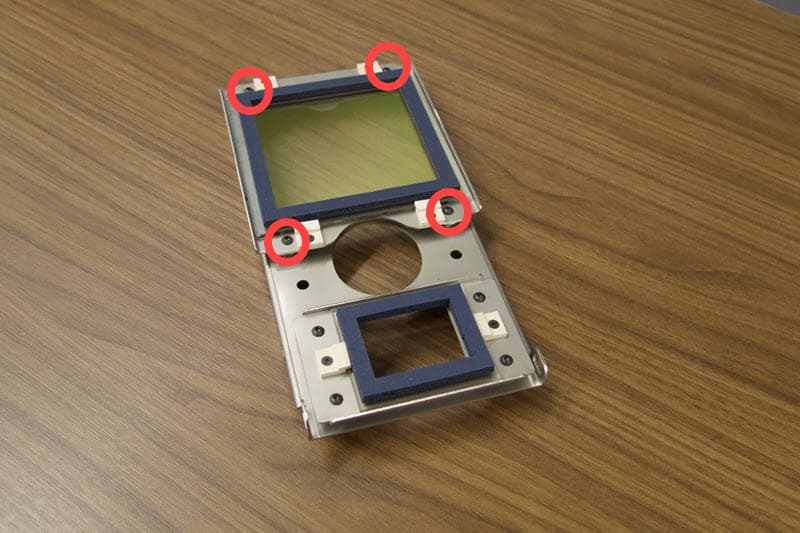
レーザーウィンドウに突き出ている検出タブに、焦げたプラスチックやラウロラクタムなどの造形副産物が蓄積していないか点検します。検出タブはオプティカルカセットのフレーム上、レーザーウィンドウの下にあります。レーザーウインドウは、1.5mmの六角ネジ4本でフレームに固定されています。1.5mmの六角ドライバーで4本のネジを緩めて外します。ネジとレーザーウィンドウを脇に置きます。
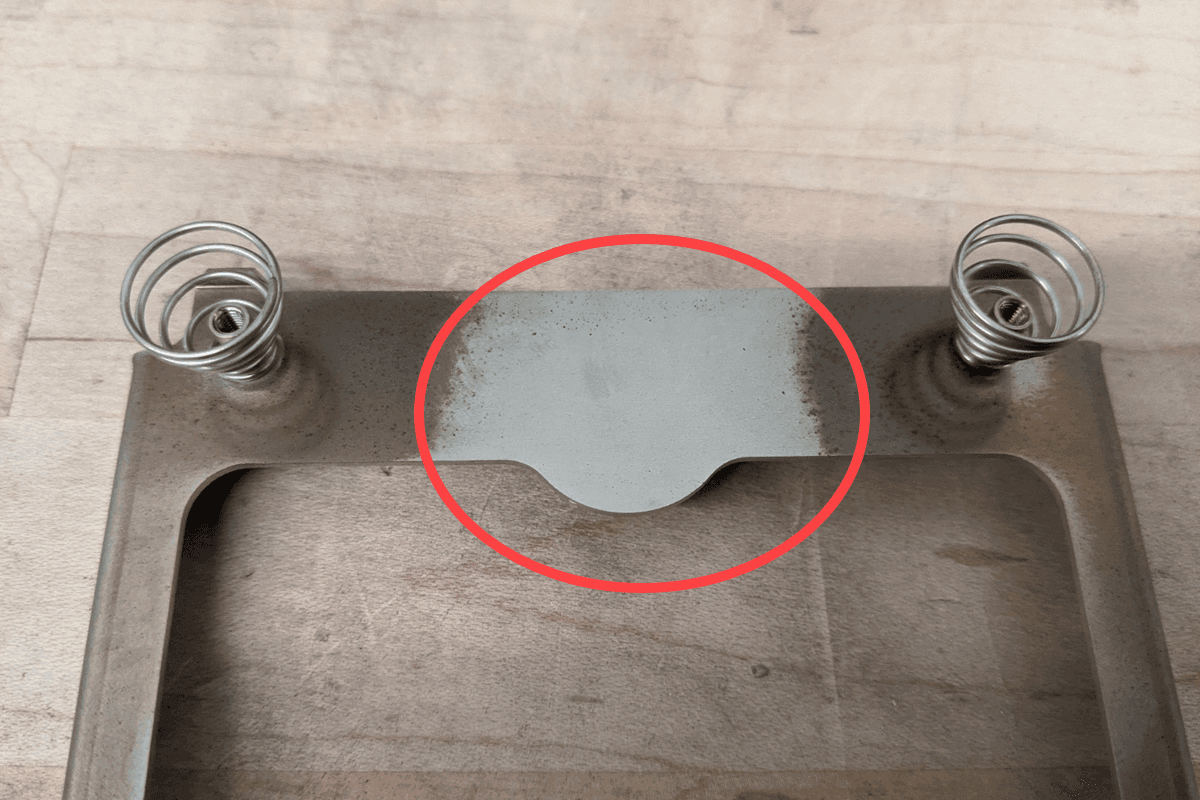
カセットのウィンドウ検出タブをAlconoxとペーパータオルまたはPEC*PADで清掃します。その後、蒸留水で洗浄し、残留物を取り除きます。
Alconoxがない場合は/、蒸留水または家庭用洗剤でウィンドウ検出タブを洗浄してください。ウィンドウ検出タブの掃除にはエタノール、アセトン、IPAを使用しないでください。
備考:
Alconoxの洗浄液を用意する際は、Alconoxの粉末と蒸留水のみを混ぜ合わせてください。オプティカルコンポーネントのクリーニングに、水道水、ボトル入り飲料水、濾過水など、蒸留水以外の水に溶かしたAlconoxの洗浄液は使用しないでください。蒸留水ではない水を使うと、その水に含まれている可能性がある汚染物質がオプティカル面に付着し、プリント品質の低下や光学系構成部品の使用可能期間の短縮につながる恐れがあります。
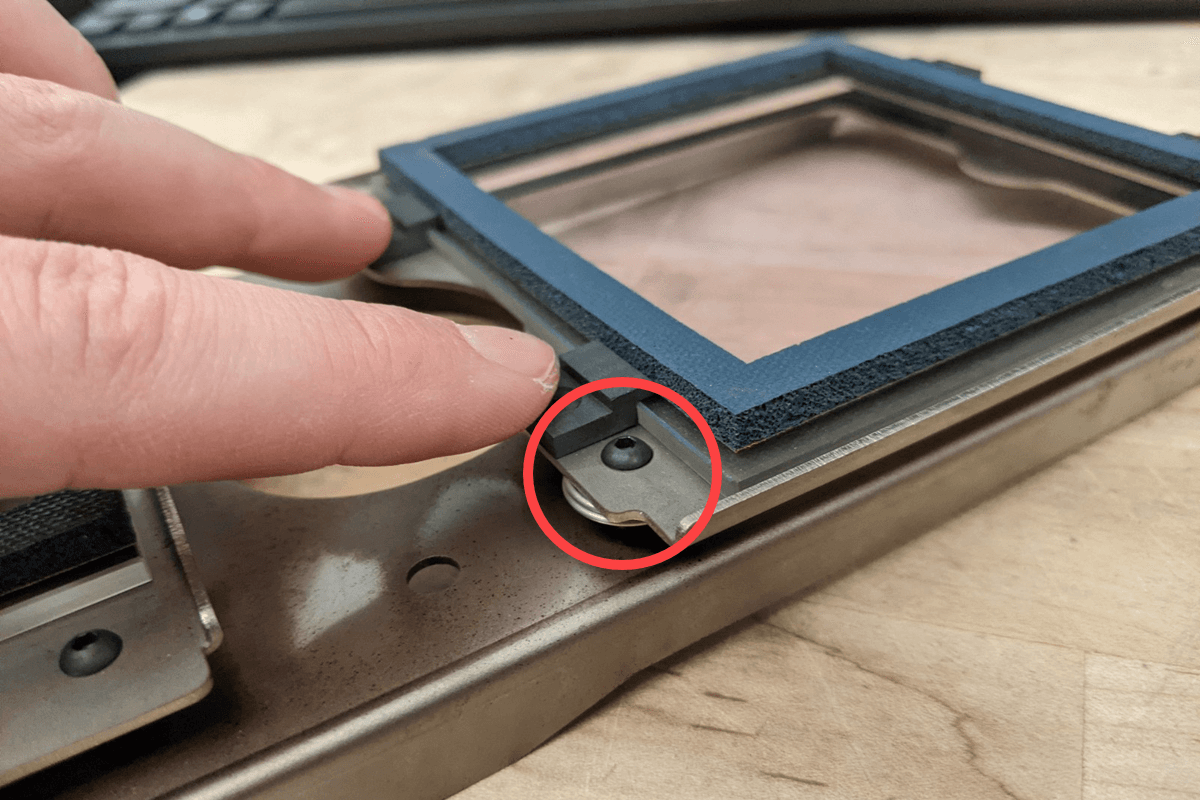
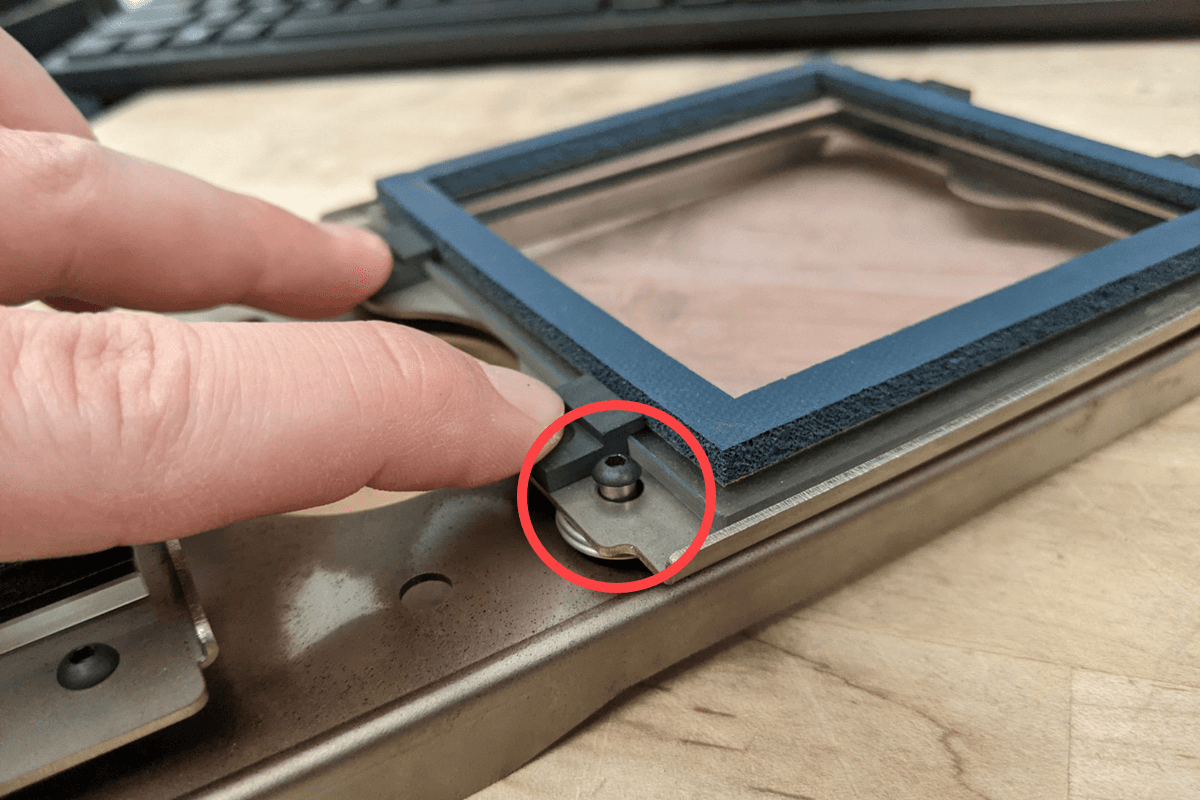
カセットを再び組み立てる際に、ウィンドウキャリアがスタンドオフとネジ頭の間に挟まれないようにご注意ください。取り付け後、大きな力を加えなくてもスプリングが圧縮されるように、十分なスペースを残しながら、ネジをしっかりと締め付けます。
ステップ4:上部レーザーウィンドウの点検とクリーニング
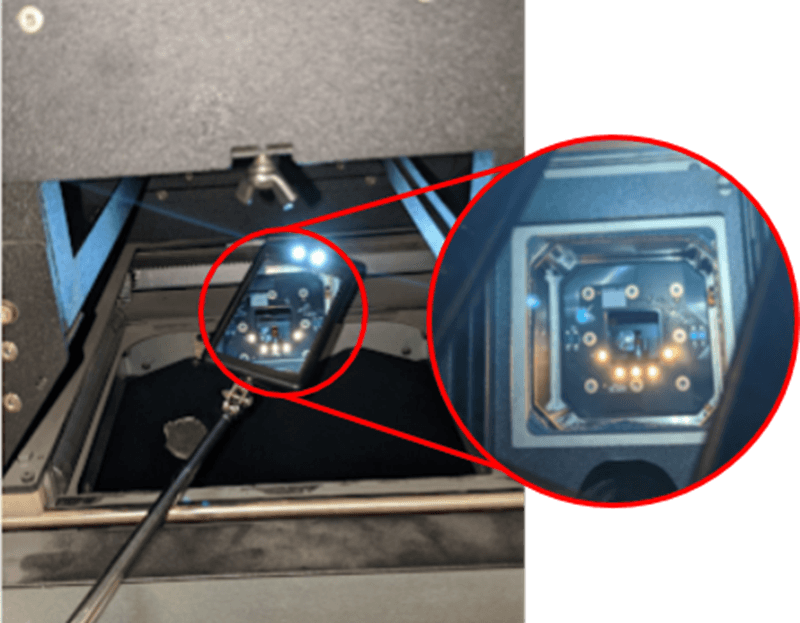
光学カセットを装着せずにカセットトレイを閉じます。これでレーザー上部の窓にアクセスしやすくなります。サムスクリューを締めて、カセットトレーを固定します。伸縮ミラーを使用して、上部レーザーウィンドウに、オフガスの染み、粉、汚れ、ガルバノメーターブロックからプリント筐体への光路を妨げる可能性のあるゴミなどの汚染物がないか点検します。上部レーザーウィンドウを清掃する。
ステップ5:オプティカルカセットが正しく装着されていることを確認する
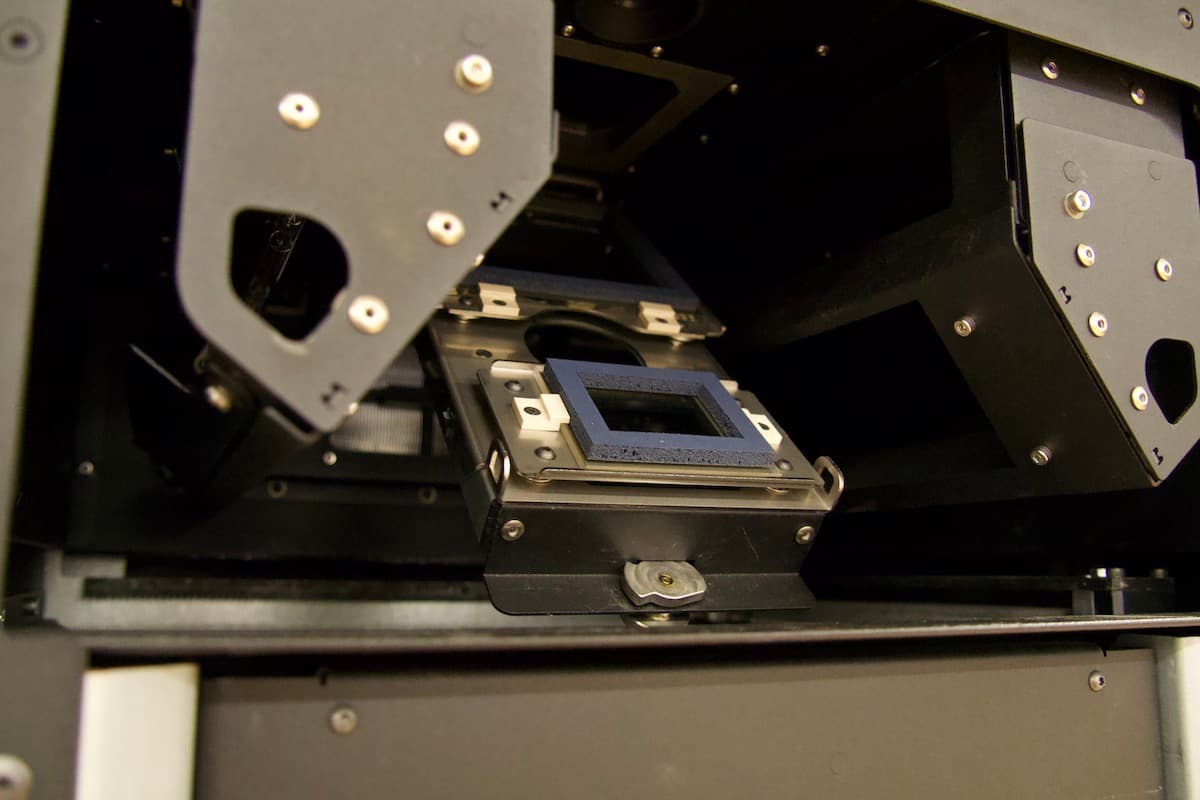
カセットトレイを開き、オプティカルカセットをトレイに入れます。オプティカルカセットがトレイの所定の位置にしっかりと入り込むことを確認してください。トレイのタブがオプティカルカセットの両側にあるバヨネットキャッチに正しく噛み合っていること、およびトレイを閉じたときにカセットが後方にスライドし過ぎていないことを確認します。他のプリントを試してみます。
ステップ6:Formlabsサポートに連絡する
上記の手順を実施してもOptical cassette not detected(光学カセットが検出されません)というエラーメッセージが表示される場合は、Formlabsサポートまたは正規販売代理店にお問い合わせください。Formlabsサポートまたは公認サービスプロバイダに連絡する際は、問題解決を迅速に進めるために、プリンターの診断ログとその他の関連情報や詳細を添付してください。