
備考:
吸気フィルターは、プリンターが待機状態であっても電源が入っている間は常に回転しているため、プリントの合間に目詰まりを起こす可能性があります。Fuse 1+ 30Wプリンターで窒素を使用してプリントする場合、吸気ファンは使用しません。

Fuse 1世代のプリンターは、空気や窒素を移動させ、パウダーや焼結プロセスで出るゴミをフィルタリングするために、プリンター内部の圧力を一定に保つよう設計されています。Fuse 1およびFuse 1+ 30Wユニットは、プリント準備中に圧力が想定レベルに達しているかどうかをチェックします。これらのチェックに失敗すると、プリンターのタッチスクリーンにエラーが表示されます。
Fuse 1+ 30Wユニットでのプリント時に窒素を使用しない場合は、予期せぬ圧力値によってエラーが発生したりプリントが終了したりすることはありません。Fuse 1+ 30Wユニットでのプリント時に窒素を使用する場合は、圧力レベルのチェックが定期的に行われ、その状態によっては以下のようなエラーが発生する可能性があります。
下表は、通常の運転環境下で想定されるおおよその圧力値を示しています。
| Fuse 1 | Fuse 1+ 30W(エア) | Fuse 1+ 30W(窒素) | |
|---|---|---|---|
| 吸気 | 128 Pa | 128 Pa | 120~135 Pa |
| プリント筐体 | -5 Pa | 180 Pa | 180 Pa |
| 窒素圧力 | N/A | 可変 | 234~827 kPa |
症状
原因
トラブルシューティング手順
エラーメッセージに関する基本的な情報を収集します。こうすることで、トラブルシューティング時や、Formlabsサポートまたは公認サービスプロバイダにご連絡いただくときに役立ちます。
可能であれば、プリンタの履歴を提供するか、Dashboard Logging(ダッシュボードログ)を有効にして問題を再現し、プリンタログを確認できるようにしてください。
吸気圧が低すぎる
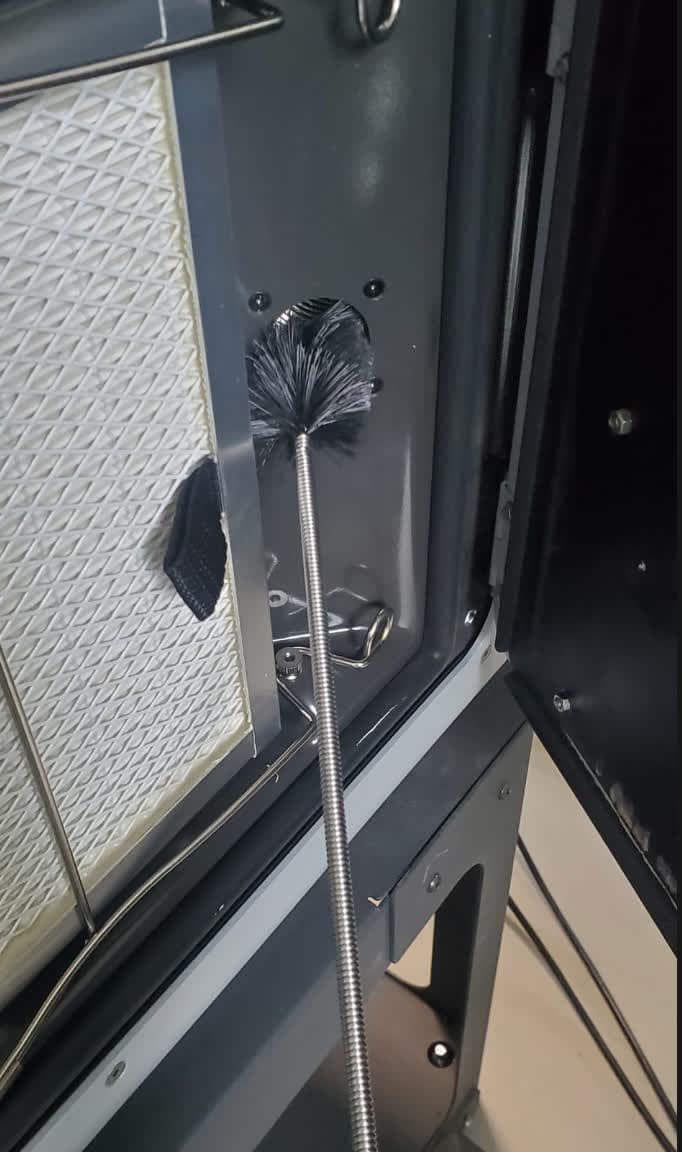
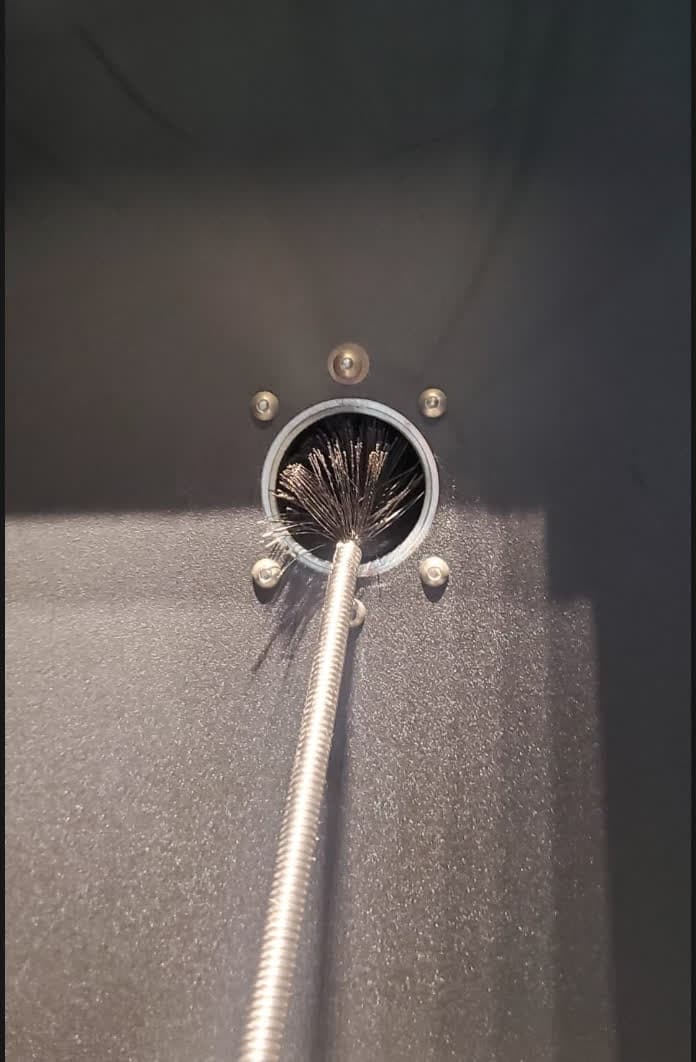
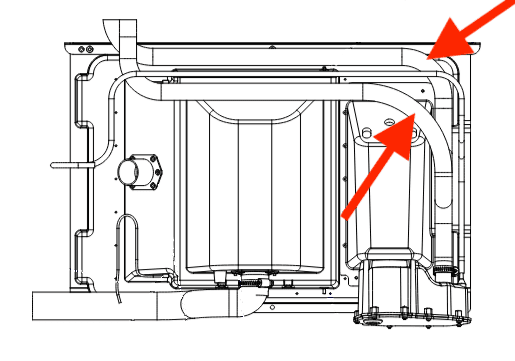
Fuse 1吸気ブロアダクト
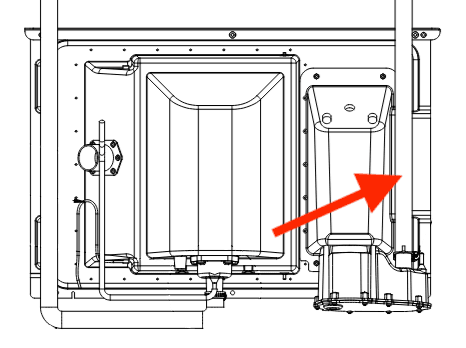
Fuse 1+ 30W吸気ブロアーダクト
備考:
吸気フィルターは、プリンターが待機状態であっても電源が入っている間は常に回転しているため、プリントの合間に目詰まりを起こす可能性があります。Fuse 1+ 30Wプリンターで窒素を使用してプリントする場合、吸気ファンは使用しません。
窒素ボールバルブの交換(Fuse 1+ 30Wのみ)
Fuse 1+ 30Wの窒素ボールバルブは、使用する吸気口を定義します。このバルブが適切に開閉しないと、空気の流れが遮断されるため、マシンがゼロに近い圧力値を測定します。
エラー195
お使いのプリンターのファームウェアが最新であることを確認してください。ファームウェアが最新である場合は、現在インストールされているファームウェアの再フラッシュを行います。
エラー196
備考:
吸気フィルターは、プリンターが待機状態であっても電源が入っている間は常に回転しているため、プリントの合間に目詰まりを起こす可能性があります。Fuse 1+ 30Wプリンターで窒素を使用してプリントする場合、吸気ファンは使用しません。
Error 197
Error 197は、プリンターが吸気圧またはチャンバー圧を想定範囲内に維持できない場合にN2モードで表示されます。これは通常、再循環(排気)ファンが低速で確実に動作していないことが原因です。このエラーを解決するには、以下の手順を実行してください。
備考:
緊急でプリントする必要がある場合は、Air Modeに切り替えることで続行できる可能性があります。Formlabsでは、窒素環境下でない場合、特定のパウダーを使用したプリントは推奨していません。
Fuse 1プリンターでエラー197が表示された場合、クリーニング後に排気ファンが逆向きに再装着されたことを示している可能性があります。Fuse 1は通常、プリント筐体内をわずかに負圧に保っていますが、排気ファンを逆向きに取り付けると、逆に筐体内が加圧されてしまいます。ファンを取り外し、裏返して再度取り付けてから、もう一度お試しください。