
技術白書
パウダーセンサーの問題(Fuse Sift)
パウダーセンサーの問題(Fuse Sift)
Fuse Siftパウダーセンサーは、各ホッパー内のおおよそのパウダーレベルを測定して報告しますが、測定値が誤っていたりわかりづらい表示になっていることがあります。各ホッパーには4つのセンサーがあり、1kg、2kg、4kg、8kgのレベルにそれぞれセンサーが配置されています。Siftはセンサーを覆っているパウダー量を表示するだけで、その他の情報は表示しません。例えば、Siftに6kgのパウダーが入っている場合には、パウダー量が4kg、3kg、2kgと表示されます。
症状
- Fuse Siftに追加されたパウダー量がタッチスクリーンに表示されている量よりも多い
- Fuse Siftがホッパーが実際よりも満杯であると報告する(ホッパーが空の場合も含む)
- Fuse Siftがホッパーが満杯であると報告するが、パウダーカートリッジを充填しようとするとFresh Hopper Empty(未使用パウダー用ホッパーが空)またはSifted Hopper Empty(再利用パウダー用ホッパーが空)エラーが表示される
よくある原因
- 正常動作
- ファームウェアの問題
- パウダーセンサーの障害
- パウダーセンサーの故障
トラブルシューティング手順
- Compare the amount of powder you added to the Fuse Sift to the fullness level reported on the touchscreen. If you add a single 3 kg powder jug to an empty fresh powder hopper, the Fuse Sift will report 2 kg of powder in the hopper. If you add a second jug, totaling 6 kg, the display will show 4 kg of powder. This is normal and your Fuse Sift should operate as expected.
- Update the firmware. Firmware version 1.4.3, released on July 18, 2022, fixed a bug related to hopper fullness detection and display, and Formlabs regularly releases updated firmware to fix bugs and improve functionality.
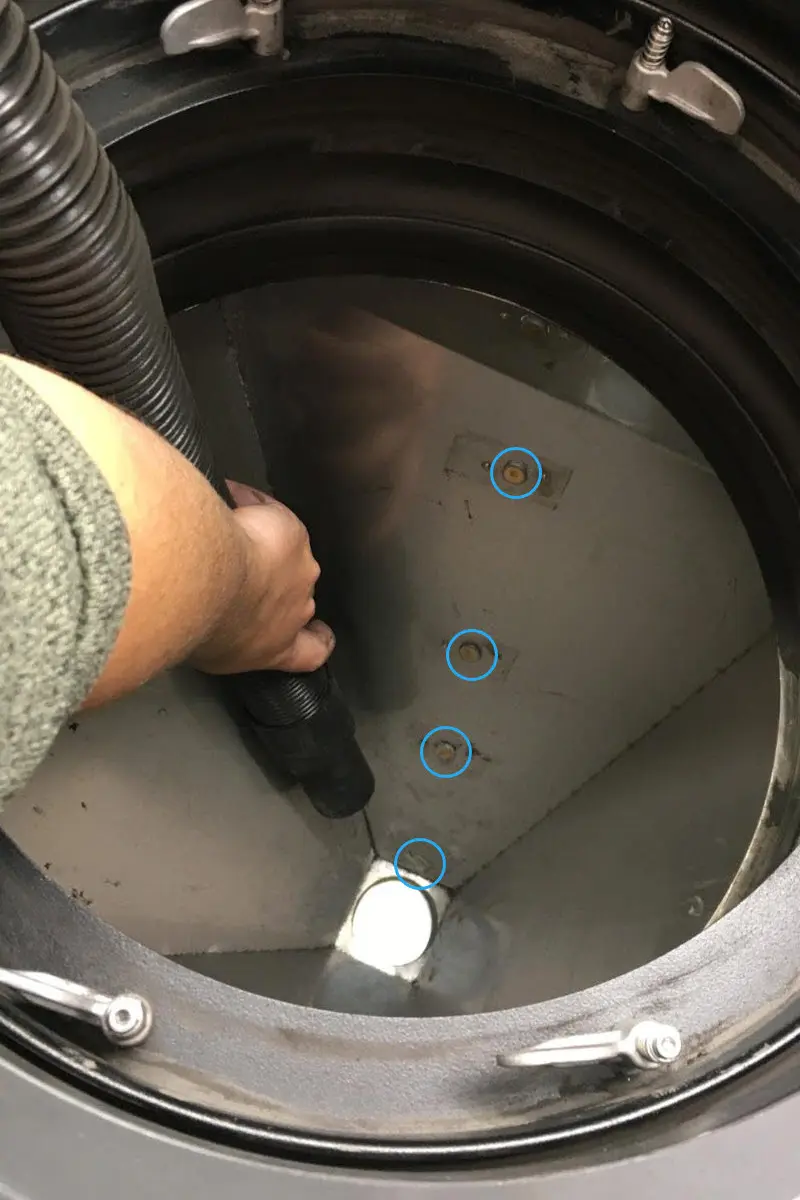
- Clean the fresh powder hopper and the used powder hopper, paying attention to the four powder sensors in each hopper. Powder often collects on top of the sensor and falsely triggers it.
- If powder accumulation is causing frequent issues with hopper fullness tracking, you can continue to clean the sensors or ignore any fill-related errors if you know there is sufficient powder in the hoppers.
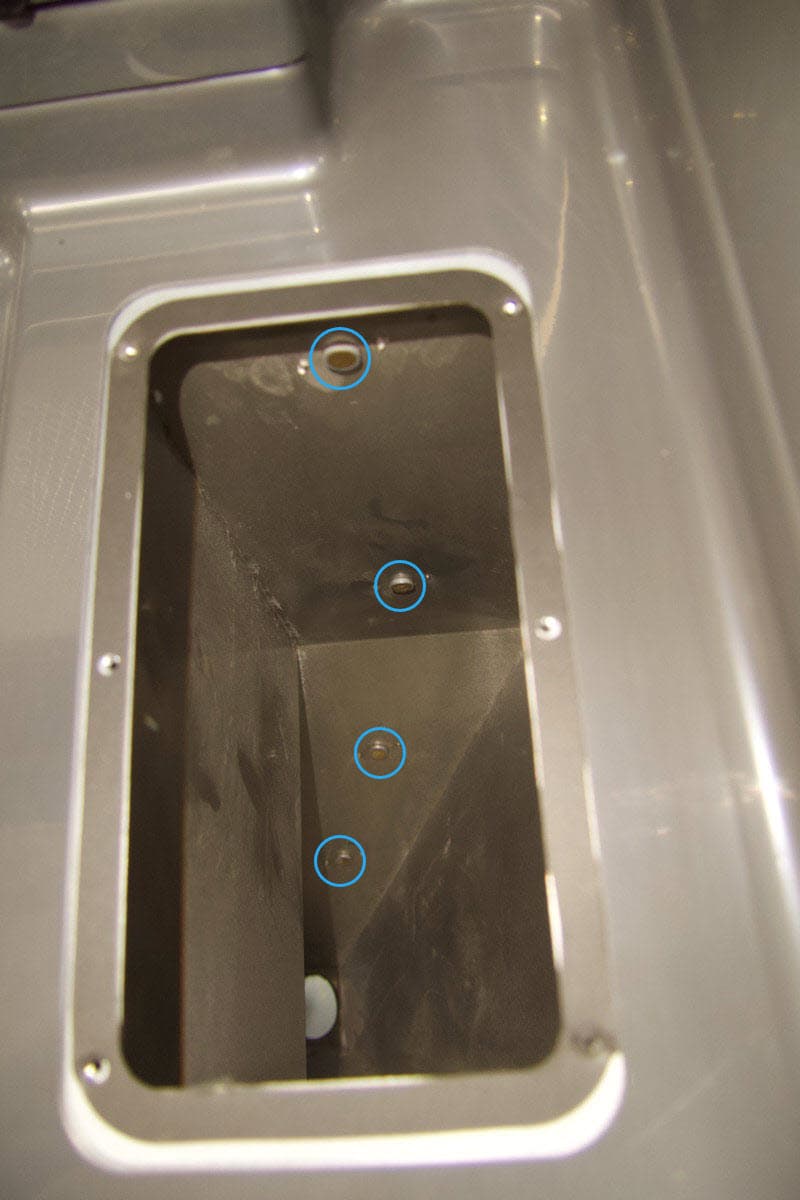
未使用パウダー用ホッパー
使用済みパウダー用ホッパー
- 上記の手順を実施しても問題が解決しない場合は、1つまたは複数のパウダーセンサーの交換が必要な場合があります。交換用パウダーセンサーはFormlabsストアでご購入いただけます。コンポーネントの交換方法については、ガイド「Fuse Siftのパウダーセンサーを交換する」をご参照ください。