
Notice:
To avoid damage to equipment, check the resin tank compatibility table in Choosing the right material to confirm you are using a resin tank that is compatible with this material.

Notice:
To avoid damage to equipment, check the resin tank compatibility table in Choosing the right material to confirm you are using a resin tank that is compatible with this material.
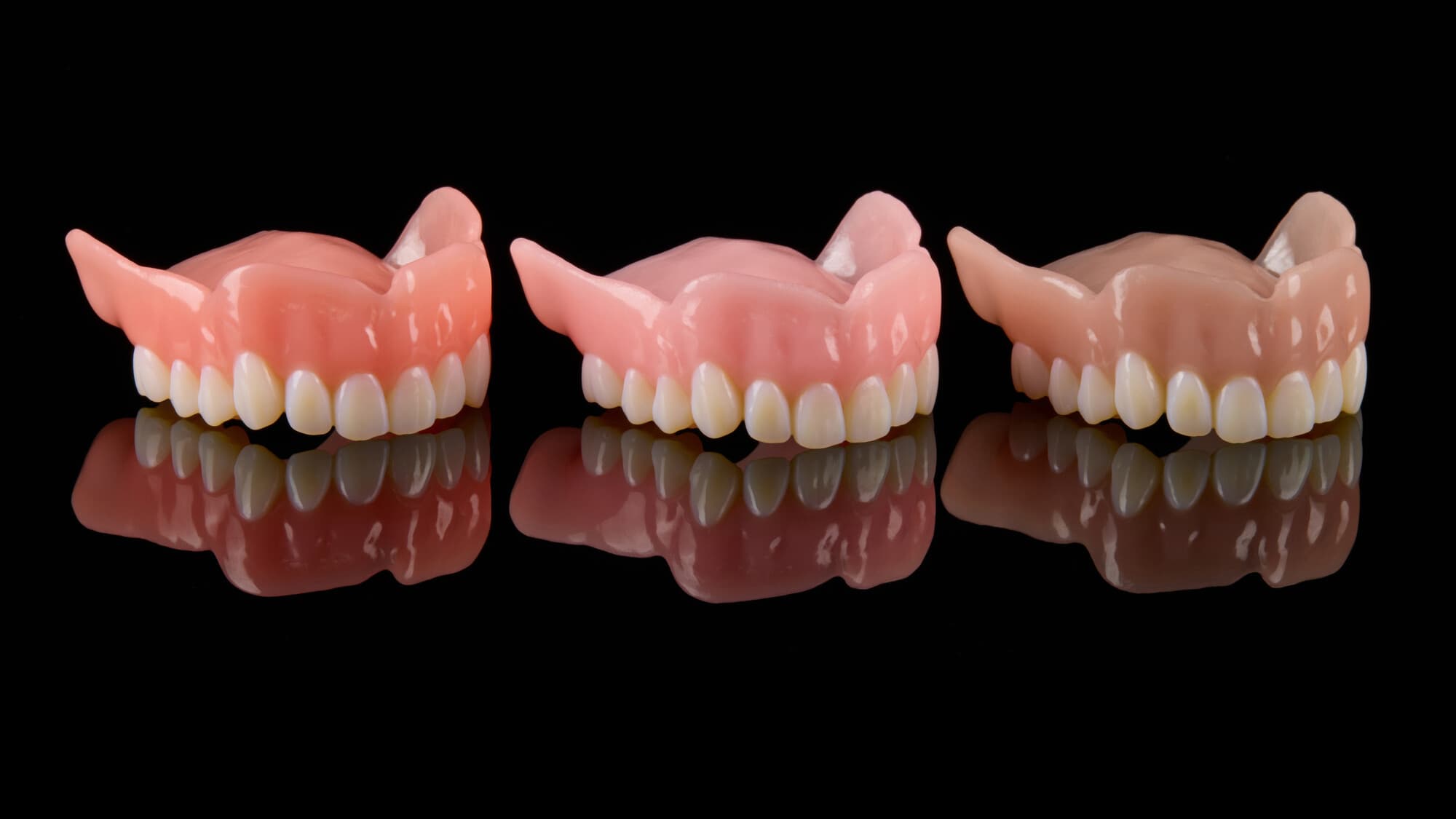
Class II long-term Denture Base Resin and Premium Teeth Resin enable dental professionals to produce 3D printed full dentures accurately and reliably.
Note:
To learn more about the performance or specific material properties of Digital Dentures Resin, please refer to the Safety Data Sheet (SDS) and Technical Data Sheet (TDS). Always consult the SDS as the primary source of information to understand safety and handling of Formlabs materials.
Required resources
Made by Formlabs:
Made by third parties:
Workflow overview
Notice:
This is an abbreviated version of the instructions in the application guide 3D Printing Full Dentures with Formlabs 3D Printers. Read the application guide for detailed instructions about design, settings, and part orientation for Denture Teeth Resin and Denture Base Resin.
To scan and design digital dentures, you need:
Scan
Digital denture design software requires a digitized model or impression of the patient's oral anatomy in order to design the removable prosthetic. The best available method for creating this digital file is to scan the fully articulated, poured model and wax rim with a desktop laboratory scanner.
Design
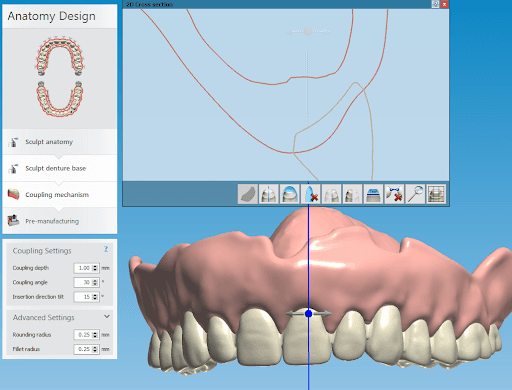
Coupling settings in 3Shape Full Denture Design 2018.
Digital denture design software requires a digitized model or impression of the patient's oral anatomy in order to design the removable prosthetic. The instructions in the application guide 3D Printing Full Dentures with Formlabs 3D Printers (English only) use 3Shape Full Denture Design 2018 (2.18.1.0).
Download and install the Digital Dentures 3Shape Materials Library for 3Shape version 1.2-2017 or 3Shape version 1.2-2018.
Adjust your workflow according to the software you use. Contact your CAD software distributor for specific questions and guidance.
Export the STL files from the denture design software and import the files into PreForm.
Printing
Notice:
For full compliance and biocompatibility, Denture Base Resin and Premium Teeth Resin each require a dedicated resin tank, build platform, and a Finish Kit or Form Wash.
Washing
Notice:
The Form Wash agitates the solvent bath and removes parts from the bath after a set time. Wash parts according to the support article Form Wash time settings. Pay particular attention to information that affects mechanical properties or biocompatibility requirements.
The Form Wash agitates the solvent bath and removes parts from the bath after a set time. Refer to the Manufacturing Guides for Denture Base Resin and Premium Teeth Resin for wash times and requirements to produce biocompatible parts.
Assembly
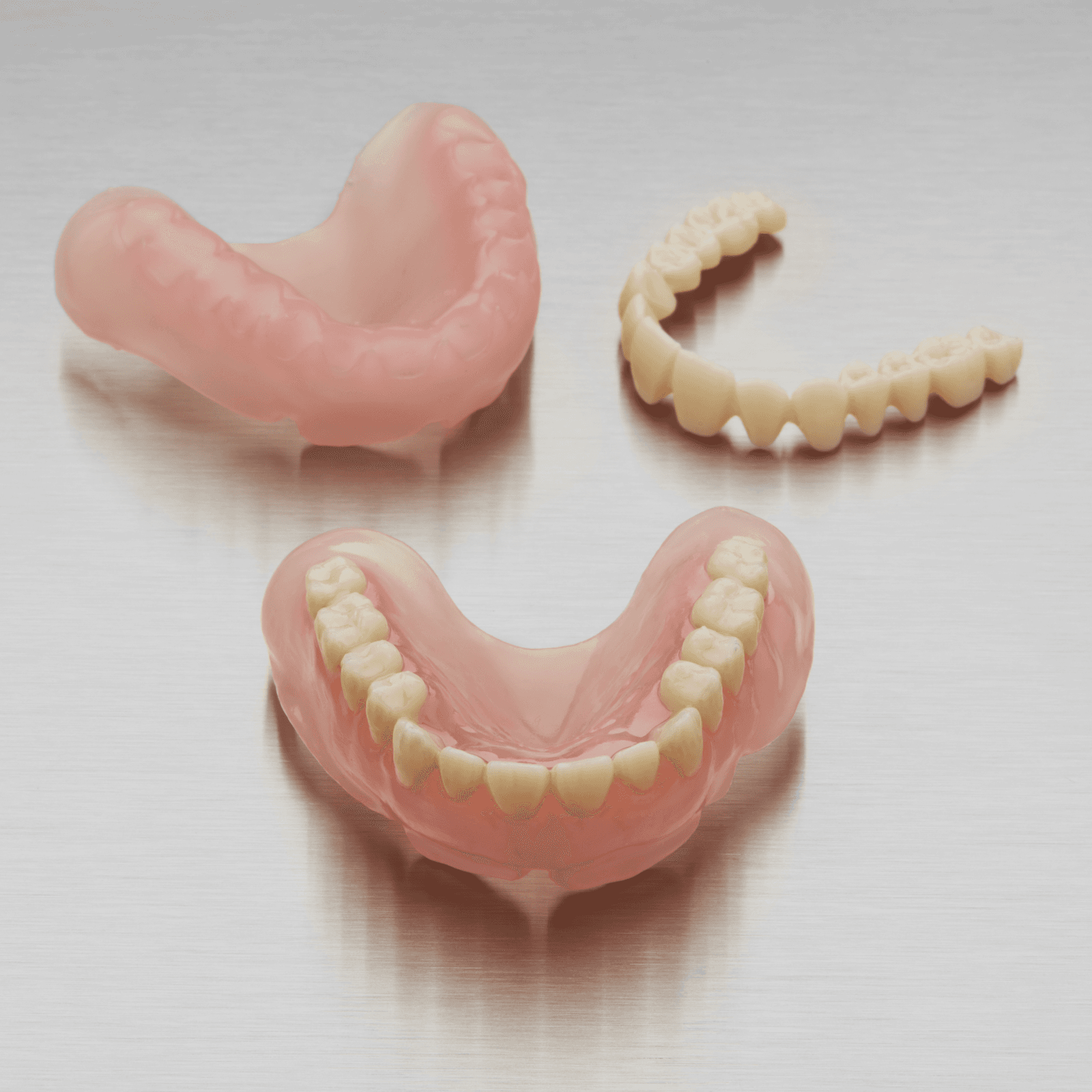
When using Denture Base Resin with Premium Teeth Resin, post-cure the base and teeth separately before assembling. Denture teeth parts printed with Premium Teeth Resin may be bonded to 3D printed denture bases after curing using bonding systems designed for PMMA-based denture materials such as Ivoclar Ivotion Bond Kit. Refer to the instructions provided by the bonding system manufacturer.
Post-curing requirements
Refer to the Manufacturing Guides for Denture Base Resin and Premium Teeth Resin for post-curing settings to produce biocompatible parts. Note that when using Denture Base Resin with Premium Teeth Resin, only the base needs to be submerged in glycerin.
After post-curing, remove the denture from the glycerin with silicone tongs. Wash the part in a sink under room temperature water until it is no longer slippery or slick to the touch. Allow it to air dry.
As with traditional dentures, polish the denture at low speeds using a rag wheel on a lathe with pumice. Finish polishing at high speeds using a polishing compound.
Rinse again with room temperature water and steam clean to sterilize the finished denture.
Additional resources