

Hard caking (SLS)
Hard caking (SLS)
The unit has fused the nylon powder into a stiff cake or brick, making it difficult to separate the printed part for post-processing.
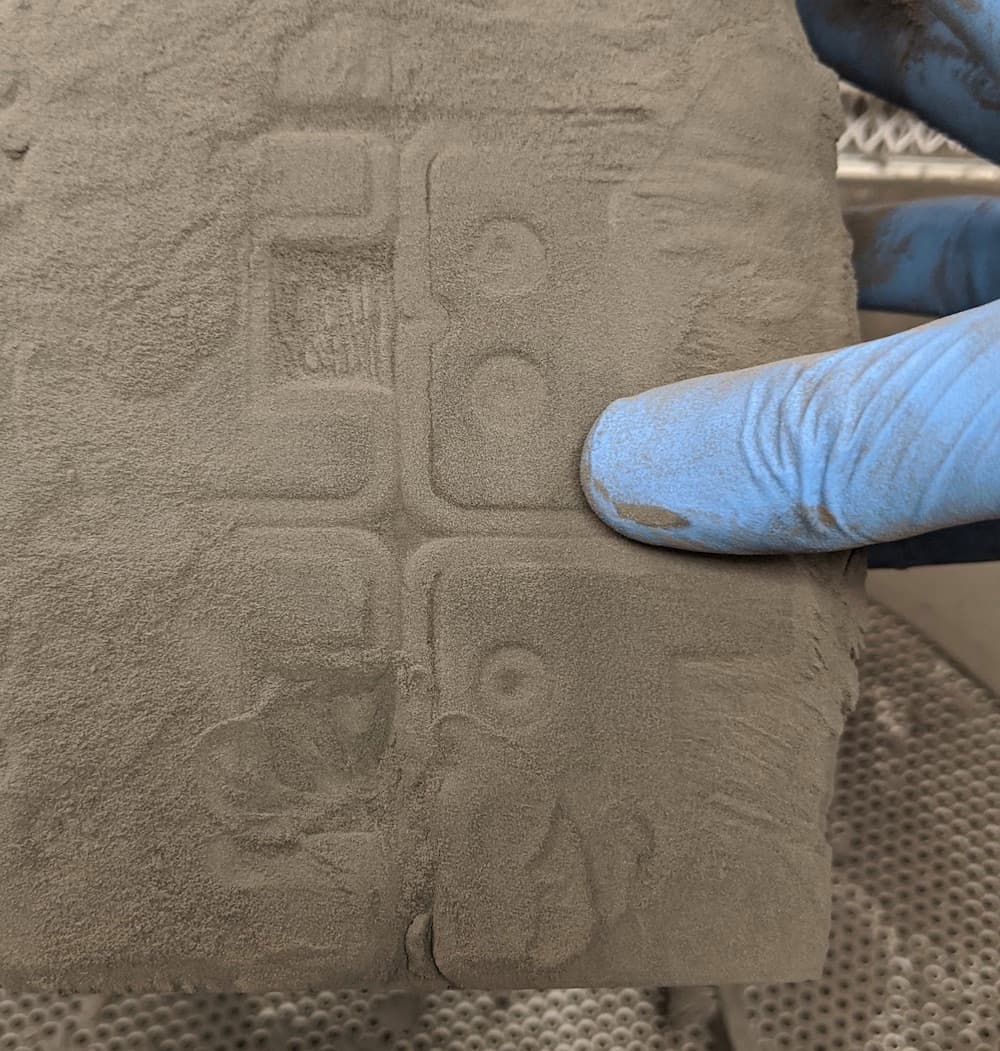
Visual symptoms
- Difficulty separating the printed part from unsintered powder
- Poor underlying surface finish
- Loss of small negative features
- Unsintered powder fused into a stiff cake
Common causes
- Print bed temperature is too high
- Contaminated IR sensor cone or IR sensor housing
Troubleshooting steps
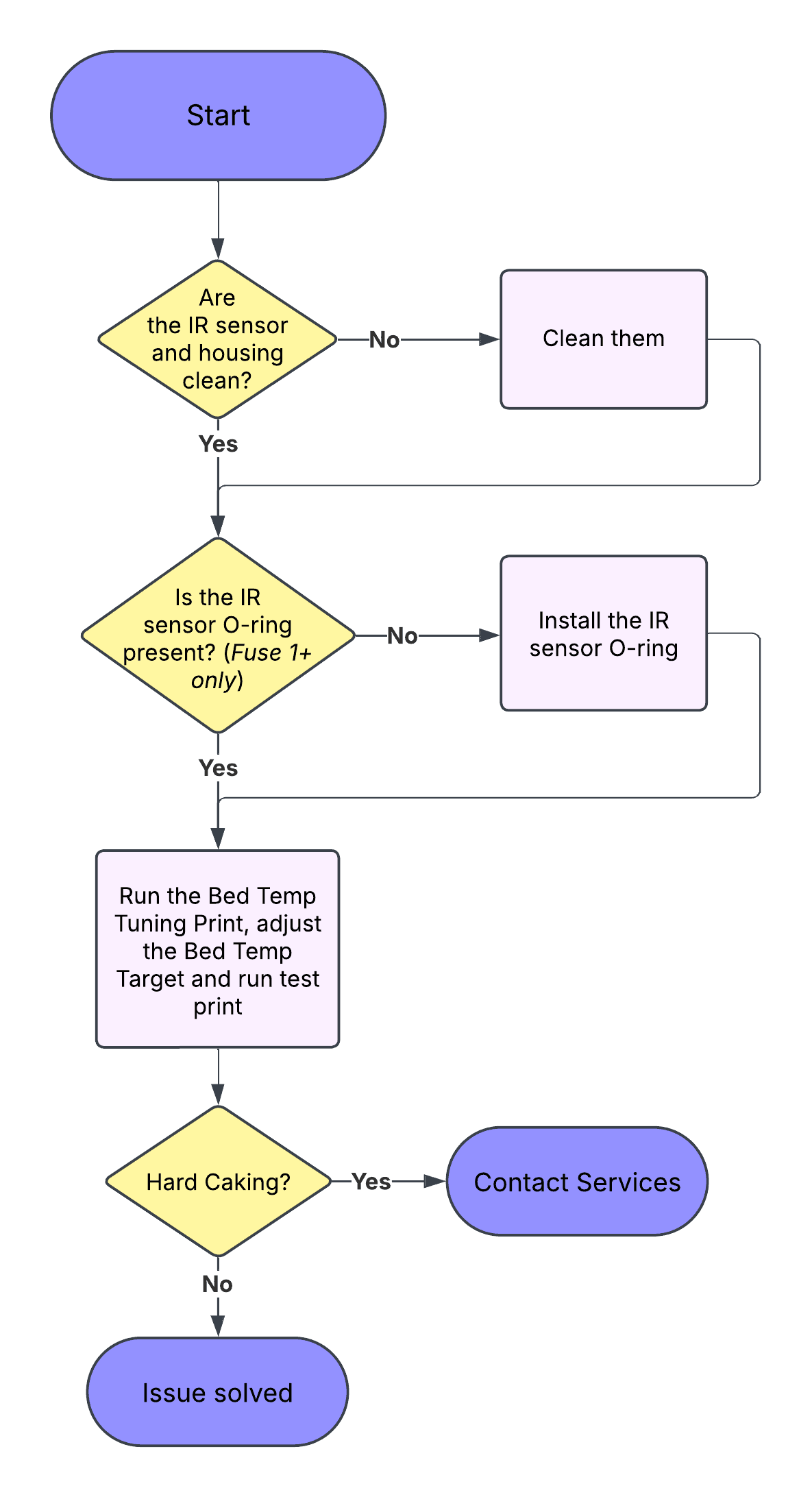
Inspect and clean the infrared sensor
Sintering nylon results in the production of a white compound called laurolactam that accumulates inside the print enclosure, filters, and exhaust. Inspect the infrared sensor and infrared sensor housing for any laurolactam that has built up in the IR sensor’s field of view.
Adjust the Bed Temperature Target
Hard caking can also occur if the printer’s print bed temperature is too high. After cleaning the infrared sensor, adjust the Bed Temperature Target. A Bed Temperature Tuning Print is available for the materials listed below. Please follow the link to the dedicated article:
If the Bed Temperature Tuning Print is not available for a given material, lower the Bed Temperature Target by 0.5 °C and run another print job. Continue to adjust the bed temperature in 0.5 °C increments as needed.
If cleaning the infrared sensor and adjusting the Bed Temperature Target do not resolve the print failure, contact Formlabs Support or a certified service provider for further assistance.