
Tip:
If you are having issues removing parts from your build platform, see Removing parts from the build platform.

Build platforms are consumables and require replacement in cases of wear and tear. Replace damaged build platforms to prevent print failures and to keep printing seamlessly.
Tip:
If you are having issues removing parts from your build platform, see Removing parts from the build platform.
Scratches on the build platform surface
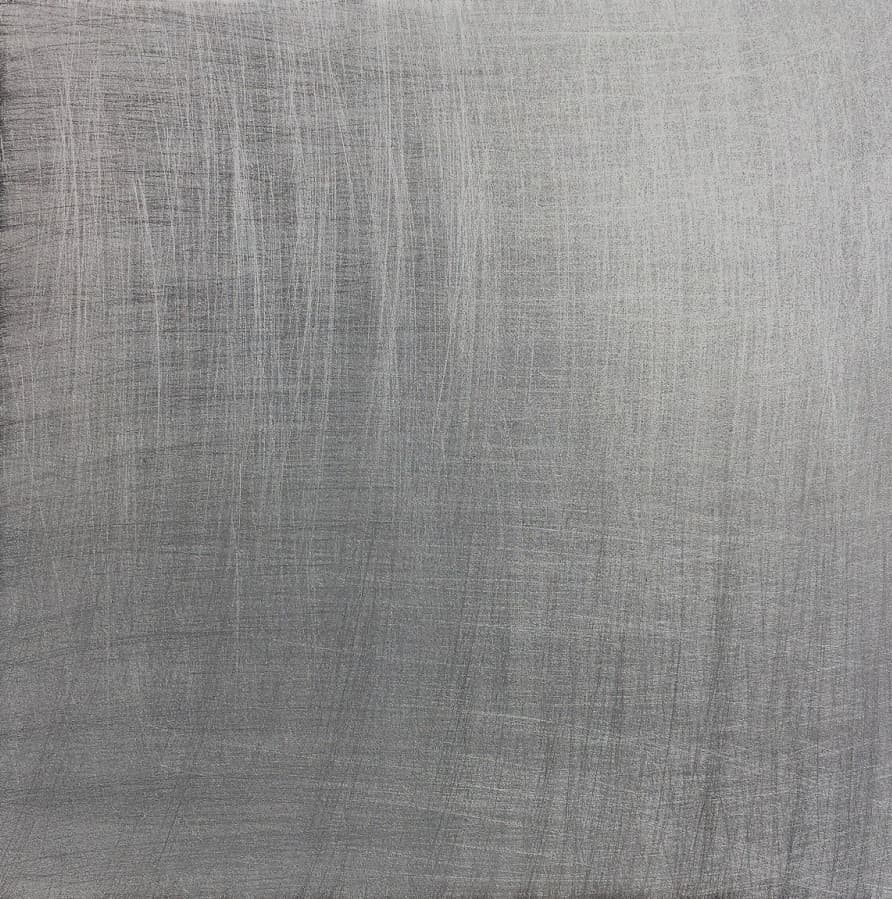
Tools used to remove parts can scratch the metal surface of the build platform. Scratches on the build platform are normal and may improve part adherence during the initial layers of printing.
Too many scratches on the build platform creates an uneven surface for printing, which can cause print failures. Sand an overly-scratched build platform to recreate a flat, even surface for your prints. Formlabs recommends using a coarse sandpaper (120–80 grit) for sanding the build platform.
To sand the build platform:
When finished, the entire build platform should be evenly scratched. None of the original surface texture should be visible.
Note:
If there is a gouge that cannot be sanded to create an even surface on the build platform, you can continue to use it by avoiding printing in that area.
Cracked build platform handle
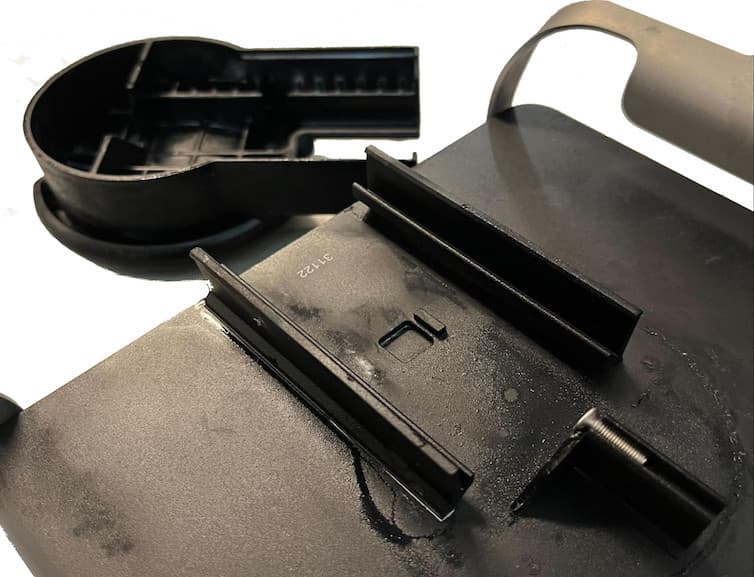
Build platform handles may crack from drops, improper insertion into the printer, or misuse. Make sure to only clean your build platform with an approved solvent, such as isopropyl alcohol (IPA) or tripropylene glycol monomethyl ether (TPM), as unapproved cleaning solvents may also cause damage. Continued use of these build platforms can lead to the handle separating entirely from the build platform and falling into the resin tank.
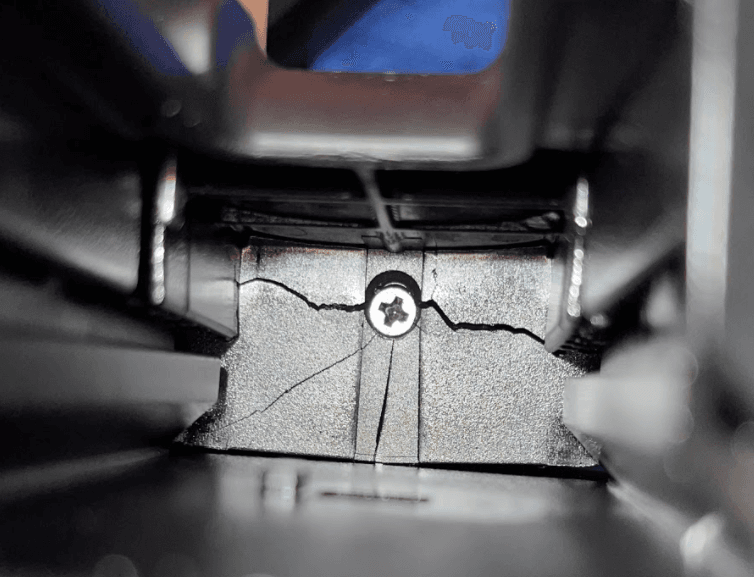
Crack in the middle of the build platform’s handle.
Cracked build platform handle separated from the build platform.
The build platform handle for Formlabs desktop SLA printers is replaceable:
Note:
When replacing the build platform handle, only tighten the build platform retention screw until snug. Over-tightening the screw can damage the build platform and cause the handle to crack.
If you see any cracks in your build platform’s handle or if you received a build platform with a damaged handle, please contact Formlabs Support or a certified service provider.
Flaking surfaces on the build platform
In very rare cases, the coating on the build platform’s side surfaces may flake and fall into the resin tank when the build platform is in use. These build platforms require immediate replacement and disposal. To clean the debris from the resin tank, you may filter the resin or print a cleaning mesh.
If you are experiencing this issue, please contact Formlabs Support or a certified service provider.