
Notice:
To avoid damage to equipment, check the resin tank compatibility table in Choosing the right material to confirm you are using a resin tank that is compatible with this material.

Notice:
To avoid damage to equipment, check the resin tank compatibility table in Choosing the right material to confirm you are using a resin tank that is compatible with this material.
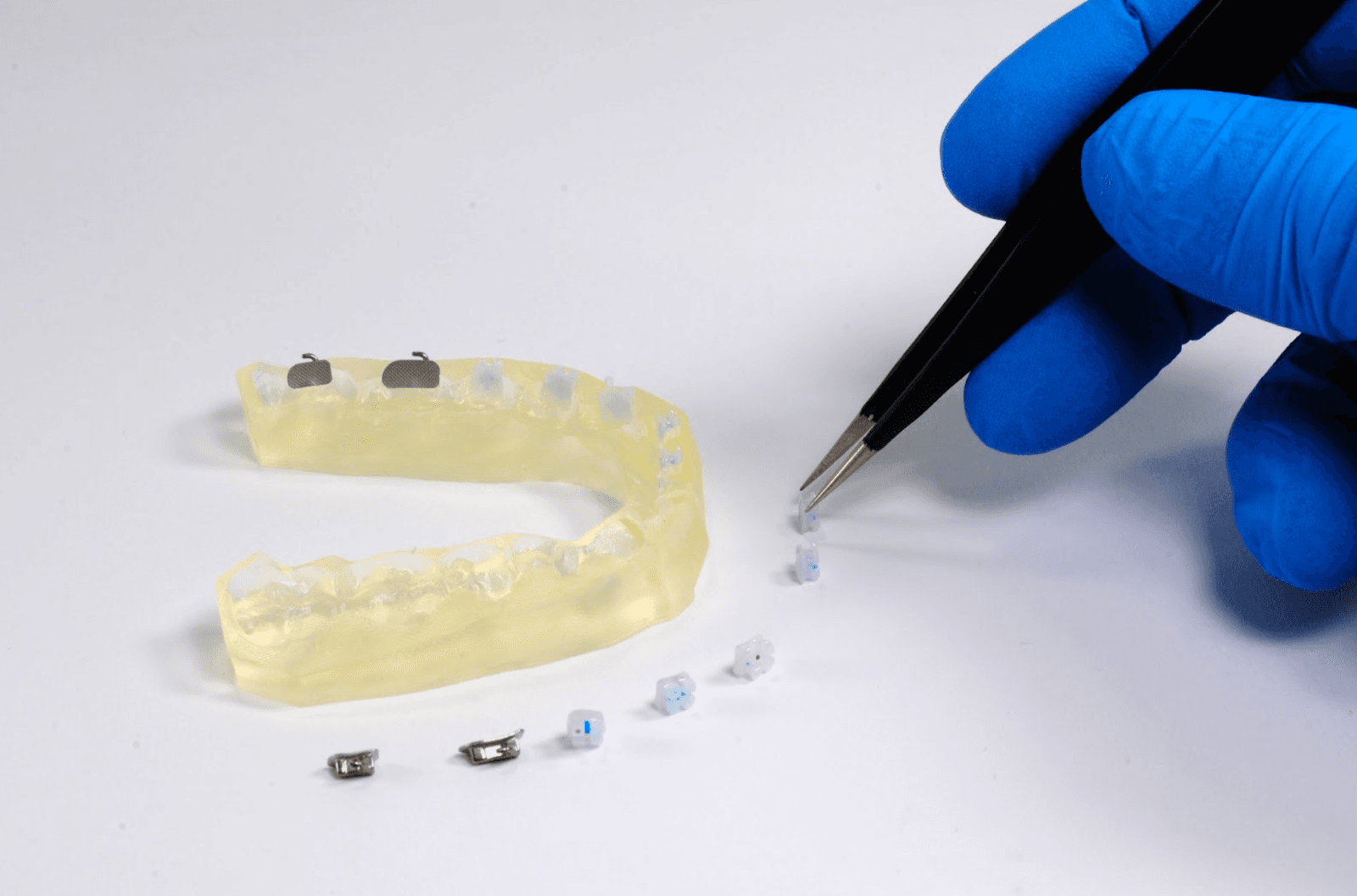
IBT Resin is a resin designed for manufacturing indirect bonding trays for orthodontic bracket placement. The transparent, flexible material holds brackets in place for installation and bonding. The appliance allows orthodontists to place and bond all brackets at the same time, reducing chair time and increasing patient comfort.
Digital case planning eliminates the need for physical models and streamlines the process. The material is designed so that if excess force is applied during removal, the appliance will tear instead of altering bracket placement.
IBT Resin prints at 100 microns.
Note:
To learn more about the performance or specific material properties of IBT Resin, please refer to the Safety Data Sheet (SDS) and Technical Data Sheet (TDS). Always consult the SDS as the primary source of information to understand safety and handling of Formlabs materials.
Required resources
Made by Formlabs:
Made by third parties:
Workflow overview
Notice:
This is an abbreviated version of Indirect Bonding Trays for Orthodontic Bracket Placement With Formlabs 3D Printers [en]. Read the application guide for detailed instructions about the workflow for IBT Resin.
Scan
In order to 3D print an indirect bonding tray, use a scanner to collect anatomical data of the patient’s dentition. Some CAD software also uses CBCT data when available.
Design
Use orthodontic CAD software to plan the treatment and design the indirect bonding tray before printing. Choose software that offers open STL file export. The exact design steps vary for each software package, so contact the software provider for more details.
Notice:
To avoid damage to equipment, check the resin tank compatibility table in Choosing the right material to confirm you are using a resin tank that is compatible with this material.
Install or update PreForm, then set up the next print job.
To prepare a model for printing in PreForm:
Always position the appliance with the intaglio surface facing away from the build platform. Bar-type appliances can be oriented flat on the build platform.
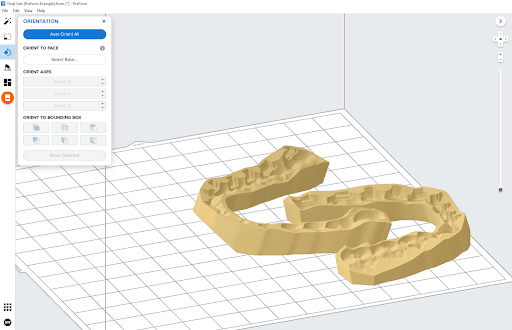
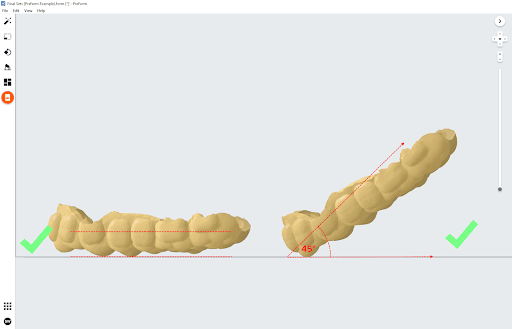
Orient offset type appliances parallel to the build platform or at a maximum of 45°. Once in position, automatically generate supports in PreForm.
Note:
Uncheck the Internal Supports box to prevent generation of unnecessary support structures.
Notice:
For full compliance and biocompatibility, IBT Resin requires a dedicated resin tank, build platform, and Finish Kit, which should not be used with any other resins.
Washing
Follow the part washing recommendations in the manufacturing guide for the clearest and best possible results. Improper washing can lead to suboptimal mechanical and biocompatibility properties.
Post-curing requirements
Follow the post-curing recommendations in the manufacturing guide for the clearest and best possible results. Improper post-curing can lead to suboptimal mechanical and biocompatibility properties.
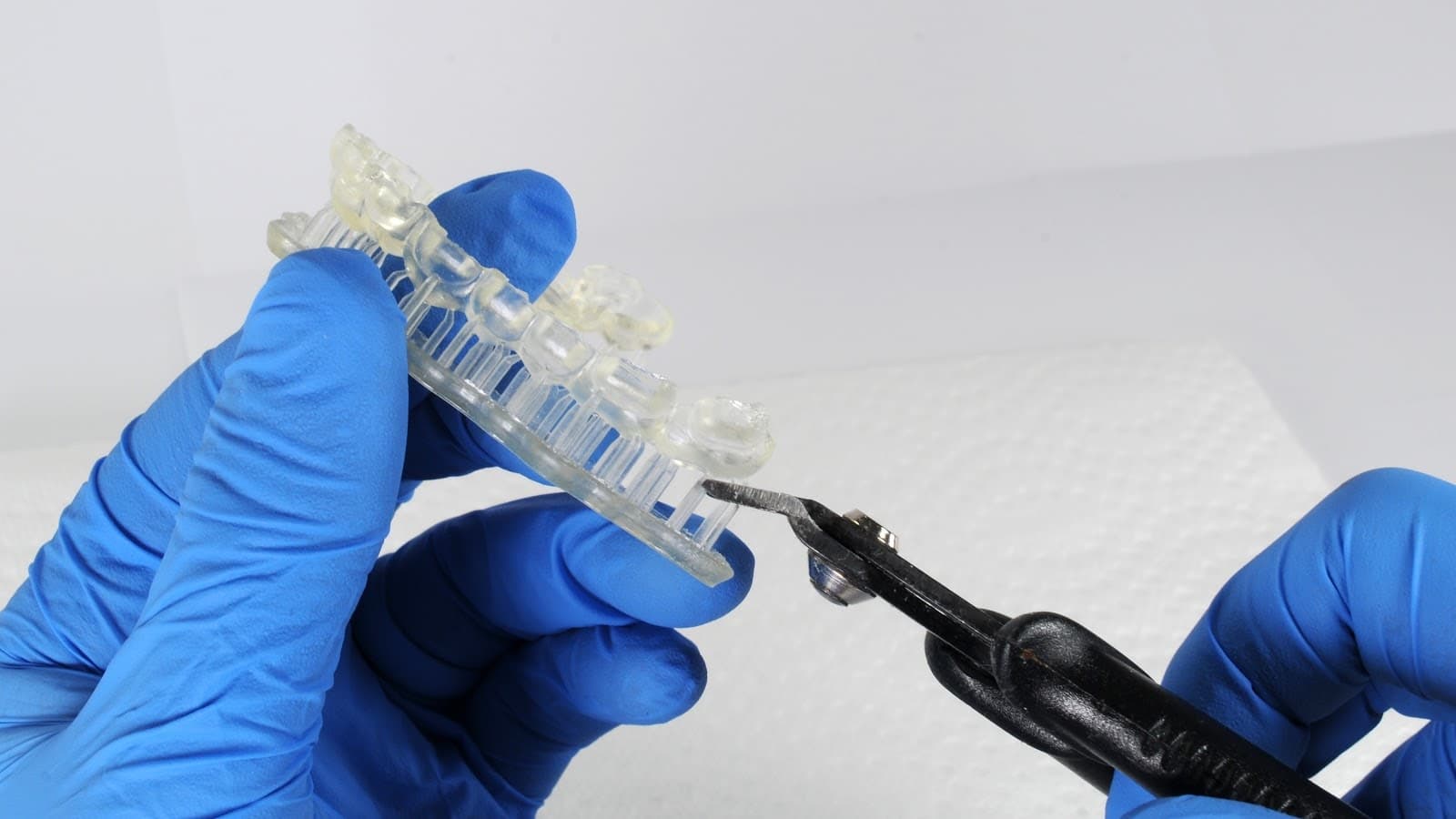
If the appliance has supports, remove them using the flush cutters provided in the Finish Kit or sharp scissors.
Additional resources