
WHITE PAPER
Blurred or missing features (SLS)
Blurred or missing features (SLS)
Sometimes blurred or missing features occur due to optical contamination, IR sensor contamination, or incorrect print settings.
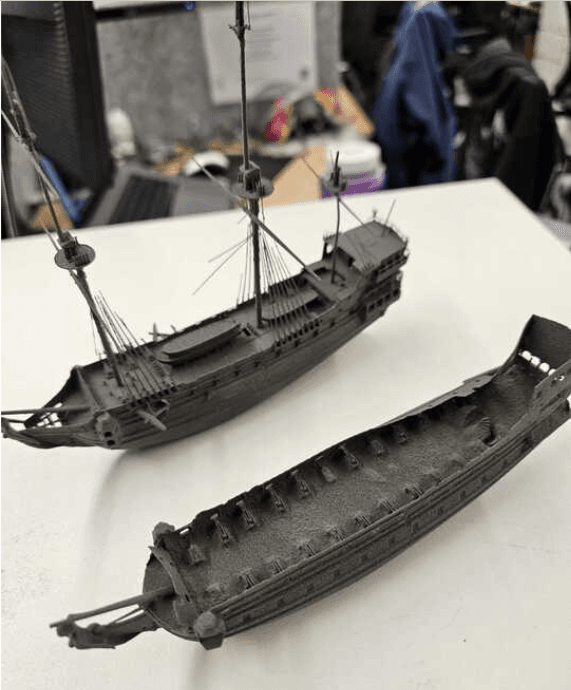
Symptoms
- Blurred or missing features on the printed part
Causes
- Poor model design, such as features designed too small in one dimension
- Poor model orientation
- Insufficient sintering due to dirty optics
- IR sensor obstructions cause low temperatures
- Incorrect print settings
Troubleshooting steps
Determine whether the print defect occurs on a particular model, a particular area, or across the entirety of the build volume.
- If the issue affects a single object, make sure that the affected object follows Formlabs recommendations for designing 3D models and that it is oriented properly.
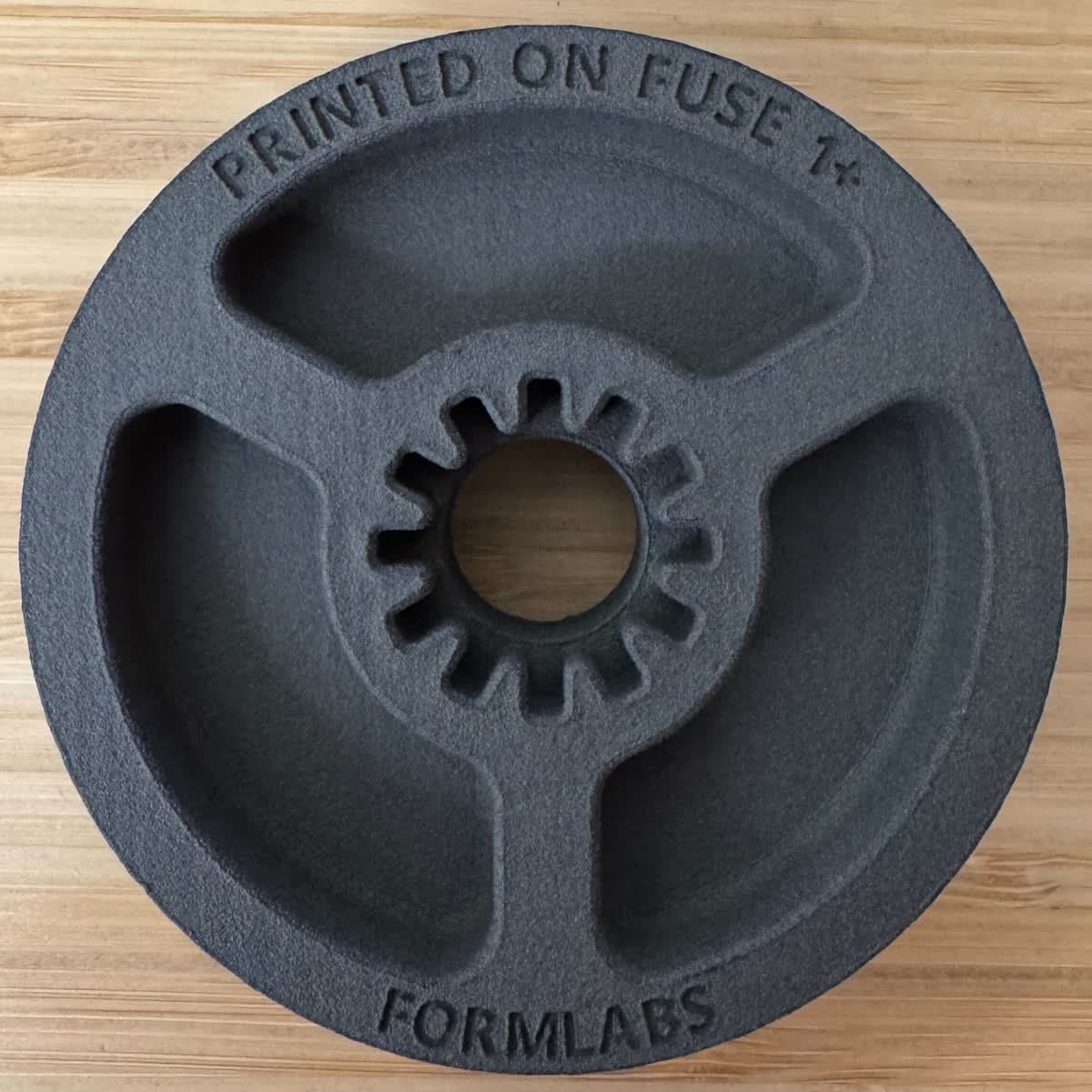
- Fine features printed facing upwards within the build chamber are generally sharper than those printed facing down.
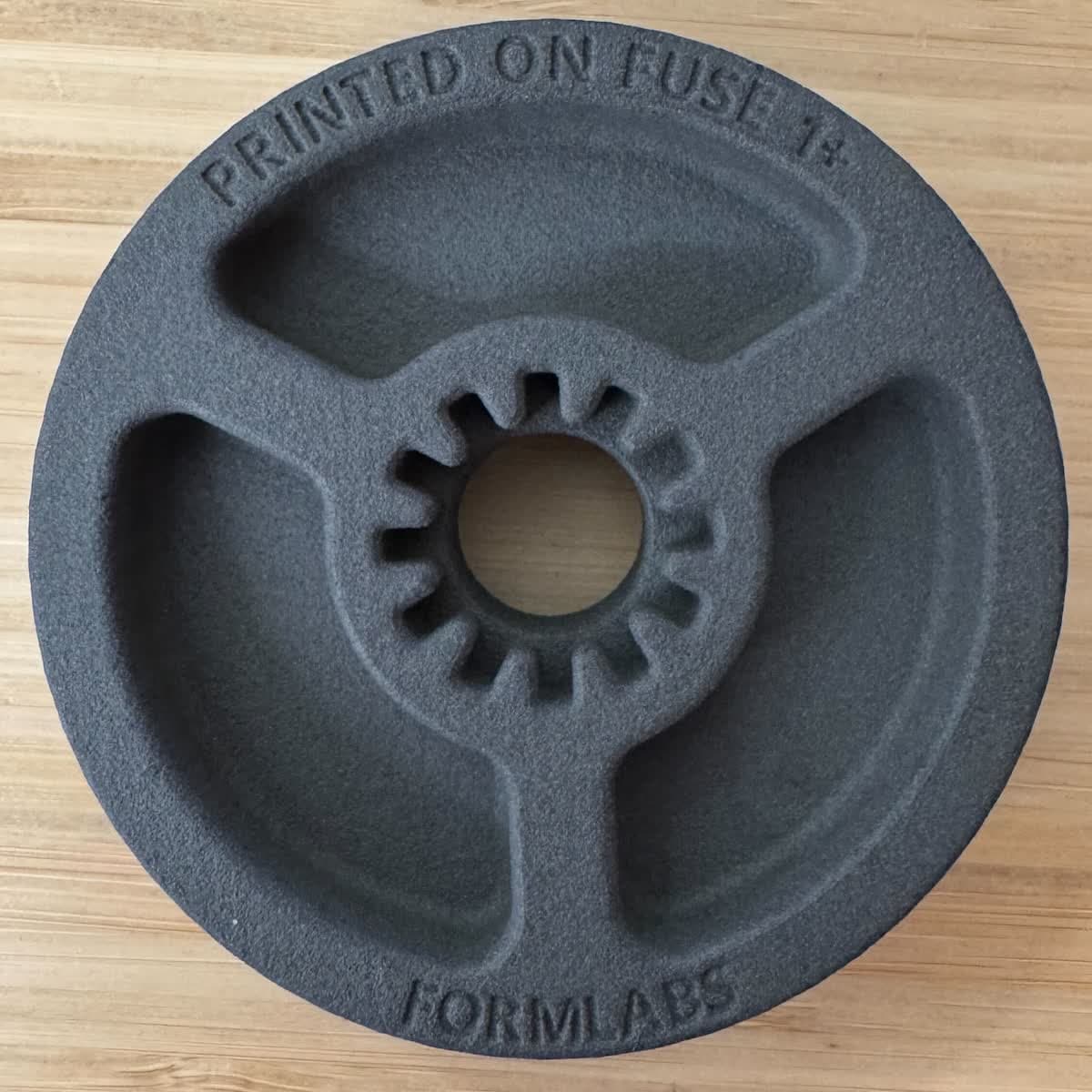
Part printed with fine features facing down
Part printed with fine features facing up
- Localized print defects in a particular section of the build may indicate optical contamination. Follow the instructions in the support articles Cleaning the optical cassette and Cleaning the upper laser window to remove contamination. If the contamination persists, replace the optical cassette or upper laser window.
- Print defects that affect the entire build may indicate an issue with the laser, temperature or print settings caused by contamination or laurolactam buildup on the IR sensor or its housing. Follow the instructions in the support articles Cleaning the IR sensor and Cleaning the IR sensor housing. If the contamination persists, replace the IR sensor.
- Check Choosing the right print settings (SLS) for the current recommended print settings for optimally printing fine features.
If print defects persist, there may be an issue with the printer’s laser power. Contact Formlabs Support or your authorized service provider and include the following information:
- Photos of the print defect
- The FORM file
- Your printer’s diagnostic logs