
備考:
機器の破損を防ぐために、サポート記事Choosing the right material(適切な材料を選定)に記載されているレジンタンクの互換性テーブルを参照し、お使いのレジンタンクに使用予定の材料との互換性があるかどうかを事前に確認してください。

備考:
機器の破損を防ぐために、サポート記事Choosing the right material(適切な材料を選定)に記載されているレジンタンクの互換性テーブルを参照し、お使いのレジンタンクに使用予定の材料との互換性があるかどうかを事前に確認してください。
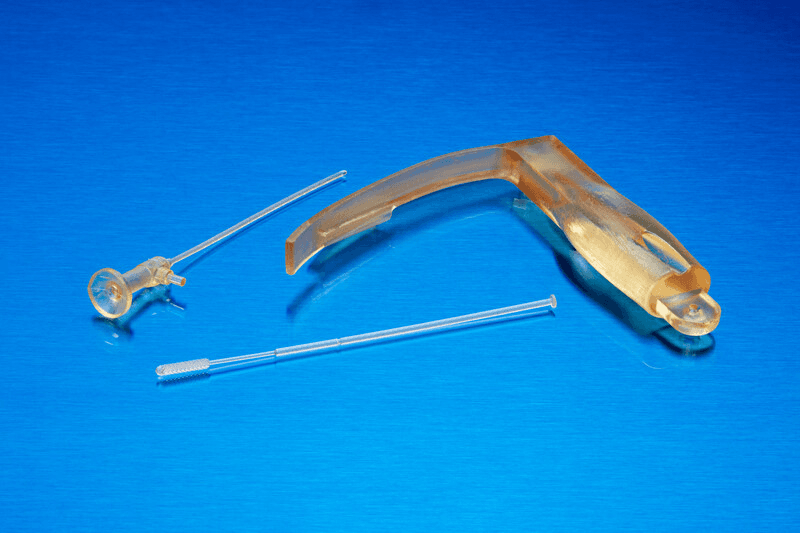
BioMed Amberレジンは、長期的な局所皮膚接触や短期的な粘膜接触が求められる生体適合性用途向けの硬質材料です。BioMed Amberレジンは、オートクレーブ、電子線、ガンマ線、エチレンオキサイドで滅菌できます。
備考:
BioMed Amberレジンの性能や特定の材料特性の詳細については、安全データシート(SDS)およびテクニカルデータシート(TDS)を参照してください。Formlabsの材料の安全性や取扱方法の詳細は、SDSを一次情報源としてご参照ください。
| BioMed Blackレジン | BioMed Whiteレジン | BioMed Clearレジン | BioMed Amberレジン | |
|---|---|---|---|---|
| 滅菌可能 | ✔ | ✔ | ✔ | ✔ |
| 透明 | ✔ | ✔ | ||
| 研磨可能 | ✔ | ✔ | ✔ | ✔ |
| Form 2対応 | ✔ | ✔ | ✔ | ✔ |
| Form 3B/3B+//3BL対応 | ✔ | ✔ | ✔ | ✔ |
| 認証 | USP Class VI ISO 10993-5, -10,-23 | USP Class VI ISO 10993-5, -10,-23 USP <151> Pyrogen + ISO 10993-11 急性全身毒性試験 | USP Class VI ISO 10993-5, -10,-23 ISO 18562-1,-2,-3,-4 | ISO 10993-5, -10,-23 ISO 13485 |
| 積層ピッチ | 50ミクロン 100ミクロン | 50ミクロン 100ミクロン | 50ミクロン 100ミクロン | 50ミクロン 100ミクロン |
他材料との比較
| BioMed Blackレジン | BioMed Whiteレジン | BioMed Clearレジン | BioMed Amberレジン | |
|---|---|---|---|---|
| 引張強さ(MPa) | 35.7 | 45.8 | 52 | 73 |
| 引張弾性率(GPa) | 1.5 | 2.0 | 2.1 | 2.9 |
| 破断時伸び(%) | 14 | 10 | 12 | 12.3 |
| 曲げ弾性率(GPa) | 1.7 | 2.0 | 2.3 | 2.5 |
| アイゾット衝撃強さ(J/m) | 24.8 | 15.1 | 35 | 28 |
| たわみ温度(HDT)@ 1.8 MPa | 49.4 | 52.4 | 54 | 65 |
| たわみ温度(HDT)@ 0.45 MPa(°C) | 68 | 67 | 67 | 78 |
必要な備品
BioMed Amberレジンで造形する
備考:
BioMed Amberレジンの生体適合性を最大限に発揮するためには、他のレジンと併用しない専用のレジンタンク、ビルドプラットフォーム、Finish Kitを使用する必要があります。
PreFormをインストールまたは最新バージョンに更新してから、次のプリントジョブをセットアップしてください。
PreFormでプリント用のモデルを準備するには:
BioMed Amberレジンカートリッジを5分間振り、レジンが完全に混ざるようにします。レジンタンクとビルドプラットフォームと一緒にカートリッジを装着し、プリントを開始します。
洗浄
造形品をできるだけ透明に仕上げるには、製造ガイドに記載されている洗浄方法に従ってください。不適切な洗浄は、機械的特性や生体適合性の低下につながります。
二次硬化の要件
二次硬化の推奨事項については、製造ガイドをご参照ください。二次硬化が適切に行われないと、機械的特性や生体適合性を十分得られないことがあります。
その他資料