
Recommended for:
- Rapid prototyping
- Rigorous functional testing of products (e.g: ductwork, brackets)
- Jigs and fixtures

Nylon 12 is a durable, industry standard material ideal for functional prototyping. Its recommended 30% refresh rate allows for maximum reuse of materials and optimal print success.
Formlabs recommends tuning the bed temperature of your printer before printing with Nylon 12 Powder for the first time. This step is not required, but fine-tuning the bed temperature prior to printing your first build results in fewer surface defects on your parts caused by variable printer temperatures. Read the section Preparing to print with Nylon 12 Powder for more information.
Recommended for:
Comparison with other materials
See the table below for a comparison of relevant material properties:
| Nylon 11 | Nylon 12 | |
|---|---|---|
| Ultimate tensile strength (MPa) | 49 | 50 |
| Tensile modulus (GPa) | 1.6 | 1.85 |
| Elongation at break X/Y (%) | 40 | 11 |
| Flexural modulus (GPa) | 1.4 | 1.6 |
| Izod impact strength (J/m) | 70 | 32 |
| Heat deflection temperature (HDT) @ 1.8 MPa | 46 | 87 |
| Heat deflection temperature (HDT) HDT @ 0.45 MPa (°C) | 182 | 171 |
To learn more about the performance properties of Formlabs materials, refer to the library of material properties data sheets.
Preparing to print with Nylon 12 Powder
Formlabs recommends tuning the bed temperature of your printer before printing with Nylon 12 Powder for the first time. This process should be run on aged powder, refreshed with 30% fresh powder. If you do not have any used powder on hand, age a batch of fresh powder before printing the bed temperature tuning diagnostic tool.
Follow the instructions in the support article Aging Nylon 12 Powder before first use to age and sift powder, then follow the instructions in the support article Tuning the bed temperature of your Fuse 1 generation printer for improved part yield with Nylon 12 Powder.
Printing with Nylon 12
Notice:
When printing with Nylon 12, keep the relative humidity of the environment around the printer to 50% or less. Higher humidity may lead to clumping, underdosing, and print failures.
Nylon 12 has a recommended refresh rate of 30% to maximize efficiency and printing reliability. For the best results, follow Formlabs design specifications for SLS printing.
Refer to the support article Starting a print (SLS) to open the model in PreForm, orient it, and send it to the printer.
Between prints
Accumulated powder and condensed airborne particulates can cause print failures in future print jobs if not properly cleaned out after each print. Clean the following areas between prints:
Cleaning the top of the print enclosure
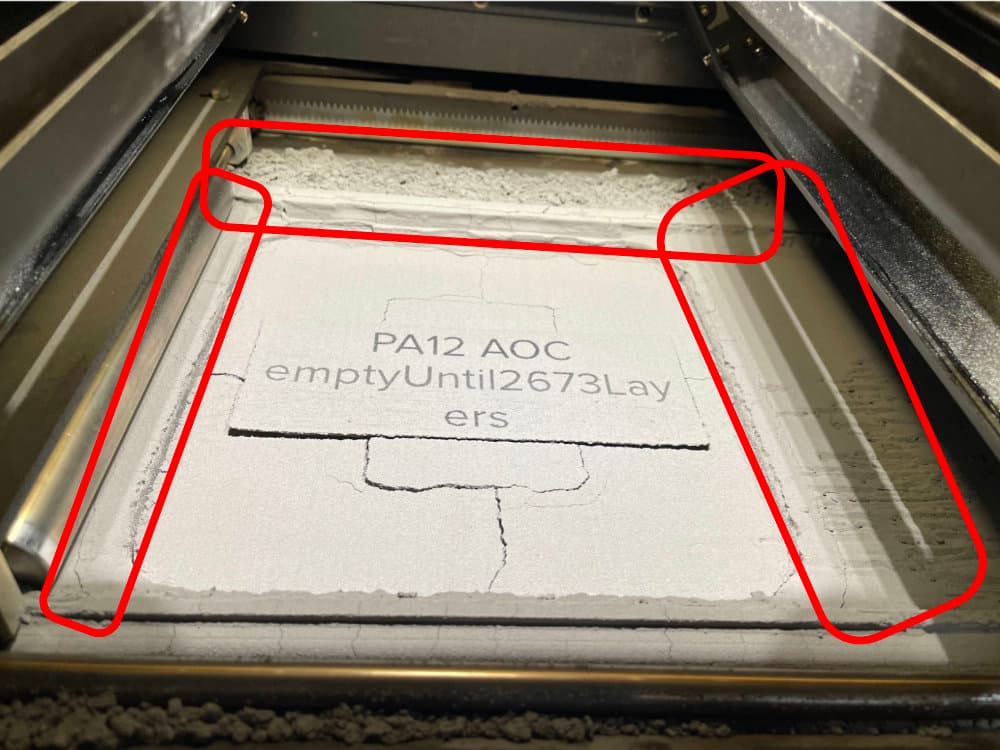
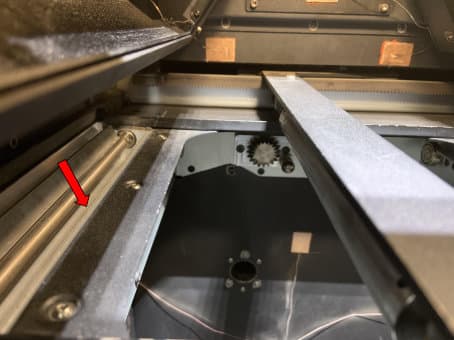
Powder can accumulate at the top of the print enclosure, particularly on the runways, the areas between the powder troughs and the top of the build chamber. This excess powder may fuse and be dragged into the build chamber during subsequent prints. Vacuum this area thoroughly to help prevent print failures.
Vacuuming the troughs
Between prints, clean both troughs and the area around the recoater’s path using a compliant vacuum with static dissipative components. Use the vacuum, fitted with a small brush attachment or the flexible hose attachment, to clean all powder out of the troughs. If needed, use compressed air or a gas duster to remove powder from hard-to-reach areas. Check in particular for powder buildup along the inner walls and corners of the troughs.
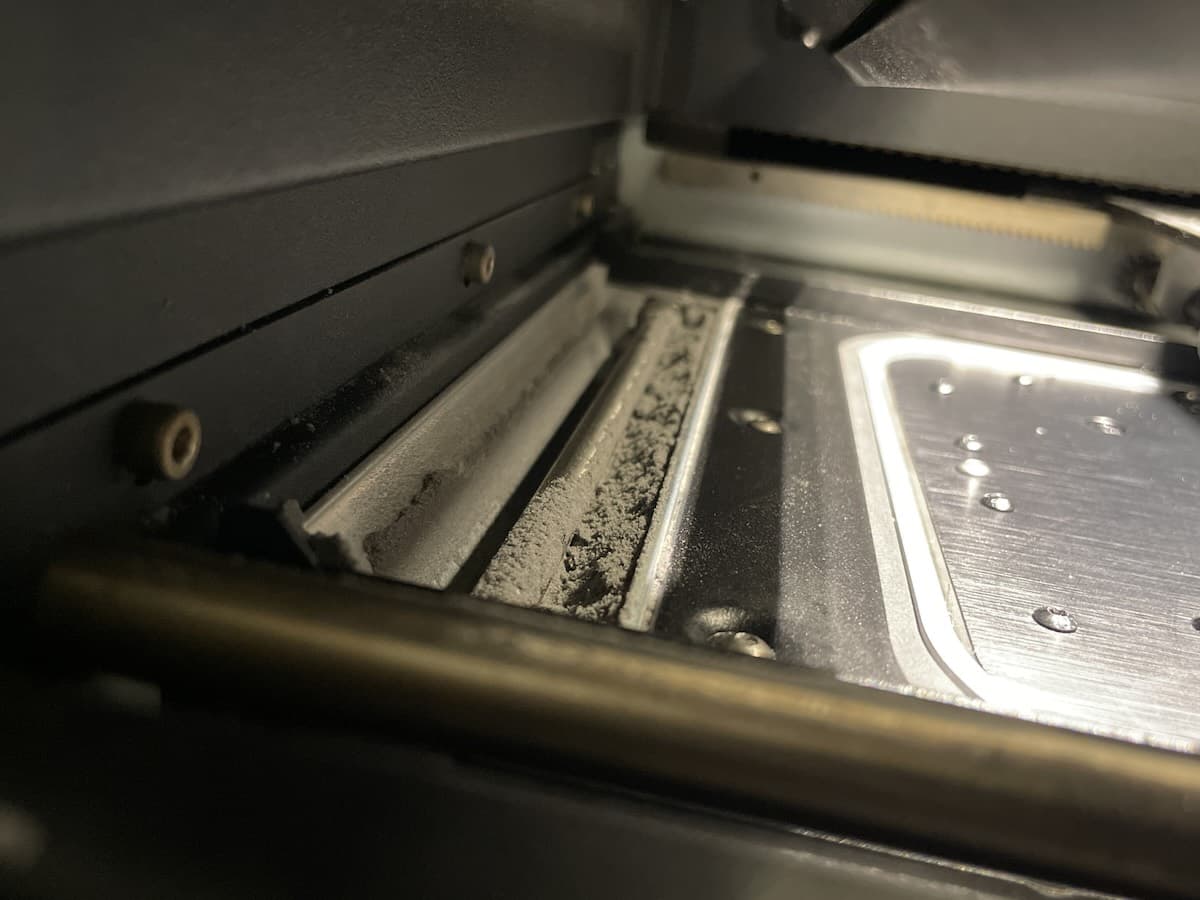
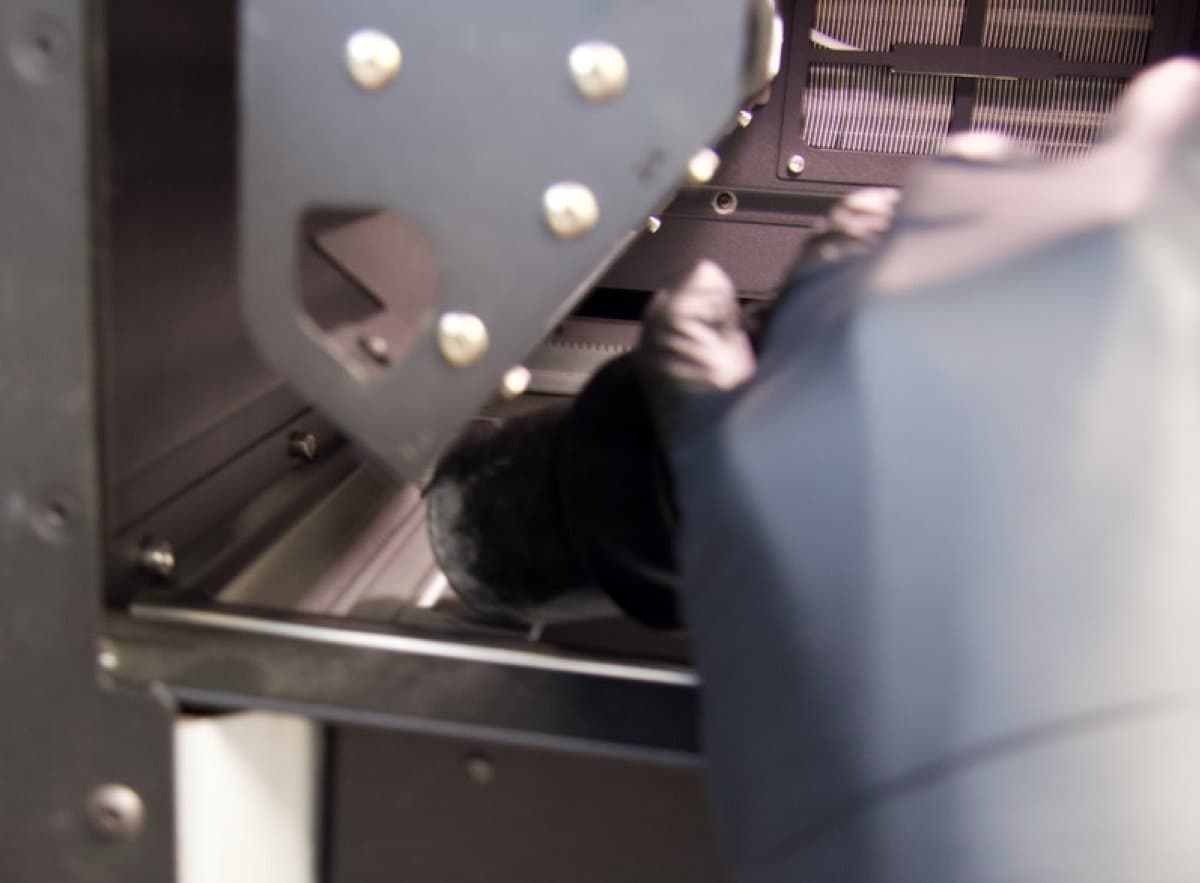
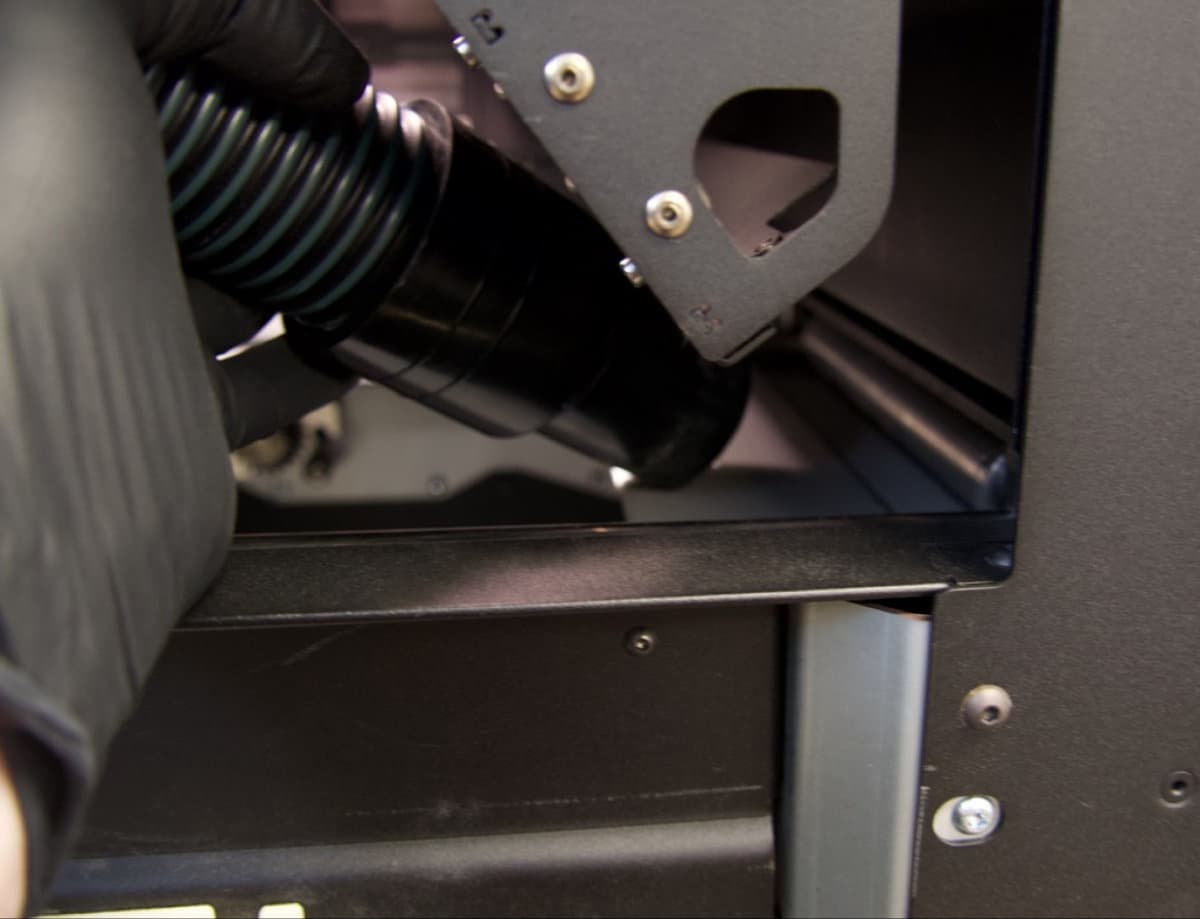
Close the print enclosure door and move the flipper motors to dislodge powder for cleaning.
To move the flipper motors:
Caution:
Unless specifically advised, do not select any of the options in the Motor Moves menu while the print enclosure door is open or any objects are in the path of the powder handling mechanisms at the top of the print enclosure. Moving parts present a crushing or tangling hazard. If necessary, tap the Stop button on the touchscreen to stop a motor movement.
Cleaning the recoater
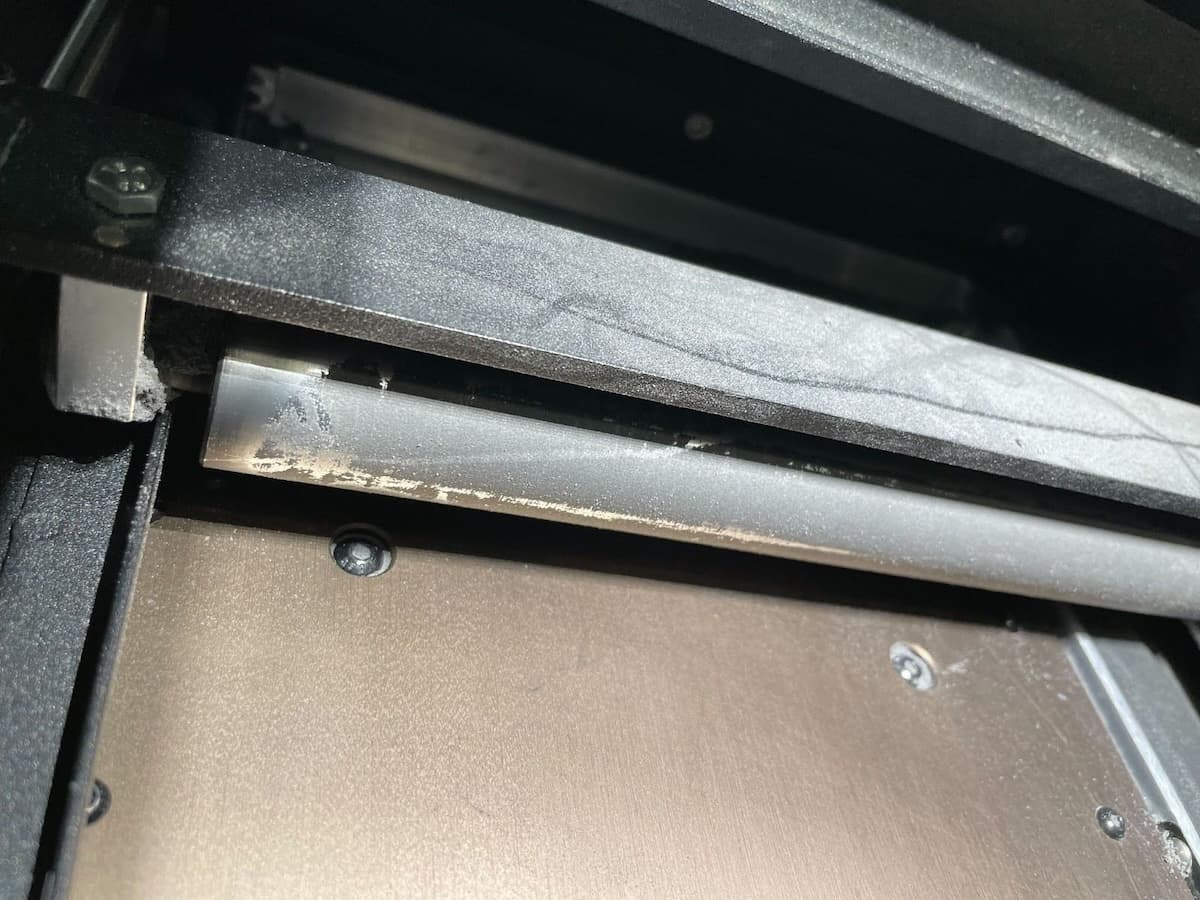
Move and inspect the recoater. If it appears coated with semi-sintered powder, clean the recoater before running another print.
To clean the recoater:
Changing materials
Fuse 1 generation printers, the Fuse Sift, and related accessories are designed to be used with only one powder type at a time. Make sure to clean each device thoroughly, following Formlabs instructions, before switching powder types. Mixing powders can lead to print failures or permanent damage to the machine.
Using a dedicated build chamber for Nylon 12 Powder is highly recommended. If using a build chamber that has previously printed with a different powder, the print bed assembly should be replaced in order to prevent failures due to stuck print beds. Please contact Formlabs Support or your certified service provider for guidance on replacing this component. Swapping out the print bed is most important when the previously printed material has a lower printing temperature than the new material, for example when switching from Polypropylene to Nylon 12.
If you plan to regularly print in multiple different materials, Formlabs recommends dedicating a separate printer, build chamber, and Fuse Sift for each material type for an easier workflow.
Consult the following support articles for additional information:
Additional resources