
Notice:
Nylon 11 CF powder is only compatible with the Fuse 1+ due to the printer’s new active powder handling system. Using Nylon 11 CF with a Fuse 1 printer can permanently damage the machine.

Notice:
Nylon 11 CF powder is only compatible with the Fuse 1+ due to the printer’s new active powder handling system. Using Nylon 11 CF with a Fuse 1 printer can permanently damage the machine.
Nylon 11 CF powder is a rigid and tough material for printing high-performance parts that maintain dimensional accuracy under strenuous conditions. Nylon 11 CF is a material created by adding carbon fibers to nylon, creating a stiff and strong material with an excellent strength-to-weight ratio. This makes it a material of choice for automotive and aerospace applications.
Formlabs recommends a 30% refresh rate when printing with Nylon 11 CF. For best results, Formlabs recommends using a nitrogen purge.
Caution:
Nylon 11 CF can act as an irritant of skin and mucosal membranes. Formlabs recommends using personal protective equipment (PPE) per the guidelines of the SDS.
Notice:
Carbon fiber particles are conductive and may create short-circuits in electronics.
Recommended for:
Note:
To learn more about the performance or specific material properties of Nylon 11 CF, refer to the Safety Data Sheet (SDS) and Technical Data Sheet (TDS). Always consult the SDS as the primary source of information to understand safety and handling of Formlabs materials.
Comparison with other materials
See the table below for a comparison of relevant material properties:
| Nylon 11 | Nylon 12 | Nylon 11 CF* | |
|---|---|---|---|
| Ultimate tensile strength X/Y/Z (MPa) | 49 | 50 | 69/52/38 |
| Tensile modulus X/Y/Z (GPa) | 1.6 | 1.85 | 5.3/2.8/1.6 |
| Elongation at break X/Y (%) | 40 | 11 | 9/15 |
| Elongation at break Z (%) | 40 | 6 | 5 |
| Flexural modulus (GPa) | 1.4 | 1.6 | 4.2 |
| Izod impact strength (J/m) | 71 | 32 | 74 |
| Heat deflection temperature (HDT) @ 1.8 MPa | 46 | 87 | 178 |
| Heat deflection temperature (HDT) @ 0.45 MPa | 182 | 171 | 188 |
* Nylon 11 CF has different material properties in the X, Y, and Z axes due to the alignment of the carbon fibers.
To learn more about the properties of Formlabs materials, refer to the library of material properties data sheets.
Printing with Nylon 11 CF
Notice:
Nylon 11 CF powder is only compatible with the Fuse 1+ due to the printer’s new active powder handling system.
For the best results, follow Formlabs design specifications for SLS printing. Refer to the support article Starting a print (SLS) to open the model in PreForm, orient it, and send it to the printer.
When printing with Nylon 11 CF:
Fresh, unused powder is susceptible to clumping in the printer’s hopper, causing underdosing and potential print failures. When printing with 100% fresh powder:
Recovering Nylon 11 CF printed parts
Nylon 11 CF Powder can form clumps in its unsintered state, making it more difficult to dispense powder into powder cartridges.
Before recovering printed parts:
While recovering printed parts:
Before filling a powder cartridge:
While filling powder cartridges:
While cleaning printed parts in a Fuse Blast:
Between prints
Accumulated powder and condensed airborne particulates can cause print failures in future print jobs if not properly cleaned out after each print. Clean the following areas between prints:
Cleaning the top of the print enclosure
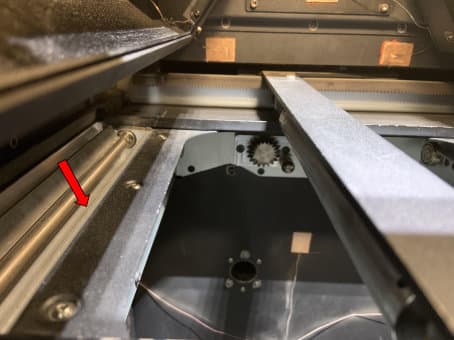
Powder can accumulate at the top of the print enclosure, particularly on the runways, the areas between the powder troughs and the top of the build chamber. This excess powder may fuse and be dragged into the build chamber during subsequent prints. Vacuum this area thoroughly to help prevent print failures.
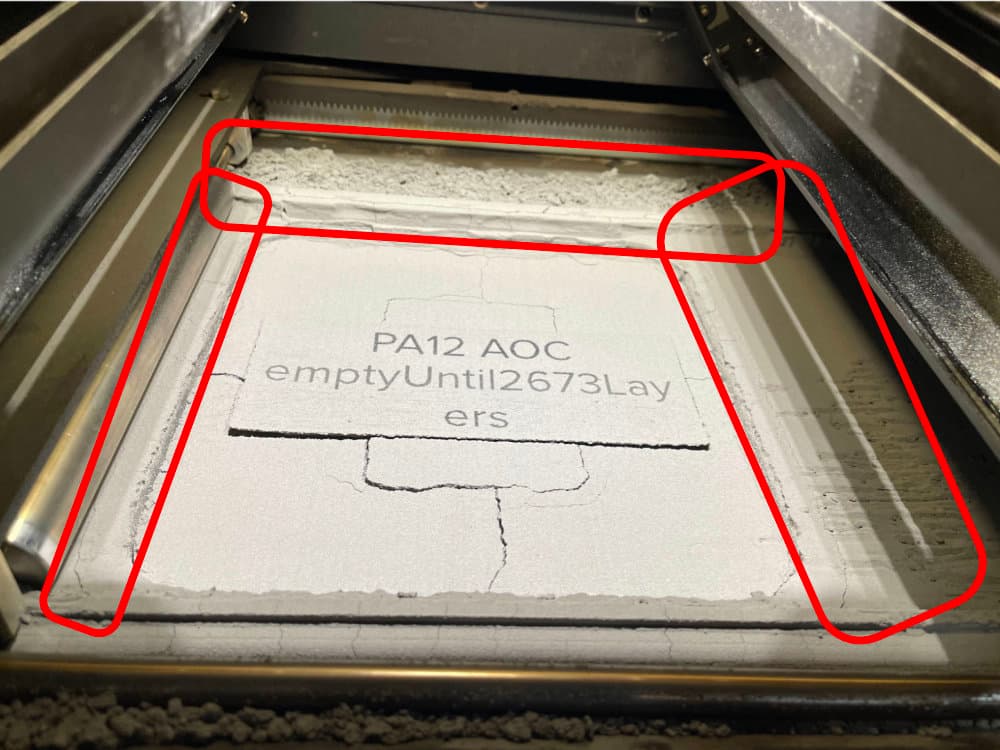
Vacuuming the troughs
Between prints, clean both troughs and the area around the recoater’s path using a compliant vacuum with static dissipative components. Use the vacuum, fitted with a small brush attachment or the flexible hose attachment, to clean all powder out of the troughs. If needed, use compressed air or a gas duster to remove powder from hard-to-reach areas. Check in particular for powder buildup along the inner walls and corners of the troughs.
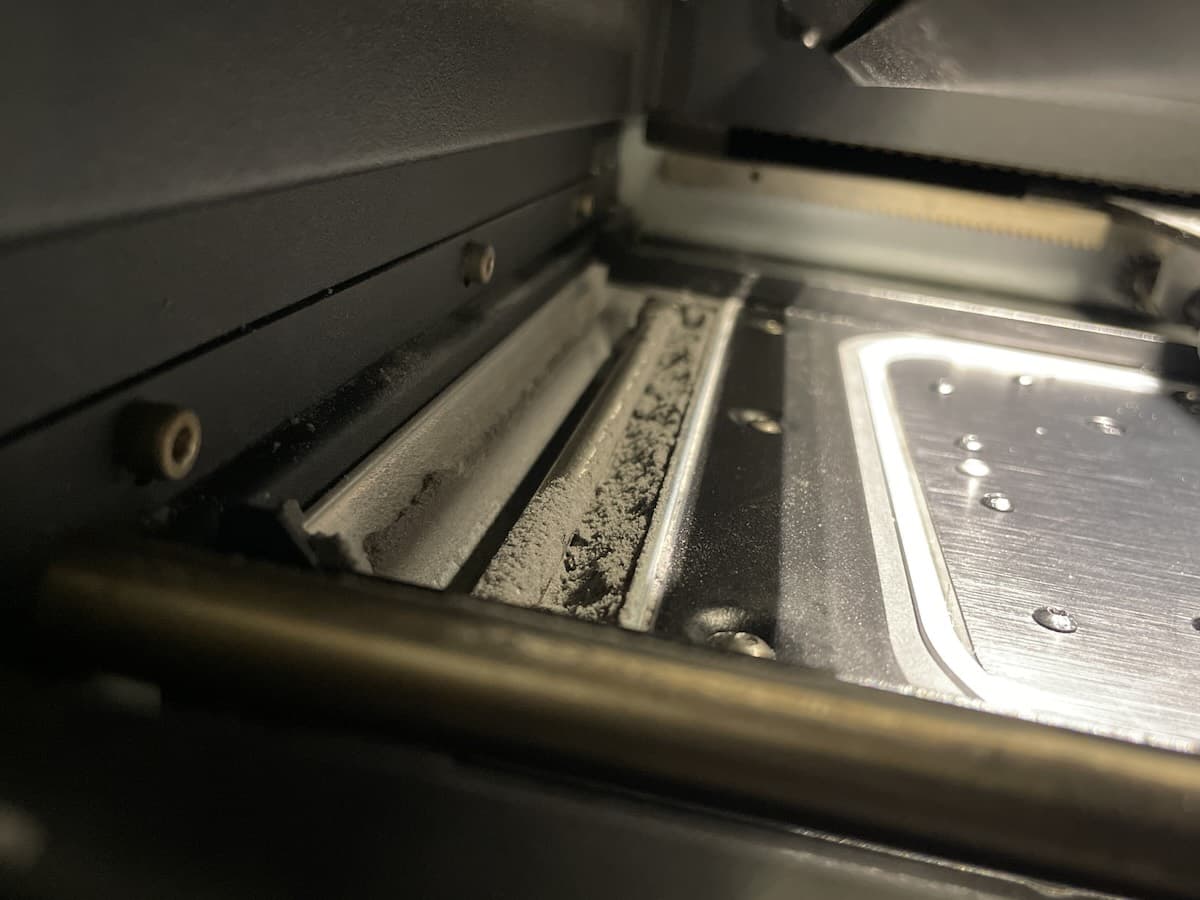
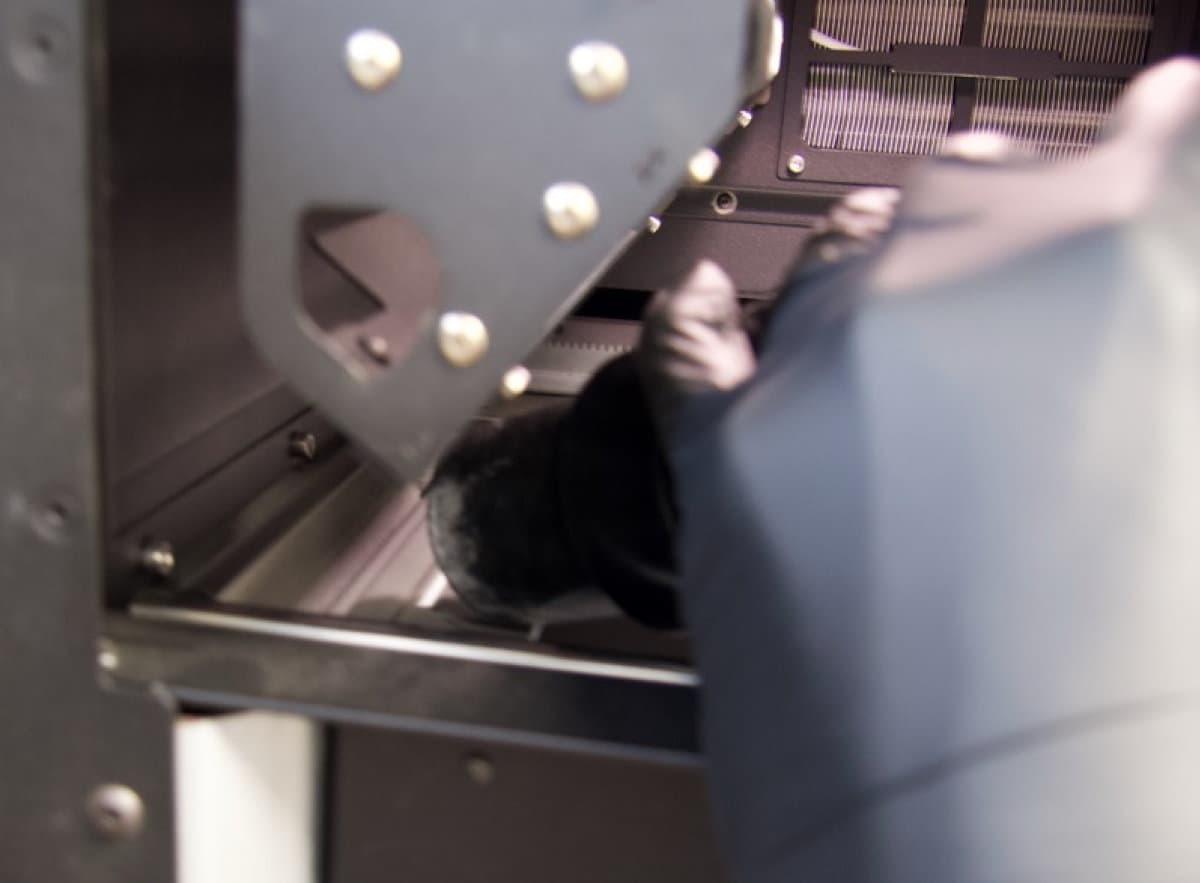
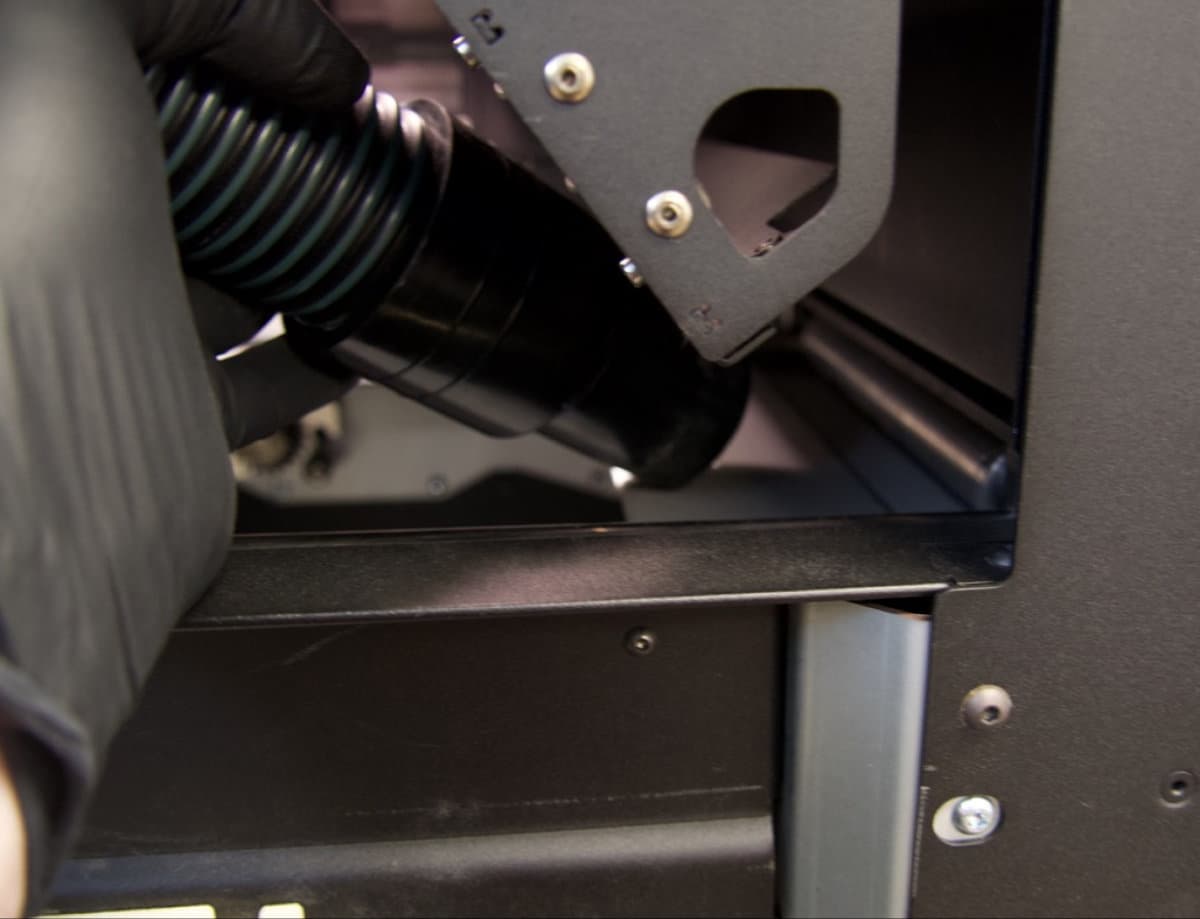
Close the print enclosure door and move the flipper motors to dislodge powder for cleaning.
To move the flipper motors:
Caution:
Unless specifically advised, do not select any of the options in the Motor Moves menu while the print enclosure door is open or any objects are in the path of the powder handling mechanisms at the top of the print enclosure. Moving parts present a crushing or tangling hazard. If necessary, tap the Stop button on the touchscreen to stop a motor movement.
Cleaning the recoater
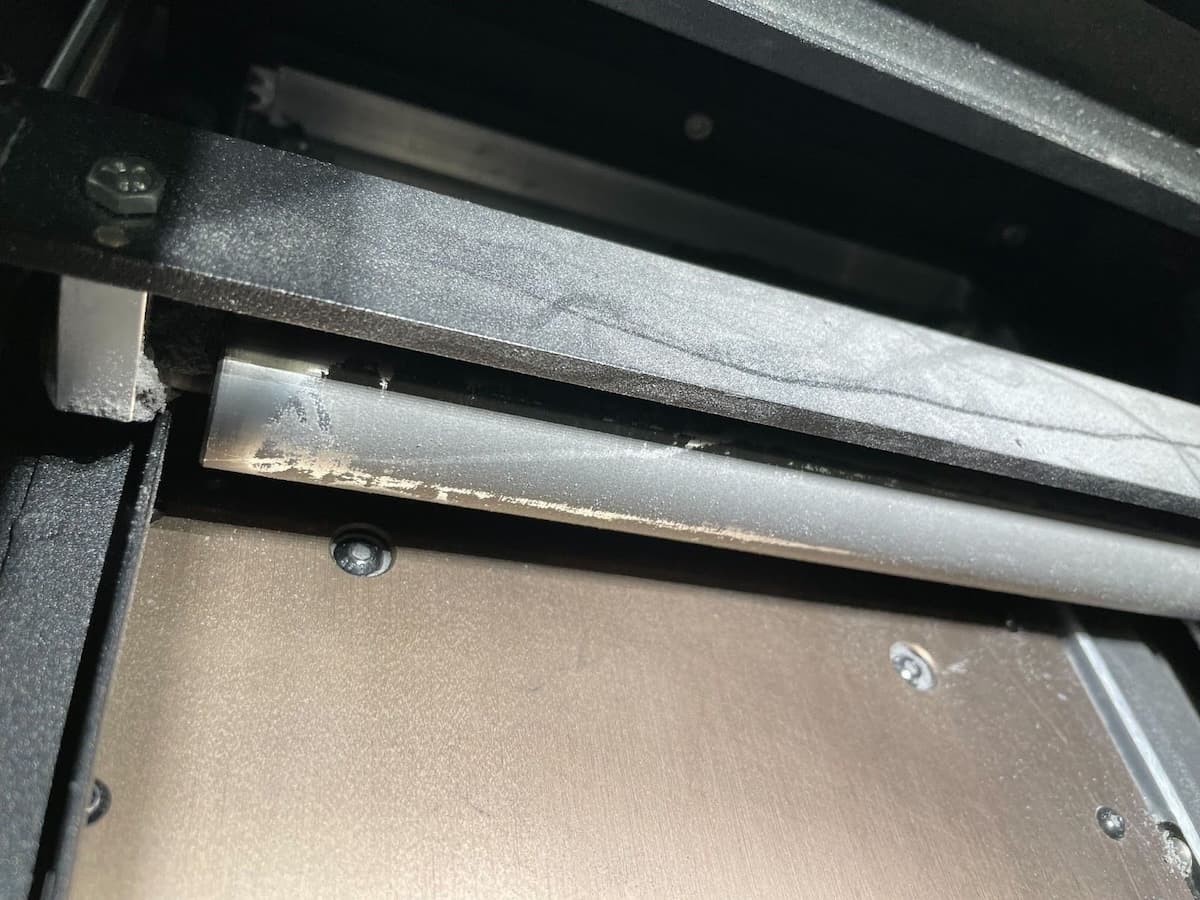
Move and inspect the recoater. If it appears coated with semi-sintered powder, clean the recoater before running another print.
To clean the recoater:
Changing materials
The Fuse 1 generation printer, Fuse Sift, and related accessories are designed to be used with only one powder type at a time. Make sure to clean each device thoroughly, following Formlabs instructions, before switching powder types. Mixing powders can lead to print failures or permanent damage to the machine.
If you plan to regularly print in multiple different materials, Formlabs recommends dedicating a separate Fuse 1 generation printer and Fuse Sift for each material type.
Consult the following support articles for additional information: